知っておくべき Python の重要な概念 5 つ
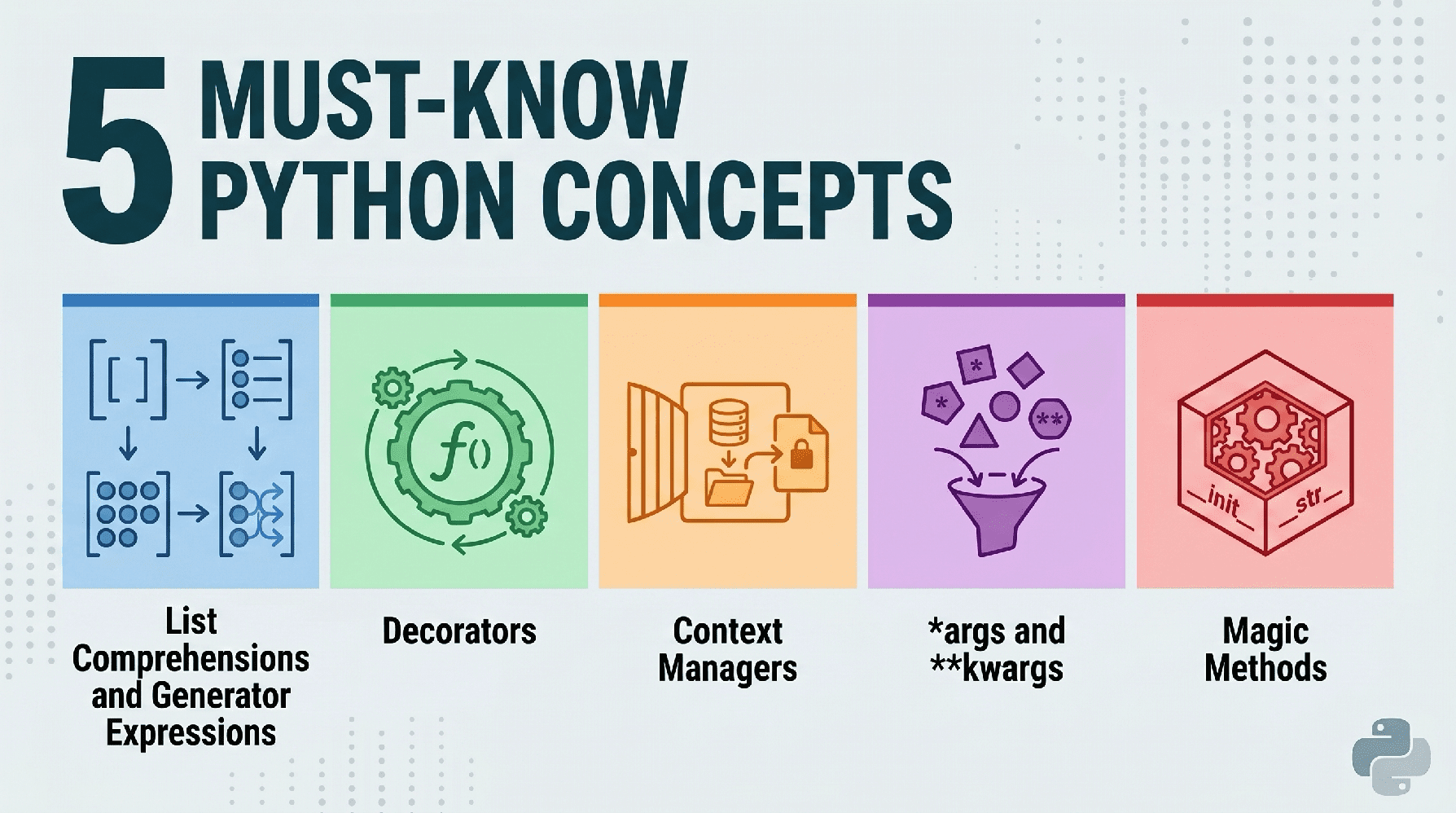
KDnuggets は、Python 開発者がデータサイエンスや AI 分野で効率的かつメモリ最適化されたコードを書くために習得すべきリスト内包表記とジェネレーター式という 5 つの基本概念を解説している。
キーポイント
リスト内包表記による可読性向上
従来のループ処理を単一行で記述可能にし、コードの可読性と実行速度を大幅に向上させる Pythonic な手法である。
ジェネレーター式によるメモリ最適化
大規模データを扱う際、全データを一度にメモリ上に展開するのではなく必要な分だけ遅延評価(lazy evaluation)で処理することで、メモリの使用量を劇的に削減できる。
データサイエンスにおける重要性
Python が AI や機械学習の事実上の標準言語となっている理由の一つであり、プロフェッショナルな開発に不可欠なスキルセットである。
Generator Expressions の非同期性とメモリ効率
生成器式は必要な時だけ値を計算する「遅延評価」を行い、大規模なデータセットでもシステムメモリの枯渇を防ぎます。
デコレータによるコードの重複排除と機能拡張
デコレータは関数やクラスの動作をソースコードを変更せずにラップし、ロギングや認証などの共通処理を「DRY(Don't Repeat Yourself)原則」に基づいて効率的に実装できます。
リソース管理の安全性向上
with文(コンテキストマネージャー)を使用することで、ファイルやデータベース接続などのリソースを自動的に閉じ、エラー発生時でもメモリリークやロックを防ぐことができます。
可変引数の柔軟な処理
*argsと**kwargsを用いることで、関数に渡される位置引数やキーワード引数の数を事前に知らなくても、タプルや辞書として動的に受け取ることが可能になります。
重要な引用
Python is a powerful, general-purpose programming language with a simple syntax highlighted by the Pythonic approaches to managing logic and data
Generator expressions (using parentheses) are 'lazy' — they produce items one at a time, allowing you to process massive datasets without exhausting your system's memory.
List comprehensions are faster than .append().
Generator expressions (using parentheses) are "lazy" — they produce items one at a time, allowing you to process massive datasets without exhausting your system's memory.
Decorators promote the "don't repeat yourself" (DRY) principle. They are essential for logging, authentication, and caching in production environments.
Not only is it more concise, the logic is more straightforward and easier to follow as well — plus you get the easily-forgotten close() for free
影響分析・編集コメントを表示
影響分析
この記事は、AI やデータサイエンス分野で頻繁に Python を使用する開発者にとって、パフォーマンスとメモリ効率を最適化する具体的な手法を提供する重要なガイドです。特に大規模データを扱う際のベストプラクティスを示すことで、実務におけるコードの品質向上とリソース管理の改善に直結します。
編集コメント
AI 開発現場では大規模データの処理が日常茶飯事であり、この記事を参考にジェネレーター式の活用を徹底することで、システムのパフォーマンスと安定性を大幅に向上させることができます。
 image**
# イントロダクション
なぜあなたは Python を使うのですか?多くの人にとっては「なんとなく」という理由に帰着しますが、それは本当はそうあるべきではありません。Python は強力な汎用プログラミング言語であり、その構文はシンプルで、論理とデータを管理するための Pythonic なアプローチによって際立っています。まさにこれらの理由から、データサイエンス、機械学習、AI におけるデファクトスタンダードの言語として選ばれています。** Python を習得するのは容易ですが、スキルを向上させ、言語のコアメカニズムをマスターし、効率的で保守可能なシステムを書けるプロフェッショナルへと移行するために、何年も取り組む必要があります。
この点を踏まえて、今日私たちはすべての Python 開発者がツールキットに持っておくべき 5 つの基本的な概念を探求していきましょう。
# 1. リスト内包表記とジェネレーター式
**
Python はその可読性で有名です。リスト内包表記 を使うことで、ごちゃごちゃしたループを単一行のコードに置き換えることができます。しかし、ここで真のプロフェッショナルがやるべきことは、メモリ節約のために ジェネレーター式 を使用するタイミングを知ることです。
// ごちゃごちゃした方法(for ループ)
まず、非効率で Pythonic ではない「ごちゃごちゃした」やり方から始めましょう:
numbers = range(1000000)
squared_list = []

for n in numbers:
    if n % 2 == 0:
        squared_list.append(n ** 2)
// The Pythonic Way (List Comprehension)
Now let's take a look at the Pythonic way of solving the same task:
Concise and faster execution
squared_list = [n ** 2 for n in numbers if n % 2 == 0]
The "Must-Know" Twist: Generator Expressions
If you only need to iterate once and don't need the whole list in memory:
squared_gen = (n ** 2 for n in numbers if n % 2 == 0)
Output:
List size: 4,167,352 bytes
Generator size: 200 bytes
Here's why this is important, beyond people telling you "that's how it's done in Python": List comprehensions are faster than .append(). Generator expressions (using parentheses) are "lazy" — they produce items one at a time, allowing you to process massive datasets without exhausting your system's memory.
Let's see how to use the generator, one call at a time, using a generator expression:
numbers = range(1000000)
squared_gen = (n ** 2 for n in numbers if n % 2 == 0)
Values are computed only when requested, not all at once
print(next(squared_gen))
print(next(squared_gen))
print(next(squared_gen))
Output:
0
4
16
# 2. Decorators
Decorators are a way to modify the behavior of a function or class without permanently changing its source code. Think of them as wrappers around other functions.
// The Clunky Way
複数の異なる関数の実行時間をログ記録したい場合、各関数に手動でタイミング計測コードを追加するかもしれません。
import time
def process_data():
start = time.time()
# ... 関数のロジック ...
end = time.time()
print(f"process_data took {end - start:.4f}s")
def train_model():
start = time.time()
# ... 関数のロジック ...
end = time.time()
print(f"train_model took {end - start:.4f}s")
def generate_report():
start = time.time()
# ... 関数のロジック ...
end = time.time()
print(f"generate_report took {end - start:.4f}s")
繰り返しが問題点を明確にしている点にご注意ください:同じ 4 行が各関数内で重複しています。デコレーター関数(decorator function)がこれをどのように解決できるか見てみましょう。
// The Pythonic Way
このタスクに対するより Pythonic なアプローチはこちらです。
import time
from functools import wraps
def timer_decorator(func):
@wraps(func)
def wrapper(*args, **kwargs):
start = time.time()
result = func(*args, **kwargs)
end = time.time()
print(f"{func.__name__} took {end - start:.4f}s")
return result
return wrapper
@timer_decorator
def heavy_computation():
return sum(range(10**7))
heavy_computation()
出力:
heavy_computation took 0.0941s
timer_decorator() が heavy_computation() 関数をどのように「ラップ(wrap)」しているか、そして後者が呼び出された際に前者に包含され、その恩恵を受ける様子がわかります。
デコレータは「重複を避ける(DRY)原則」を推進します。本番環境におけるログ記録、認証、キャッシュには不可欠です。
# 3. コンテキストマネージャ (with ステートメント)
ファイルやデータベース接続、ネットワークソケットなどのリソース管理は、バグの主要な原因となります。ファイルを閉じるのを忘れると、メモリリークが発生したり、他のプロセスからファイルがロックされたりします。
// 面倒なやり方
ここではファイルを開き、使用し、不要になった時点で強制的に閉じます。
f = open("data.txt", "w")
try:
f.write("Hello World")
finally:
# 忘れやすい!
f.close()
// Python 的なやり方
with ステートメントを使えば、上記の問題を解決できます。
エラーが発生した場合でも、ここでファイルが自動的に閉じられます
with open("data.txt", "w") as f:
f.write("Hello World")
これはより簡潔であるだけでなく、ロジックも明確で追跡しやすく、さらに忘れがちな close() メソッドを無料で利用できます。なぜなら、「セットアップ」と「テardown」が確実に実行されるからです。データ処理の観点では、SQL データベースへの接続や、大規模な入出力 (IO) バウンドタスクの処理において有用です。
# 4. *args と **kwargs のマスター
関数に引数がいくつ渡されるか分からない場合もあります。Python は「パッキング」演算子を用いてこれをエレガントに処理します。これらを使用していない初心者であっても、どこかで必ずこれらの「パッキング」演算子を目にしたことがあるはずです。
// Python 的な例
以下が、それらを扱うための Python 的な方法です。
- *args (非キーワード引数): 追加の位置引数をタプルに集約する「パッキング」演算子です。これは、関数に渡されるアイテム数が事前にわからない場合に使用されます。
- **kwargs (キーワード引数): 追加の名前付き引数を辞書に集約する「パッキング」演算子です。これはオプションの設定や名前付きパラメータのために使用されます。
def make_profile(name, *tags, **metadata):
# name は名前付き引数です
print(f"User: {name}")
# tags はタプルです
print(f"Tags: {tags}")
# metadata は辞書です
print(f"Details: {metadata}")
make_profile("Alice", "DataScientist", "Pythonist", location="NY", seniority="Senior")
Output:
User: Alice
Tags: ('DataScientist', 'Pythonist')
Details: {'location': 'NY', 'seniority': 'Senior'}
これは、Scikit-Learn や Matplotlib のような柔軟なライブラリの背後にある秘密です。これにより、関数に任意の数の設定値を渡すことが可能になり、コードが変化する要件に対して極めて適応性を持つようになります。
# 5. ダンダーメソッド (マジックメソッド)
**
"Dunder" とはダブルアンダースコア(例:__init__)の略称です。** 公式には special methods (より一般的にはマジックメソッドと呼ばれる)と呼ばれ、これらのメソッドを使用することで、カスタムオブジェクトが組み込み Python の動作を模倣できるようになります。
// Pythonic なアプローチ
マジックメソッドを使用して、クラスに自動的に動作を追加する方法を見てみましょう。
class Dataset:
def __init__(self, data):
self.data = data
def __len__(self):
return len(self.data)
def __str__(self):
return f"Dataset with {len(self.data)} items"
Create a dataset instance
my_data = Dataset([1, 2, 3])
Calls __len__
print(len(my_data))
Calss __str__
print(my_data)
Output:
3
Dataset with 3 items
By using the built-in __len__ and __str__ dunders, our custom class gets some useful functionality for free.
Dunder methods are the backbone of the Python object protocol. By implementing methods like __getitem__ or __call__, you can make your classes behave like lists, dictionaries, or even functions, leading to much more intuitive APIs.
# Wrapping Up
Mastering these five concepts marks the transition from writing scripts to building software. By utilizing list comprehensions for speed, decorators for clean logic, context managers for safety, *args/**kwargs for flexibility, and dunder methods for object power, you are setting the foundation upon which you can build further Python expertise.
Matthew Mayo (@mattmayo13) は、コンピュータサイエンスの修士号およびデータマイニングの大学院ディプロマを取得しています。KDnuggets と Statology の編集長、そして Machine Learning Mastery の寄稿編集者として、Matthew は複雑なデータサイエンスの概念を誰もが理解できるようにすることを目的としています。彼の専門的な関心分野には、自然言語処理(Natural Language Processing)、言語モデル、機械学習アルゴリズム、および新興の AI への探求が含まれます。彼はデータサイエンスコミュニティにおける知識の民主化という使命に駆り立てられています。Matthew は 6 歳の頃からコーディングを続けています。
原文を表示
**
# Introduction
Why do you use Python? For a lot of people it comes down to "just because," but it really shouldn't. Python is a powerful, general-purpose programming language with a simple syntax highlighted by the Pythonic approaches to managing logic and data, that just happens to have found itself the go-to languages of data science, machine learning and AI precisely for these reasons**. It's easy to pick up Python, but you can spend many years working to improve your skills and master the core mechanisms of the language, working to transition from a beginner to a professional who is able to write efficient, maintainable systems.
With this in mind, today we will explore five fundamental concepts that every Python developer should have in their toolkit.
# 1. List Comprehensions and Generator Expressions
**
Python is famous for its readability. List comprehensions allow you to replace clunky loops with a single line of code. However, the real pro move here is knowing when to use a generator expression instead to save memory.
// The Clunky Way (For Loop)
Let's start with the inefficient, non-Pythonic "clunky" way of doing things:
numbers = range(1000000)
squared_list = []
for n in numbers:
if n % 2 == 0:
squared_list.append(n ** 2)// The Pythonic Way (List Comprehension)
Now let's take a look at the Pythonic way of solving the same task:
# Concise and faster execution
squared_list = [n ** 2 for n in numbers if n % 2 == 0]

# The "Must-Know" Twist: Generator Expressions
# If you only need to iterate once and don't need the whole list in memory:
squared_gen = (n ** 2 for n in numbers if n % 2 == 0)
Output:
List size:      4,167,352 bytes
Generator size: 200 bytes
Here's why this is important, beyond people telling you "that's how it's done in Python": List comprehensions are faster than .append(). Generator expressions (using parentheses) are "lazy" — they produce items one at a time, allowing you to process massive datasets without exhausting your system's memory.
Let's see how to use the generator, one call at a time, using a generator expression:
numbers = range(1000000)

squared_gen = (n ** 2 for n in numbers if n % 2 == 0)

# Values are computed only when requested, not all at once
print(next(squared_gen))
print(next(squared_gen))
print(next(squared_gen))
Output:
0
4
16
# 2. Decorators
Decorators are a way to modify the behavior of a function or class without permanently changing its source code. Think of them as wrappers around other functions.
// The Clunky Way
If you wanted to log how long several different functions took to run, you might manually add timing code to every single function.
import time

def process_data():
    start = time.time()
    # ... function logic ...
    end = time.time()
    print(f"process_data took {end - start:.4f}s")

def train_model():
    start = time.time()
    # ... function logic ...
    end = time.time()
    print(f"train_model took {end - start:.4f}s")

def generate_report():
    start = time.time()
    # ... function logic ...
    end = time.time()
    print(f"generate_report took {end - start:.4f}s")
Note that the repetition makes the problem obvious: the same four lines duplicated in every function. Let's see how a decorator function can fix this.
// The Pythonic Way
Here's a more Pythonic approach to this task.
import time
from functools import wraps

def timer_decorator(func):
    @wraps(func)
    def wrapper(*args, **kwargs):
        start = time.time()
        result = func(*args, **kwargs)
        end = time.time()
        print(f"{func.__name__} took {end - start:.4f}s")
        return result
    return wrapper

@timer_decorator
def heavy_computation():
    return sum(range(10**7))

heavy_computation()
Output:
heavy_computation took 0.0941sSee how the timer_decorator() "wraps" the heavy_computation() function, and when the latter is called, it is subsumed by, and experiences the benefits of, the former.
Decorators promote the "don't repeat yourself** (DRY) principle. They are essential for logging, authentication, and caching in production environments.
# 3. Context Managers (with Statements)
**
Managing resources like files, database connections, or network sockets is a common source of bugs. If you forget to close a file, you leak memory or lock the file from other processes.
// The Clunky Way
Here we open a file, use, it and force a close when it's no longer needed.
f = open("data.txt", "w")
try:
    f.write("Hello World")
finally:
    # Easy to forget!
    f.close()
// The Pythonic Way
A with statement would help us with the above.
# File is automatically closed here, even if an error occurs
with open("data.txt", "w") as f:
    f.write("Hello World")
Not only is it more concise, the logic is more straightforward and easier to follow as well — plus you get the easily-forgotten close() for free, as "setup" and "teardown" happen reliably. In terms of data tasks, this is useful when connecting to SQL databases or handling large input/output (IO)-bound tasks.
# 4. Mastering *args and **kwargs
Sometimes you don't know how many arguments will be passed to a function. Python handles this elegantly using "packing" operators. Even as a beginner who may not have employed them, you have undoubtedly seen these "packing" operators at some point.
// The Pythonic Example
Here is the Pythonic way to handle:
- *args (non-keyword arguments): A "packing" operator collecting extra positional arguments into a tuple. This is used for when you don't know how many items will be passed to a function.
- **kwargs (keyword arguments): A "packing" operator collecting extra named arguments into a dictionary. This is used for optional settings or named parameters.
def make_profile(name, *tags, **metadata):

    # name is the named argument
    print(f"User: {name}")

    # tags is a tuple
    print(f"Tags: {tags}")

    # metadata is a dictionary
    print(f"Details: {metadata}")

make_profile("Alice", "DataScientist", "Pythonist", location="NY", seniority="Senior")
Output:
User: Alice
Tags: ('DataScientist', 'Pythonist')
Details: {'location': 'NY', 'seniority': 'Senior'}
This is the secret behind flexible libraries like Scikit-Learn or Matplotlib**. It allows you to pass an arbitrary number of configuration settings into a function, making your code incredibly adaptable to changing requirements.
# 5. Dunder Methods (Magic Methods)
**
"Dunder" stands for double underscore** (e.g. __init__). Officially special methods (but more often referred to as magic methods), these methods allow your custom objects to emulate built-in Python behavior.
// The Pythonic Way
Let's see how to use magic methods to get automatic behavior added to our classes.
class Dataset:
    def __init__(self, data):
        self.data = data

    def __len__(self):
        return len(self.data)

    def __str__(self):
        return f"Dataset with {len(self.data)} items"

# Create a dataset instance
my_data = Dataset([1, 2, 3])

# Calls __len__
print(len(my_data))

# Calss __str__
print(my_data)
Output:
3
Dataset with 3 items
By using the built-in __len__ and __str__ dunders, our custom class gets some useful functionality for free.
Dunder methods are the backbone of the Python object protocol. By implementing methods like __getitem__ or __call__, you can make your classes behave like lists, dictionaries, or even functions, leading to much more intuitive APIs.
# Wrapping Up
Mastering these five concepts marks the transition from writing scripts to building software. By utilizing list comprehensions for speed, decorators for clean logic, context managers for safety, *args/**kwargs for flexibility, and dunder methods for object power, you are setting the foundation upon which you can build further Python expertise.
Matthew Mayo (@mattmayo13) holds a master's degree in computer science and a graduate diploma in data mining. As managing editor of KDnuggets & Statology, and contributing editor at Machine Learning Mastery, Matthew aims to make complex data science concepts accessible. His professional interests include natural language processing, language models, machine learning algorithms, and exploring emerging AI. He is driven by a mission to democratize knowledge in the data science community. Matthew has been coding since he was 6 years old.
関連記事
今日のまとめ
AI日報で今日の重要ニュースをまとめ読み