データサイエンティストが知るべき Python の必須概念 5 つ
KDnuggets は、データサイエンティストがスローなループ処理から NumPy ベクトライゼーションへ移行し、高パフォーマンスなデータパイプラインを構築するための必須概念について解説している。
キーポイント
Python の実行オーバーヘッドの課題
Python は動的型付けと解釈型言語であるため、大規模データのループ処理において型チェックやメソッド探索などのオーバーヘッドが蓄積し、パフォーマンスボトルネックとなる。
NumPy ベクトライゼーションの重要性
Python のループを避けて NumPy を使用することで、最適化された C 拡張機能に処理をオフロードし、SIMD 命令を活用した配列単位の高速計算が可能になる。
実装比較による性能差の可視化
1000 万要素のデータに対するスケーリング処理において、明示的な Python ループは約 0.38 秒かかるのに対し、ベクトライズされた手法は劇的に短縮される。
プロダクショングレードなコードへの転換
データサイエンティストは、読みやすい構文を維持しつつもメモリ意識の高いアプローチへシフトし、スパゲッティコードから機能的で高速なパイプラインへと進化させる必要がある。
ベクトル化による高速化
Python のループを排除し、NumPy が事前コンパイルされた C ループで演算を実行することで、計算速度が大幅に向上します。
ブロードキャスティングの仕組み
形状が異なる配列間でも、メモリをコピーせずに仮想的に拡張するルールにより要素ごとの演算が可能になります。
ブロードキャスティングによる効率化
NumPyのブロードキャスティング機能を使用することで、中間行列を作成せずメモリ転送を削減し、C言語レベルの高速処理を実現できます。
重要な引用
Python's dominance in the data field isn't accidental. It is a language built on highly expressive, readable syntax that abstracts away low-level memory management.
Standard Python loops are slow. Because Python is an interpreted language, each iteration of a for loop incurs significant overhead: type checking, dynamic method lookup, and reference counting.
The solution is NumPy vectorization. Instead of processing elements sequentially in Python bytecode, NumPy offloads loops to highly optimized, pre-compiled C-extensions.
The loop is eliminated from Python space and executed entirely in high-speed C space.
Broadcasting allows element-wise operations on arrays of different shapes by virtually expanding the smaller array along the missing or single-element dimensions, without copying any data in memory.
Broadcasting eliminates duplicate values and memory copying.
影響分析・編集コメントを表示
影響分析
この記事は、データサイエンスの実務においてパフォーマンス最適化の基礎となる NumPy ベクトライゼーションの重要性を再認識させるものであり、大規模データを扱う現場での開発効率と実行速度向上に直結する重要な知見を提供します。特に、なぜ Python が遅くなるのかという根本的な理由と、それを解決するための具体的な技術的アプローチ(C 拡張機能へのオフロード)を明確に示すことで、初学者から中級者までのスキルアップを促す効果があります。
編集コメント
本記事は、単なるライブラリの紹介に留まらず、Python の言語仕様における根本的な性能制限と、それを克服するためのアーキテクチャ的思考を促す点で非常に価値があります。データサイエンスの現場では「動くコード」から「速いコード」への移行が求められますが、その第一歩として NumPy ベクトライゼーションの理解は必須です。
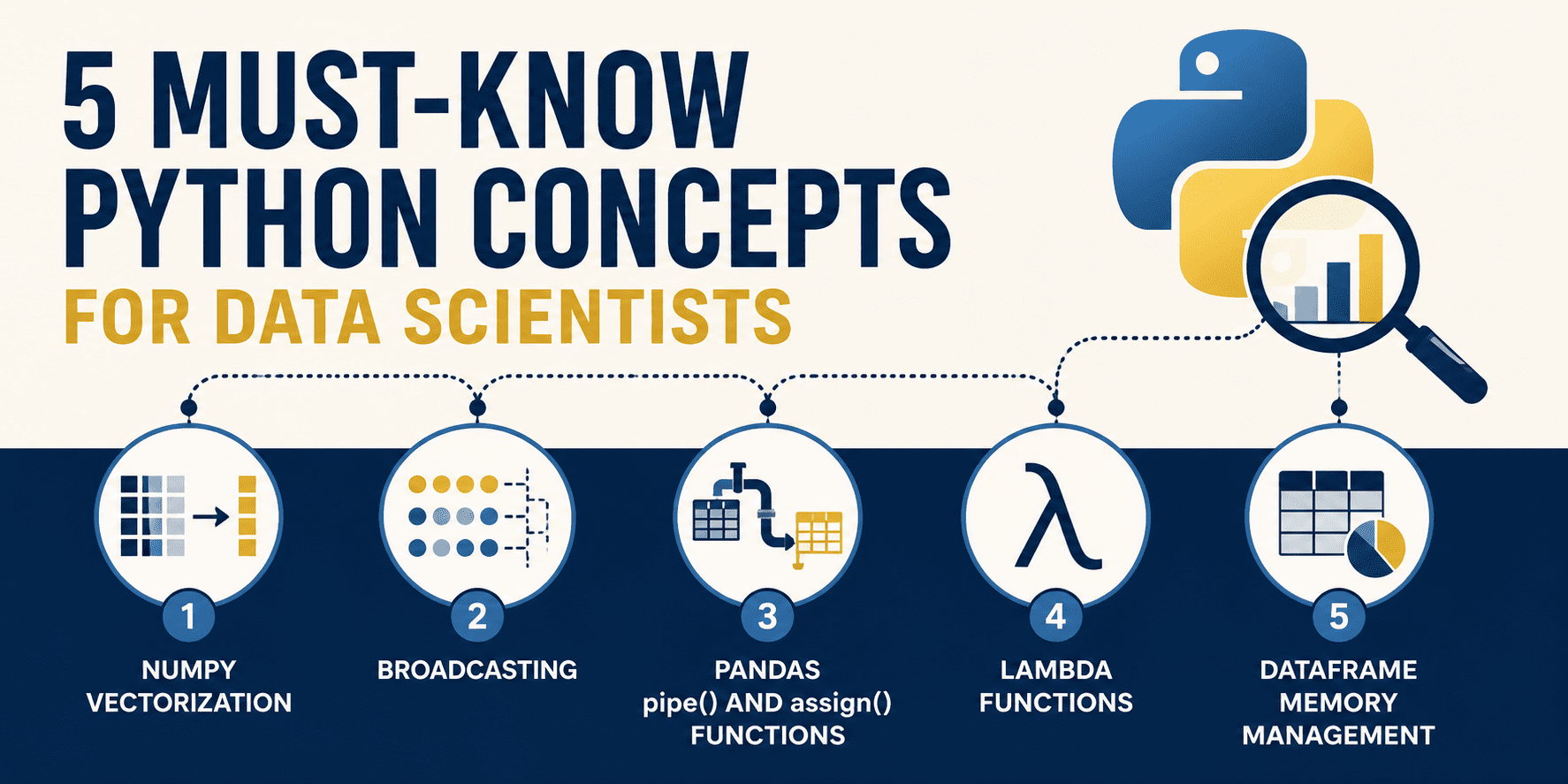 image**
# イントロダクション
データサイエンスのために Python を使うのは「みんながそうしているから」という理由だけで行うべきではありません。データ分野における Python の支配的地位は偶然によるものではありません。これは、低レベルのメモリ管理を抽象化し、非常に表現力豊かで可読性の高い構文に基づいて構築された言語です。しかし、この同じ高レベルな抽象化には代償が伴います:標準的な Python の実行は動的型付けでありインタプリタ型であるため、生来の反復処理(ループ)が非常に遅くなることがあります。
高性能なデータシステムを記述するためには、データサイエンティストは標準的な手続き型コーディングパターンから、専門化されたベクトル化(vectorization)およびメモリ意識型のアプローチへとシフトする必要があります。本記事では、ぎこちなく遅いスパゲッティコードの記述から、瞬時に高速で生産環境対応かつ美しく機能的なデータパイプラインの構築へと移行するための、知っておくべき 5 つの Python の概念を深く掘り下げていきます。
# 1. NumPy ベクトル化
標準的な Python のループは遅いです。Python はインタプリタ型言語であるため、for ループの各反復には大きなオーバーヘッドが伴います:型チェック、動的メソッドルックアップ、参照カウントなどです。数百万ものデータポイントを処理する際、これらのマイクロオーバーヘッドのコストは累積し、数秒単位のボトルネックへと発展します。
解決策は NumPy のベクトル化です。Python バイトコード内で要素を逐次処理するのではなく、NumPy はループを高度に最適化された事前コンパイル済みの C 拡張機能にオフロードします。これらの操作は配列全体に対して一度に行われ、機械レベルで連続した配列ブロックを実行し、しばしば単一命令多重データ (SIMD) 命令を利用します。
// 面倒な方法
100 万個の浮動小数点値からなるリストがあり、各読み取り値を 1.5 倍して 10.0 の較正定数を適用する必要があるとしましょう。反復的な Python ループを使用する場合:
import time
1000 万個のセンサー読み取り値を持つ大きなリスト
n_elements = 10_000_000
data_list = [float(x) for x in range(n_elements)]
明示的な Python ループによる値のスケーリング
start_time = time.time()
scaled_list = []
for val in data_list:
scaled_list.append(val * 1.5 + 10.0)
loop_duration = time.time() - start_time
print(f"Loop implementation took: {loop_duration:.6f} seconds")
出力:
Loop implementation took: 0.378866 seconds
// ベクトル化された方法
ここでは、エレガントなベクトル化された代替案を示します。データを連続した NumPy 配列に読み込み、配列オブジェクトに対して直接演算を行います:
import numpy as np
import time
1000 万個のセンサー読み取り値を持つ大きなリスト
n_elements = 10_000_000
ベクトル化された方法: NumPy は事前コンパイル済みの C ループで計算全体を実行します
data_array = np.arange(n_elements, dtype=float)
start_time = time.time()
scaled_array = data_array * 1.5 + 10.0
numpy_duration = time.time() - start_time
print(f"NumPy implementation took: {numpy_duration:.6f} seconds")
print(f"Speedup: {loop_duration / numpy_duration:.1f}x faster!")
Output:
Loop implementation took: 0.348456 seconds
NumPy implementation took: 0.013395 seconds
Speedup: 26.0x faster!
By vectorizing the arithmetic, we can achieve a massive performance boost with cleaner, more concise code. The loop is eliminated from Python space and executed entirely in high-speed C space.
# 2. Broadcasting: Math Rules for Mismatched Dimensions
In linear algebra, matrix operations generally require both operands to have the exact same shape. However, in data science, we often need to perform operations on arrays of differing dimensions, such as subtracting feature column averages from a dataset, or normalizing row values.
Rather than duplicating data to force matching shapes, NumPy uses a set of mathematical rules called broadcasting. Broadcasting allows element-wise operations on arrays of different shapes by virtually expanding the smaller array along the missing or single-element dimensions, without copying any data in memory.
The broadcasting rules are:
- アレイのランク(次元数)が一致しない場合、低いランクのアレイの形状に 1 を先頭に追加し、両方の形状の長さが等しくなるまで繰り返します
- 2 つの次元は、互いに等しいか、いずれかが 1 の場合に互換性があるとみなされます
- 互換性がある場合、アレイはサイズが 1 の次元に沿って引き伸ばされたものとして振る舞い、もう一方のアレイの形状に一致します
// 面倒なやり方
3x4 の特徴量行列(3 サンプル、4 特徴)があり、各列の平均値を引いて特徴量を「中心化」したいとしましょう。
import numpy as np
features = np.array([
[10.0, 20.0, 30.0, 4.0],
[12.0, 24.0, 36.0, 8.0],
[14.0, 28.0, 42.0, 12.0]
])
各特徴量列の平均値(形状:(4,))
col_means = np.mean(features, axis=0)
ネストされたループを使用して手動で中心化
mean_demeaned_clunky = np.zeros_like(features)
for idx in range(features.shape[0]):
for col_idx in range(features.shape[1]):
mean_demeaned_clunky[idx, col_idx] = features[idx, col_idx] - col_means[col_idx]
別解:アレイをタイル状に並べて形状を強制的に一致させる
tiled_means = np.tile(col_means, (features.shape[0], 1))
demeaned_tiled = features - tiled_means
// Pythonic なやり方
ブロードキャスト(broadcasting)を使用すれば、引き算を直接実行できます。NumPy は自動的に (3, 4) の特徴量行列と (4,) の列平均アレイを整合させ、列平均の形状を (1, 4) とみなして処理します。
import numpy as np
features = np.array([
[10.0, 20.0, 30.0, 4.0],
[12.0, 24.0, 36.0, 8.0],
[14.0, 28.0, 42.0, 12.0]
])
col_means = np.mean(features, axis=0)
Pythonic subtraction via automatic broadcasting
demeaned_broadcasting = features - col_means
Dividing each row by its row sum
row_sums has shape (3,) -> to divide (3, 4) by (3,), we expand shape to (3, 1) using np.newaxis
row_sums = np.sum(features, axis=1)
normalized_features = features / row_sums[:, np.newaxis]
print("Demeaned:\n", demeaned_broadcasting)
print("\nNormalized Rows:\n", normalized_features)
Output:
Demeaned:
[[-2. -4. -6. -4.]
[ 0. 0. 0. 0.]
[ 2. 4. 6. 4.]]
Normalized Rows:
[[0.15625 0.3125 0.46875 0.0625 ]
[0.15 0.3 0.45 0.1 ]
[0.14583333 0.29166667 0.4375 0.125 ]]
Broadcasting eliminates duplicate values and memory copying. Under the hood, NumPy runs the subtraction loops at C speed without creating a tiled intermediate matrix, preserving memory bandwidth and accelerating operations.
# 3. The Pandas .pipe() and .assign() Methods: Clean, Functional Pipelines
Data preparation in Pandas often degenerates into sequential spaghetti code. Developers create multiple intermediate DataFrames (df1, df2, etc.), modify variables in-place, or chain brackets. This leads to code that is difficult to read, hard to test, and notoriously prone to the dreaded SettingWithCopyWarning.
Modern Pandas は、手続き型の書き換えから、機能的かつ宣言的なデータパイプラインへの移行を推奨しています。特徴量の作成には .assign() を、再利用可能な複数カラム操作には .pipe() を活用することで、単一のパイプライン内でステップを連鎖させることが可能になります。
// 面倒なやり方
外れ値のフィルタリング、文字列の標準化、欠損値の補完、売上税の計算が必要となる生のカスタマー販売データを例に取ってみましょう。
import pandas as pd
import numpy as np
raw_data = {
'Customer_ID': [101, 102, 103, 104, 105],
'Age': [25, -5, 47, 120, 31],
'Country': ['usa', 'CANADA', 'usa', 'Germany', 'canada'],
'Raw_Spend': [120.50, 450.00, 80.00, np.nan, 300.00]
}
df = pd.DataFrame(raw_data)
逐次的な中間書き換え
df_clean = df.copy()
1. 無効な年齢を除外
df_clean = df_clean[(df_clean['Age'] >= 0) & (df_clean['Age'] <= 100)]
2. カントリー名の標準化(コピー警告のリスクあり)
df_clean['Country'] = df_clean['Country'].str.upper().str.strip()
3. Raw_Spend の欠損値を補完
median_spend = df_clean['Raw_Spend'].median()
df_clean['Raw_Spend'] = df_clean['Raw_Spend'].fillna(median_spend)
4. 課税済み支出の計算
df_clean['Taxed_Spend'] = df_clean['Raw_Spend'] * 1.15
5. カラム名のフォーマット
df_clean = df_clean.rename(columns={'Customer_ID': 'customer_id'})
// Pythonic なやり方
これを関数型メソッドチェーンの問題として捉えれば、国の標準化ステップを再利用可能なユーティリティ関数にラップし、単一のクリーンで自己完結型のパイプラインを構築できます。
import pandas as pd
import numpy as np
raw_data = {
'Customer_ID': [101, 102, 103, 104, 105],
'Age': [25, -5, 47, 120, 31],
'Country': ['usa', 'CANADA', 'usa', 'Germany', 'canada'],
'Raw_Spend': [120.50, 450.00, 80.00, np.nan, 300.00]
}
df = pd.DataFrame(raw_data)
.pipe() 用の再利用可能なカスタム変換関数
def standardize_countries(dataframe: pd.DataFrame) -> pd.DataFrame:
df_out = dataframe.copy()
df_out['Country'] = df_out['Country'].str.upper().str.strip()
return df_out
単一のエレガントな関数型パイプライン
df_clean_pipeline = (
df.query("Age >= 0 and Age <= 100")
.assign(
Raw_Spend=lambda x: x['Raw_Spend'].fillna(x['Raw_Spend'].median()),
Taxed_Spend=lambda x: x['Raw_Spend'] * 1.15
)
.pipe(standardize_countries)
.rename(columns={'Customer_ID': 'customer_id'})
)
print(df_clean_pipeline)
出力:
customer_id Age Country Raw_Spend Taxed_Spend
0 101 25 USA 120.5 138.5750
2 103 47 USA 80.0 92.0000
4 105 31 CANADA 300.0 345.0000
メソッドチェーンを使用すると、元の DataFrame の状態が誤って変更されることを防ぎ、副作用を回避できます。.assign() はラムダ関数を受け取って列の割り当てを処理し、その中で x はチェーン内のその時点での DataFrame のアクティブな状態を指します。一方、.pipe() を使用すると、カスタム操作をきれいにモジュール化することができます。
# 4. データ変換のためのラムダ関数
特徴量エンジニアリングでは、文字列のフォーマット、値の分割、条件文の適用など、小規模で単一目的の変換が頻繁に求められます。これらの単純な計算のためにカスタム名付き関数(def を使用)を作成すると、スクリプトに不要なボイラープレートコードを追加することになります。
よりエレガントなアプローチは、Pandas の .map() や .apply() 内で ラムダ関数 を使用することです。ラムダ関数は名前を持たない、その場で定義される捨てられる関数であり、迅速なデータマッピングやクリーンなインライン変換に最適です。
// 面倒な方法
従業員データのセットがあり、リモートワークの状態をマッピングして姓を解析する必要があるとしましょう。よくある間違いは、手動のループを書くか iterrows() を利用することです:
import pandas as pd
df = pd.DataFrame({
'employee_name': ['john doe', 'jane smith', 'bob johnson'],
'department_code': ['IT_01', 'HR_02', 'IT_03'],
'is_remote': [1, 0, 1]
})
Row-by-row iteration (slow and verbosely managed)
df_clunky = df.copy()
df_clunky['remote_status'] = None
df_clunky['last_name'] = None
for index, row in df_clunky.iterrows():
# Parsing remote status
if row['is_remote'] == 1:
df_clunky.at[index, 'remote_status'] = "Remote"
else:
df_clunky.at[index, 'remote_status'] = "Office"
# Parsing and capitalizing last name
name_parts = row['employee_name'].split()
df_clunky.at[index, 'last_name'] = name_parts[1].capitalize()
// The Pythonic Way
Here is the clean, declarative approach using inline lambda transformations. We apply inline anonymous logic to transform columns instantly using .map() for simple conversions and .apply() for custom string operations:
import pandas as pd
df = pd.DataFrame({
'employee_name': ['john doe', 'jane smith', 'bob johnson'],
'department_code': ['IT_01', 'HR_02', 'IT_03'],
'is_remote': [1, 0, 1]
})
Lambdas nested inside map() and apply()
df_opt = df.assign(
remote_status=lambda d: d['is_remote'].map(lambda val: "Remote" if val == 1 else "Office"),
last_name=lambda d: d['employee_name'].apply(lambda name: name.split()[-1].capitalize()),
dept_level=lambda d: d['department_code'].apply(lambda code: code.split('_')[-1])
)
print(df_opt[['employee_name', 'last_name', 'remote_status', 'dept_level']])
Output:
employee_name last_name remote_status dept_level
0 john doe Doe Remote 01
1 jane smith Smith Office 02
2 bob johnson Johnson Remote 03
ラムダ関数を使用することで、ロジックを列作成文に密接に結びつけた自己完結型のトランスフォーム記述が可能になります。ラムダ関数を .map() や .apply() と組み合わせることで、冗長なネストされたループを排除し、コードを見やすく美しく保つことができます。
# 5. データフレームによるメモリ管理:データ型(dtypes)の最適化
デフォルトでは、Pandas がデータセット(CSV ファイルやデータベースファイルなど)を読み込む際、安全策を取ります。整数は 64 ビット (int64) として、小数は 64 ビット (float64) として、テキスト列は汎用のオブジェクト型として読み込まれます。これは安全な方法ですが、結果として最大限のメモリ使用量(メモリーフットプリント)を招きます。数十万行程度のデータセットでも、システム RAM を瞬時にギガバイト単位で消費し、ローカル環境での動作遅延や、本番サーバーにおける「メモリ不足 (out of memory)」エラーを引き起こす可能性があります。
数値列をより小さな整数/浮動小数点数にダウキャスト(型変換)し、低多様性のテキスト列を category データ型に変換することで、データフレームのメモリ使用量を劇的に削減できます。
例えば、年齢列の値は 0 から 100 の範囲にあり、これは標準的な 64 ビット (int64) データ型ではなく、単一の 8 ビット整数 (int8。最大 127 の値を保持可能) に容易に収まります。同様に、カテゴリ値は内部でテキスト文字列を単純な整数コードにマッピングするため、大幅なメモリ節約効果をもたらします。
// 面倒な方法
10 万人のユーザーからなる合成サブスクライバーデータセットを生成し、デフォルトの Pandas タイプが消費するメモリを見てみましょう:
import pandas as pd
import numpy as np
n_rows = 100_000
np.random.seed(42)
df_large = pd.DataFrame({
'user_id': np.random.randint(1000000, 1000000 + n_rows, size=n_rows),
'age': np.random.randint(18, 90, size=n_rows),
'device_type': np.random.choice(['iOS', 'Android', 'Web', 'SmartTV'], size=n_rows),
'monthly_revenue': np.random.uniform(5.0, 150.0, size=n_rows),
'active_subscriber': np.random.choice([0, 1], size=n_rows)
})
メモリ使用状況の調査
print(df_large.info(memory_usage='deep'))
memory_before = df_large.memory_usage(deep=True).sum() / (1024 ** 2)
print(f"Default Memory Usage: {memory_before:.2f} MB")
出力:
<class 'pandas.core.frame.DataFrame'>
RangeIndex: 100000 entries, 0 to 99999
Data columns (total 5 columns):
# Column Non-Null Count Dtype
--- ------ -------------- -----
0 user_id 100000 non-null int64
1 age 100000 non-null int64
2 device_type 100000 non-null object
3 monthly_revenue 100000 non-null float64
4 active_subscriber 100000 non-null int64
dtypes: float64(1), int64(3), object(1)
memory usage: 8.2 MB
None
Default Memory Usage: 8.20 MB
// The Pythonic Way
Now let's apply our optimizations: casting columns to their minimum required numeric bounds and converting text columns to category:
Downcasting types
df_optimized = df_large.assign(
user_id=df_large['user_id'].astype('int32'), # Max 1.1 million fits in int32
age=df_large['age'].astype('int8'), # Max age 90 fits in int8
device_type=df_large['device_type'].astype('category'), # Low cardinality (4 unique strings)
monthly_revenue=df_large['monthly_revenue'].astype('float32'), # Single precision float is plenty
active_subscriber=df_large['active_subscriber'].astype('int8') # Binary flag fits in int8
)
Inspecting optimized memory usage
print(df_optimized.info(memory_usage='deep'))
memory_after = df_optimized.memory_usage(deep=True).sum() / (1024 ** 2)
print(f"Optimized Memory Usage: {memory_after:.2f} MB")
print(f"Memory Footprint Reduction: {((memory_before - memory_after) / memory_before) * 100:.1f}%")
Output:
memory usage: 1.0 MB
None
Optimized Memory Usage: 1.05 MB
Memory Footprint Reduction: 87.2%
単に列のデータ型(dtypes)を調整しただけで、DataFrame のサイズを約 90% も削減できました**!低カルディナリティの文字列に対して category を使用することで、Pandas は行間で文字列を重複させるのではなく、各行を軽量な整数インデックスにマッピングします。
# まとめ
**
これら 5 つの基本的な Python の概念をマスターすることは、効率的で読みやすく、高度に最適化されたデータパイプラインを設計するシニアデータサイエンティストになるための重要な一歩です。
NumPy のベクトル化(vectorization)とブロードキャスト(broadcasting)を活用することで、生来の Python ループを排除し、ハードウェアレベルの高速化を実現できます。.pipe() や .assign() を用いた関数型 Pandas パイプラインへ移行することで、特徴量エンジニアリングワークフローの可読性と安全性が向上します。これらに、オンザフライ変換のためのインラインラムダ関数(lambda functions)と、データ型(dtypes)を通じた積極的なメモリ管理を組み合わせることで、アルゴリズムをローカルプロトタイプから大規模な本番環境ワークロードまでシームレスにスケールさせることが可能になります。
データサイエンスは数学であると同時にソフトウェアエンジニアリングでもあります。コードを第一級の製品として扱いましょう。そうすれば、データの処理が高速化され、パイプラインの障害が減り、システム構築が楽しくなります。
本シリーズの前回記事もぜひご覧ください:
- 5 つの必須 Python 概念
- さらに知るべき 5 つの Python 概念
Matthew Mayo** (@mattmayo13) は、コンピュータサイエンスの修士号とデータマイニングの大学院ディプロマを取得しています。KDnuggets と Statology の編集長、および Machine Learning Mastery の寄稿編集者として、Matthew は複雑なデータサイエンスの概念を誰もが理解できるようにすることを目的としています。彼の専門的な関心分野には、自然言語処理、言語モデル、機械学習アルゴリズム、そして新興 AI の探求が含まれます。彼はデータサイエンスコミュニティにおける知識の民主化という使命に駆り立てられています。Matthew は 6 歳の頃からコーディングを続けています。
原文を表示
**
# Introduction
You shouldn't be using Python for data science just "because everyone else does!" Python's dominance in the data field isn't accidental. It is a language built on highly expressive, readable syntax that abstracts away low-level memory management. However, this same high-level abstraction comes with a cost: standard Python execution is dynamically typed and interpreted, which can make raw iteration painfully slow.
To write high-performance data systems, a data scientist must shift from standard procedural coding patterns to specialized, vectorized, and memory-aware approaches. In this article, we will dive deep into five must-know Python concepts that will help you transition from writing clunky, slow spaghetti code to constructing lightning-fast, production-grade, and beautifully functional data pipelines.
# 1. NumPy Vectorization
Standard Python loops are slow. Because Python is an interpreted language, each iteration of a for loop incurs significant overhead: type checking, dynamic method lookup, and reference counting. When you are processing millions of data points, these micro-overhead costs compound into multi-second bottlenecks.
The solution is NumPy vectorization. Instead of processing elements sequentially in Python bytecode, NumPy offloads loops to highly optimized, pre-compiled C-extensions. These operations act on entire arrays at once, executing contiguous array blocks at the machine level, often utilizing Single Instruction, Multiple Data (SIMD) instructions.
// The Clunky Way
Suppose we have a list of one million float values representing raw sensor readings, and we need to scale each reading by 1.5 and apply a calibration constant of 10.0. Using an iterative Python loop:
import time

# A large list of 10 million sensor readings
n_elements = 10_000_000
data_list = [float(x) for x in range(n_elements)]

# Scaling values using an explicit python loop
start_time = time.time()
scaled_list = []

for val in data_list:
    scaled_list.append(val * 1.5 + 10.0)

loop_duration = time.time() - start_time

print(f"Loop implementation took: {loop_duration:.6f} seconds")
Output:
Loop implementation took: 0.378866 seconds// The Vectorized Way
Here is the elegant, vectorized alternative. We load the data into a contiguous NumPy array and perform the arithmetic directly on the array object:
import numpy as np
import time

# A large list of 10 million sensor readings
n_elements = 10_000_000

# Vectorized way: NumPy performs the entire calculation in pre-compiled C loops
data_array = np.arange(n_elements, dtype=float)

start_time = time.time()
scaled_array = data_array * 1.5 + 10.0
numpy_duration = time.time() - start_time

print(f"NumPy implementation took: {numpy_duration:.6f} seconds")
print(f"Speedup: {loop_duration / numpy_duration:.1f}x faster!")
Output:
Loop implementation took: 0.348456 seconds
NumPy implementation took: 0.013395 seconds
Speedup: 26.0x faster!
By vectorizing the arithmetic, we can achieve a massive performance boost with cleaner, more concise code. The loop is eliminated from Python space and executed entirely in high-speed C space.
# 2. Broadcasting: Math Rules for Mismatched Dimensions
In linear algebra, matrix operations generally require both operands to have the exact same shape. However, in data science, we often need to perform operations on arrays of differing dimensions, such as subtracting feature column averages from a dataset, or normalizing row values.
Rather than duplicating data to force matching shapes, NumPy uses a set of mathematical rules called broadcasting. Broadcasting allows element-wise operations on arrays of different shapes by virtually expanding the smaller array along the missing or single-element dimensions, without copying any data in memory.
The broadcasting rules are:
- If the arrays do not have the same rank (number of dimensions), prepend the shape of the lower-rank array with 1s until both shapes have the same length
- Two dimensions are compatible if they are equal, or if one of them is 1
- If compatible, the array behaves as if it were stretched along the dimension of size 1 to match the other array's shape
// The Clunky Way
Suppose we have a 3x4 feature matrix (3 samples, 4 features) and want to subtract the column means to "de-mean" the features:
import numpy as np

features = np.array([
    [10.0, 20.0, 30.0, 4.0],
    [12.0, 24.0, 36.0, 8.0],
    [14.0, 28.0, 42.0, 12.0]
])

# Mean of each feature column (shape: (4,))
col_means = np.mean(features, axis=0)

# Using nested loops to manually de-mean
demeaned_clunky = np.zeros_like(features)
for idx in range(features.shape[0]):
    for col_idx in range(features.shape[1]):
        demeaned_clunky[idx, col_idx] = features[idx, col_idx] - col_means[col_idx]

# Alternative: tiling the array to force matching shapes
tiled_means = np.tile(col_means, (features.shape[0], 1))
demeaned_tiled = features - tiled_means
// The Pythonic Way
With broadcasting, we perform the subtraction directly. NumPy automatically aligns the (3, 4) feature matrix with the (4,) column mean array by treating the column mean shape as (1, 4):
import numpy as np

features = np.array([
    [10.0, 20.0, 30.0, 4.0],
    [12.0, 24.0, 36.0, 8.0],
    [14.0, 28.0, 42.0, 12.0]
])

col_means = np.mean(features, axis=0)

# Pythonic subtraction via automatic broadcasting
demeaned_broadcasting = features - col_means

# Dividing each row by its row sum
# row_sums has shape (3,) -> to divide (3, 4) by (3,), we expand shape to (3, 1) using np.newaxis
row_sums = np.sum(features, axis=1)
normalized_features = features / row_sums[:, np.newaxis]

print("Demeaned:\n", demeaned_broadcasting)
print("\nNormalized Rows:\n", normalized_features)
Output:
Demeaned:
 [[-2. -4. -6. -4.]
 [ 0.  0.  0.  0.]
 [ 2.  4.  6.  4.]]

Normalized Rows:
 [[0.15625    0.3125     0.46875    0.0625    ]
 [0.15       0.3        0.45       0.1       ]
 [0.14583333 0.29166667 0.4375     0.125     ]]
Broadcasting eliminates duplicate values and memory copying. Under the hood, NumPy runs the subtraction loops at C speed without creating a tiled intermediate matrix, preserving memory bandwidth and accelerating operations.
# 3. The Pandas .pipe() and .assign() Methods: Clean, Functional Pipelines
Data preparation in Pandas often degenerates into sequential spaghetti code. Developers create multiple intermediate DataFrames (df1, df2, etc.), modify variables in-place, or chain brackets. This leads to code that is difficult to read, hard to test, and notoriously prone to the dreaded [SettingWithCopyWarning](https://pandas.pydata.org/pandas-docs/version/2.2/reference/api/pandas.errors.SettingWithCopyWarning.html).
Modern Pandas encourages moving away from procedural mutations toward functional, declarative data pipelines. By utilizing .assign() for feature creation and .pipe() for reusable multi-column operations, you can chain steps in a single pipeline.
// The Clunky Way
Let's take a raw customer sales dataset that requires filtering outliers, standardizing strings, imputing values, and calculating sales taxes.
import pandas as pd
import numpy as np

raw_data = {
    'Customer_ID': [101, 102, 103, 104, 105],
    'Age': [25, -5, 47, 120, 31],
    'Country': ['usa', 'CANADA', 'usa', 'Germany', 'canada'],
    'Raw_Spend': [120.50, 450.00, 80.00, np.nan, 300.00]
}
df = pd.DataFrame(raw_data)

# Sequential intermediate mutations
df_clean = df.copy()

# 1. Filter out invalid ages
df_clean = df_clean[(df_clean['Age'] >= 0) & (df_clean['Age'] <= 100)]

# 2. Standardize country names (risks copy warnings)
df_clean['Country'] = df_clean['Country'].str.upper().str.strip()

# 3. Impute missing Raw_Spend values
median_spend = df_clean['Raw_Spend'].median()
df_clean['Raw_Spend'] = df_clean['Raw_Spend'].fillna(median_spend)

# 4. Calculate Taxed_Spend
df_clean['Taxed_Spend'] = df_clean['Raw_Spend'] * 1.15

# 5. Format Column Names
df_clean = df_clean.rename(columns={'Customer_ID': 'customer_id'})
// The Pythonic Way
Approaching this as a functional method chaining problem, we can wrap the country standardization step into a reusable utility function and construct a single, clean, self-contained pipeline.
import pandas as pd
import numpy as np

raw_data = {
    'Customer_ID': [101, 102, 103, 104, 105],
    'Age': [25, -5, 47, 120, 31],
    'Country': ['usa', 'CANADA', 'usa', 'Germany', 'canada'],
    'Raw_Spend': [120.50, 450.00, 80.00, np.nan, 300.00]
}
df = pd.DataFrame(raw_data)

# Reusable custom transformation function for .pipe()
def standardize_countries(dataframe: pd.DataFrame) -> pd.DataFrame:
    df_out = dataframe.copy()
    df_out['Country'] = df_out['Country'].str.upper().str.strip()
    return df_out

# Single elegant functional pipeline
df_clean_pipeline = (
    df.query("Age >= 0 and Age <= 100")
      .assign(
          Raw_Spend=lambda x: x['Raw_Spend'].fillna(x['Raw_Spend'].median()),
          Taxed_Spend=lambda x: x['Raw_Spend'] * 1.15
      )
      .pipe(standardize_countries)
      .rename(columns={'Customer_ID': 'customer_id'})
)

print(df_clean_pipeline)
Output:
   customer_id  Age Country  Raw_Spend  Taxed_Spend
0          101   25     USA      120.5     138.5750
2          103   47     USA       80.0      92.0000
4          105   31  CANADA      300.0     345.0000
Method chaining ensures that the state of your original DataFrame is never accidentally mutated, preventing side-effects. .assign() handles column assignments by receiving a lambda function where x refers to the active state of the DataFrame at that point in the chain, while .pipe() allows custom operations to be cleanly modularized.
# 4. Lambda Functions for Data Transforms
Feature engineering frequently demands small, single-purpose transformations, such as formatting strings, splitting values, or applying conditional statements. Writing custom named functions (using def) for these simple calculations adds unnecessary boilerplate to your script.
A more elegant approach is using lambda functions inside Pandas' .map() and .apply(). Lambda functions are anonymous, throwaway functions defined on-the-fly without a name, perfect for quick data mapping and clean inline transformations.
// The Clunky Way
Suppose we have a dataset of employees, and we need to map their remote work status and parse their last names. A common mistake is writing manual loops or utilizing iterrows():
import pandas as pd

df = pd.DataFrame({
    'employee_name': ['john doe', 'jane smith', 'bob johnson'],
    'department_code': ['IT_01', 'HR_02', 'IT_03'],
    'is_remote': [1, 0, 1]
})

# Row-by-row iteration (slow and verbosely managed)
df_clunky = df.copy()
df_clunky['remote_status'] = None
df_clunky['last_name'] = None

for index, row in df_clunky.iterrows():
    # Parsing remote status
    if row['is_remote'] == 1:
        df_clunky.at[index, 'remote_status'] = "Remote"
    else:
        df_clunky.at[index, 'remote_status'] = "Office"

    # Parsing and capitalizing last name
    name_parts = row['employee_name'].split()
    df_clunky.at[index, 'last_name'] = name_parts[1].capitalize()
// The Pythonic Way
Here is the clean, declarative approach using inline lambda transformations. We apply inline anonymous logic to transform columns instantly using .map() for simple conversions and .apply() for custom string operations:
import pandas as pd

df = pd.DataFrame({
    'employee_name': ['john doe', 'jane smith', 'bob johnson'],
    'department_code': ['IT_01', 'HR_02', 'IT_03'],
    'is_remote': [1, 0, 1]
})

# Lambdas nested inside map() and apply()
df_opt = df.assign(
    remote_status=lambda d: d['is_remote'].map(lambda val: "Remote" if val == 1 else "Office"),
    last_name=lambda d: d['employee_name'].apply(lambda name: name.split()[-1].capitalize()),
    dept_level=lambda d: d['department_code'].apply(lambda code: code.split('_')[-1])
)

print(df_opt[['employee_name', 'last_name', 'remote_status', 'dept_level']])
Output:
  employee_name last_name remote_status dept_level
0      john doe       Doe        Remote         01
1    jane smith     Smith        Office         02
2   bob johnson   Johnson        Remote         03
Using lambdas allows you to write self-contained transformations that keep your logic tightly bound to the column creation statements. By combining lambda with .map() and .apply(), you eliminate verbose nested loops and keep your code beautifully readable.
# 5. Memory Management with DataFrames: Optimizing dtypes
By default, when Pandas imports a dataset (e.g. from CSV or database files), it plays it safe. Integers are loaded as 64-bit (int64), decimals as 64-bit (float64), and text columns as generic object types. While safe, this defaults to maximum memory footprint. A dataset of only a few hundred thousand rows can quickly consume gigabytes of system RAM, leading to local slow-downs or "out of memory" errors on production servers.
We can drastically reduce a DataFrame's memory footprint by downcasting numeric columns to smaller integers/floats and converting low-cardinality text columns to category data types.
For instance, an age column has values ranging from 0 to 100, which can easily fit in a single 8-bit integer (int8, which holds values up to 127) rather than the standard 64-bit (int64) datatype. Similarly, category values map text strings to simple integer codes under the hood, yielding massive space savings.
// The Clunky Way
Let's generate a synthetic subscriber dataset of 100,000 users and look at the memory consumed by default Pandas types:
import pandas as pd
import numpy as np

n_rows = 100_000
np.random.seed(42)

df_large = pd.DataFrame({
    'user_id': np.random.randint(1000000, 1000000 + n_rows, size=n_rows),
    'age': np.random.randint(18, 90, size=n_rows),
    'device_type': np.random.choice(['iOS', 'Android', 'Web', 'SmartTV'], size=n_rows),
    'monthly_revenue': np.random.uniform(5.0, 150.0, size=n_rows),
    'active_subscriber': np.random.choice([0, 1], size=n_rows)
})

# Inspecting memory usage
print(df_large.info(memory_usage='deep'))
memory_before = df_large.memory_usage(deep=True).sum() / (1024 ** 2)
print(f"Default Memory Usage: {memory_before:.2f} MB")
Output:
<class 'pandas.core.frame.DataFrame'>
RangeIndex: 100000 entries, 0 to 99999
Data columns (total 5 columns):
 #   Column             Non-Null Count   Dtype
---  ------             --------------   -----
 0   user_id            100000 non-null  int64
 1   age                100000 non-null  int64
 2   device_type        100000 non-null  object
 3   monthly_revenue    100000 non-null  float64
 4   active_subscriber  100000 non-null  int64
dtypes: float64(1), int64(3), object(1)
memory usage: 8.2 MB
None
Default Memory Usage: 8.20 MB
// The Pythonic Way
Now let's apply our optimizations: casting columns to their minimum required numeric bounds and converting text columns to category:
# Downcasting types
df_optimized = df_large.assign(
    user_id=df_large['user_id'].astype('int32'),                    # Max 1.1 million fits in int32
    age=df_large['age'].astype('int8'),                             # Max age 90 fits in int8
    device_type=df_large['device_type'].astype('category'),         # Low cardinality (4 unique strings)
    monthly_revenue=df_large['monthly_revenue'].astype('float32'),  # Single precision float is plenty
    active_subscriber=df_large['active_subscriber'].astype('int8')  # Binary flag fits in int8
)

# Inspecting optimized memory usage
print(df_optimized.info(memory_usage='deep'))
memory_after = df_optimized.memory_usage(deep=True).sum() / (1024 ** 2)

print(f"Optimized Memory Usage: {memory_after:.2f} MB")
print(f"Memory Footprint Reduction: {((memory_before - memory_after) / memory_before) * 100:.1f}%")
Output:
memory usage: 1.0 MB
None
Optimized Memory Usage: 1.05 MB
Memory Footprint Reduction: 87.2%
By simply adjusting our column dtypes, we shrank the DataFrame's size by nearly 90%**! By using category for low-cardinality strings, Pandas avoids duplicating character strings across rows, mapping each row to a lightweight integer index instead.
# Wrapping Up
**
Mastering these five fundamental Python concepts is a significant step toward becoming a senior data scientist who designs efficient, readable, and highly optimized data pipelines.
By leveraging vectorization and broadcasting in NumPy, you eliminate raw Python loops and unlock hardware-level speedups. Moving to functional Pandas pipelines with .pipe() and .assign() elevates the readability and safety of your feature-engineering workflows. Combining these with inline lambda functions for on-the-fly transformations and proactive memory management through dtypes allows you to scale your algorithms from local prototypes to huge production workloads seamlessly.
Data science is as much about software engineering as it is about mathematics. Treat your code as a first-class product, and your datasets will process faster, your pipelines will fail less, and your systems will be a joy to build.
Be sure to check out the previous articles in this series:
- 5 Must-Know Python Concepts
- 5 More Must-Know Python Concepts
Matthew Mayo** (@mattmayo13) holds a master's degree in computer science and a graduate diploma in data mining. As managing editor of KDnuggets & Statology, and contributing editor at Machine Learning Mastery, Matthew aims to make complex data science concepts accessible. His professional interests include natural language processing, language models, machine learning algorithms, and exploring emerging AI. He is driven by a mission to democratize knowledge in the data science community. Matthew has been coding since he was 6 years old.
関連記事
今日のまとめ
AI日報で今日の重要ニュースをまとめ読み