Cline mobile:スマホからコードを編む方法
Cline は、Mac で実行中のエージェントを Tailscale を経由してスマホから監視・操作できる機能を発表した。エンジニアが移動中に「バイブコーディング」する事例を紹介している。
Source Article
元記事を日本語で読む
本文に関係しない購読案内、埋め込み通知、サイト内プロモーションは除いています。

Cline のエンジニアから、スマホで「バイブコーディング」を楽しんでいるという話を聞きました。Mac は自宅に置いて Cline エージェントを稼働させながら、助手席からその様子を確認しているそうです。この設定方法をご紹介します。
必要なもの
スマホと Mac の両方に Tailscale をインストールし、同じ tailnet にサインインしておく必要があります。Tailscale は無料のメッシュ VPN です。両方のデバイスが接続されていれば、どこからでもスマホで Mac のローカルサービスにアクセスできるようになります。
ステップ 1: Mac で Kanban を起動する
デフォルトでは、Cline のカンバンボードは 127.0.0.1 にバインドされており、Mac 本体からの接続しか受け付けません。Tailscale を経由して外部からアクセス可能にするには、起動時にホストを 0.0.0.0 に設定してください。
KANBAN_RUNTIME_HOST=0.0.0.0 cline
これで http://0.0.0.0:3484/kanban で動作しているのが確認できます。
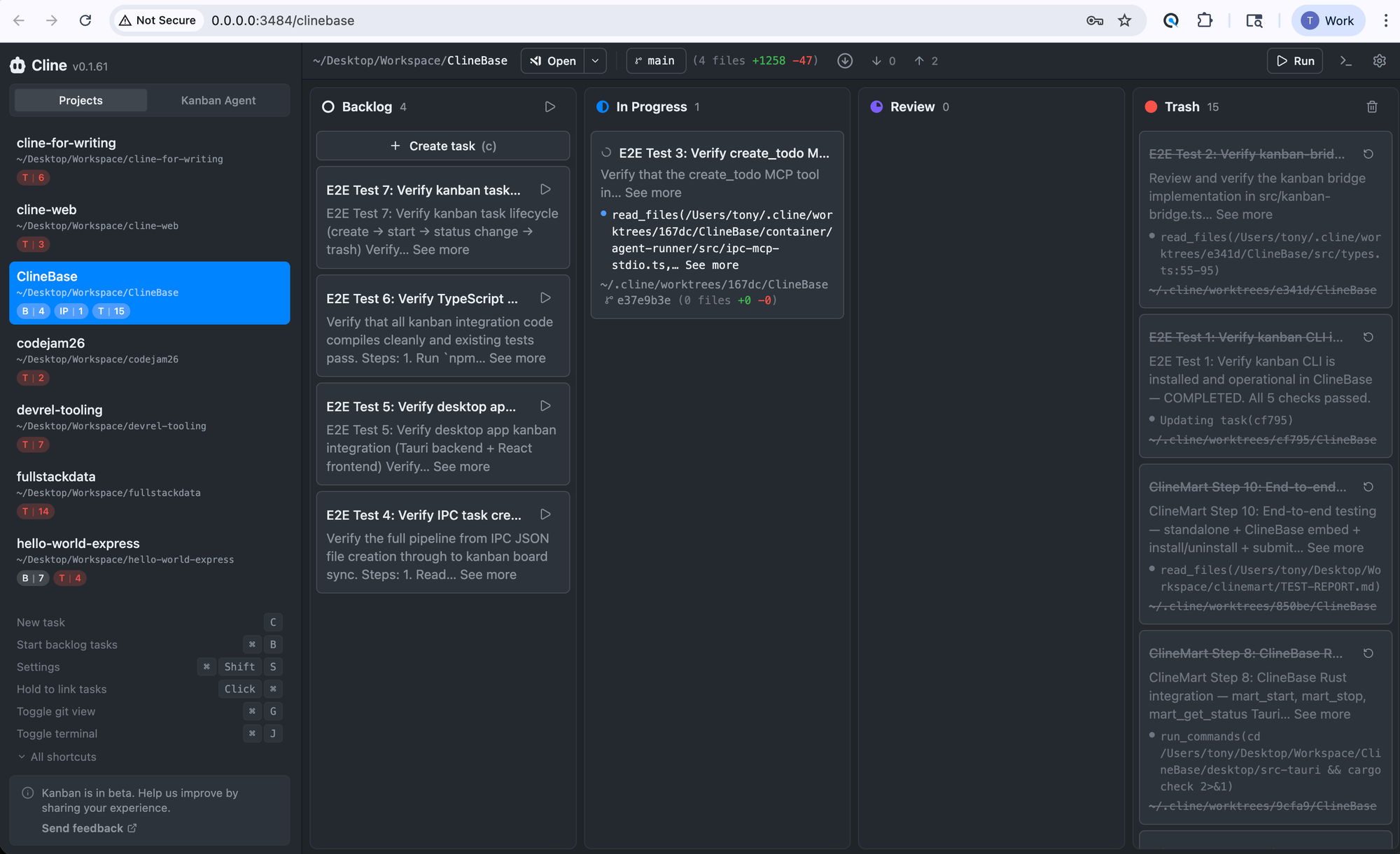 imageCline Kanban running and accessible to remote client
ステップ 2:スマホからアクセスする
スマホのブラウザで、Mac の Tailscale アドレスにポート 3484 を指定してアクセスします。完全な URL は以下のようになります。
http://your-machine-name.tail1234.ts.net:3484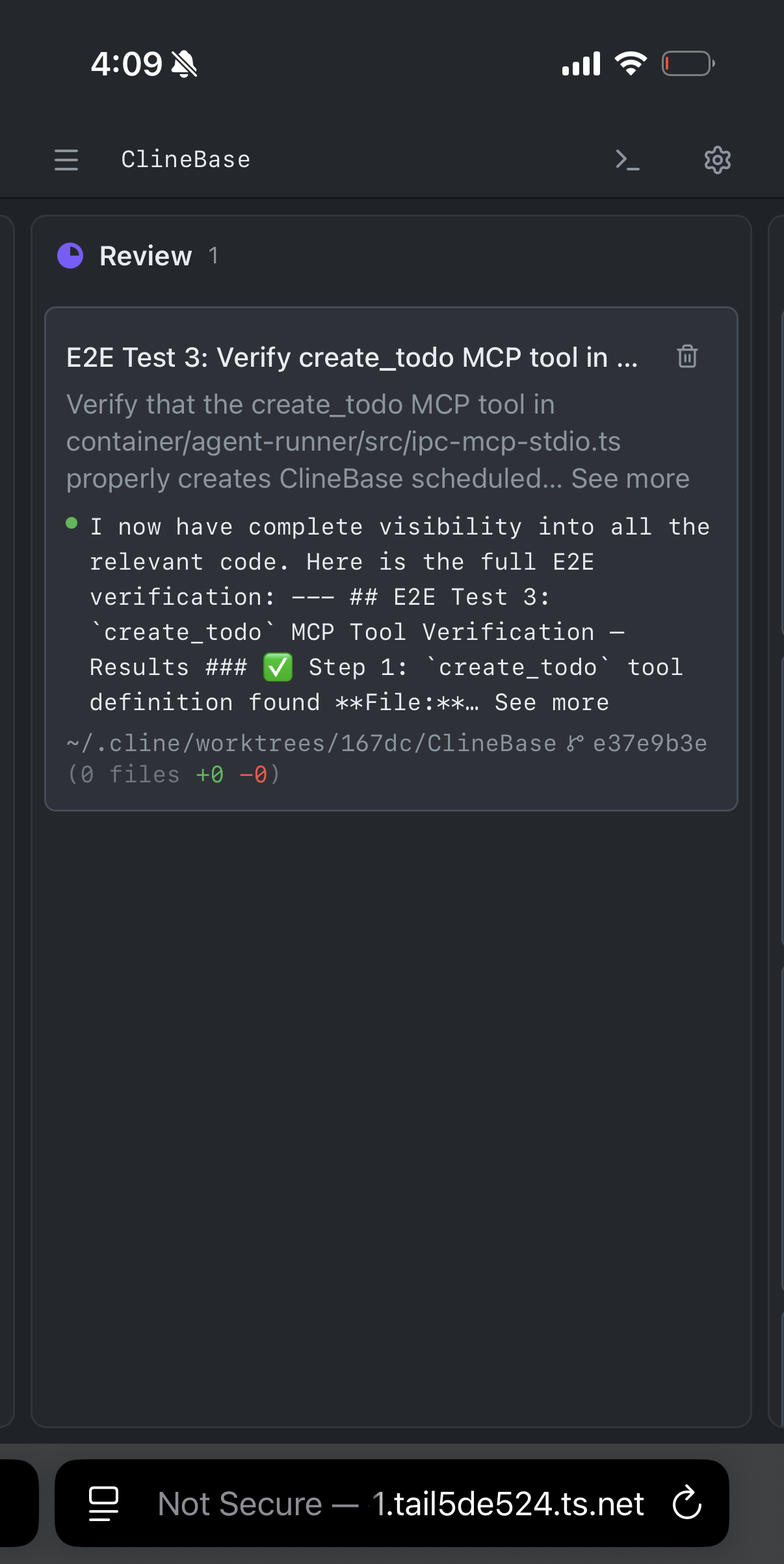 imageCline Kanban がタスクを自律的に実行し、レビュー待ちの状態になりました。あなたのアドレスは異なる可能性がありますので、Mac のホスト名を確認するには Tailscale を参照してください。
ステップ 3:これで完了です
スマホから Cline エージェントの管理が始まります。タスクの進捗状況を確認したり、何を実行中かを見たり、新しい作業を開始したりできます。
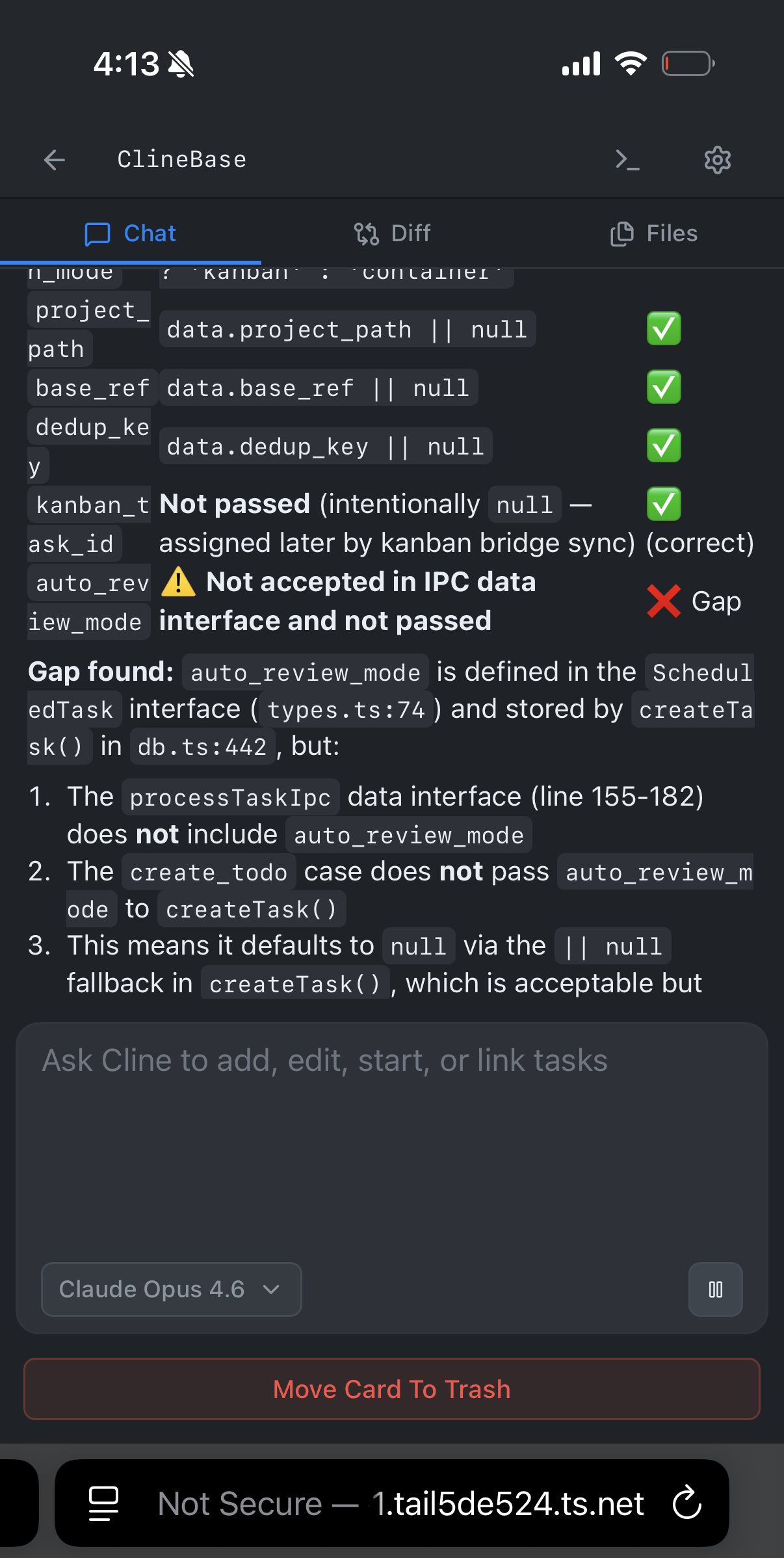 imageCline Kanban はタスクを自律的に処理しますスマホからできること
カンバンボードは、Mac で見るものと全く同じインターフェースです。各 Cline エージェントが何に取り組んでいるかを確認したり、差分(diff)を見たり、ファイルの変更を承認したり、新しいタスクを開始したりできます。これはコーディングエージェント用の完全なコントロールパネルですが、表示領域が小さくなっているだけです。
この機能はブラウザがあればどこでも動作します。iPhone、Android、iPad、自作のサイバーデッキなど、Tailscale がインストールされ、あなたの tailnet に接続されていれば問題ありません。
Tailscale 以外に追加の設定は不要です。アプリとブラウザさえあれば十分です。カンバンをリモートでアクセスする他の方法については、リモートアクセスのドキュメントをご覧ください。
Cline をダウンロードし、Tailscale のセットアップを行って、ぜひ試してみてください。モバイル環境での設定がうまくいけば、Discord や Reddit で共有してください。
原文を表示
imageAn engineer at Cline told me he was vibe coding on a road trip from his phone. His Mac was at home running Cline agents; he was checking on them from the passenger seat. Here's the setup.
What you need
Your phone and your Mac both need Tailscale installed and signed in to the same tailnet. Tailscale is a free mesh VPN; once both devices are on it, your phone can reach your Mac's local services from anywhere.
Step 1: Start Kanban on your Mac
By default, Cline's Kanban board binds to 127.0.0.1, which only accepts connections from your Mac itself. To make it reachable over Tailscale, set the host to 0.0.0.0 when you launch:
KANBAN_RUNTIME_HOST=0.0.0.0 clineYou should see it running at http://0.0.0.0:3484/kanban.
imageCline Kanban running and accessible to remote clientStep 2: Open it from your phone
In your phone's browser, go to your Mac's Tailscale address on port 3484. The full address reads as follows:
http://your-machine-name.tail1234.ts.net:3484imageCline Kanban executed a task autonomously, and the task is ready for reviewYour address will be different; check Tailscale for your Mac's hostname.
Step 3: That's it
You're managing Cline agents from your phone. Check task progress, see what's running, kick off new work.
imageCline Kanban handles tasks autonomouslyWhat you can do from your phone
The Kanban board is the same interface you'd see on your Mac. You can review what each Cline agent is working on, check diffs, approve file changes, and start new tasks. It's a full control panel for your coding agents, just in a smaller viewport.
This works on anything with a browser: iPhone, Android, iPad, homemade cyberdeck, etc. As long as the device has Tailscale and is on your tailnet, you're good.
No extra config beyond Tailscale. Just the app and a browser. For more ways to access Kanban remotely, check out the remote access docs.
Download Cline, set up Tailscale, and try it yourself. If you get a good mobile setup going, share it on Discord or Reddit.
関連記事
今日のまとめ
AIデイリーブリーフで今日の重要ニュースをまとめ読み