知っておくべき7つの実用的なOpenClawの活用事例
本記事は、AI エージェントシステム「OpenClaw」の具体的な活用事例として、金融取引ボットやリモート開発ワークフローなど7つの実用的なユースケースを紹介し、チャットインターフェースから実際の業務自動化へ移行する可能性を提示している。
キーポイント
金融・トレーディングボットの高度化
LLM を活用して市場ニュースや価格変動、ソーシャルセンチメントを監視し、単なるアラート送信ではなく、信号の要約やソース比較を行う自律的な投資支援システムとして機能する。
リモート開発ワークフローの変革
スマートフォンやチャットアプリからコードの実行、ファイル編集、トラブルシューティングを指示できるため、物理的にPC に座らなくても開発作業を管理・進行させることが可能になる。
マルチプラットフォームの統合自動化
Telegram、WhatsApp、Discord などの既存メッセージングアプリをトリガーポイントとして活用し、複数のツールやメモリ、エージェントを単一のシステムに統合して業務効率化を図る。
自動化された日常ブリーフィング
OpenClaw は朝のニュースまとめやタスクサマリーなどをスケジュール通りに自動送信し、手動確認による生産性の損失を防ぎます。
第二の脳としての個人記憶システム
散らばったアイデアや文脈を一元管理・検索可能にし、単発のチャットを超えた継続的なコンテキスト追跡を支援します。
研究ワークフローと知識パイプライン
情報の収集、要約、整理を一貫したフローで行うことで、多数のタブやツールを行き来する非効率な研究プロセスを簡素化します。
マルチエージェントによる役割分担
単一のエージェントに依存せず、計画、実行、レビュー、報告などを異なるエージェントが担当する専門的なワークフローを構築できる。
重要な引用
OpenClaw helps turn AI from something you chat with into something that can actually do work for you.
Instead of checking multiple dashboards and feeds all day, OpenClaw can help pull everything into one ongoing workflow.
Your phone or chat app can become a control layer for development work.
When the right information shows up automatically, it removes friction and helps people stay focused.
This is where OpenClaw starts to feel less like a chatbot and more like a second brain.
Instead of relying on one general assistant to do everything, users can create specialized workflows where each agent has a job.
影響分析・編集コメントを表示
影響分析
この記事は、生成AI が「情報取得の補助」から「自律的な業務実行」へとパラダイムシフトする具体的な証拠となる事例群を提供しています。特に開発者やトレーダーといった専門職において、従来のGUIベースのツール操作をチャットベースの自然言語操作へ置き換える可能性を示唆しており、ワークフローの再設計に対する実装指針として大きな影響を与えるでしょう。
編集コメント
OpenClaw のようなオープンソースのエージェントフレームワークが、特定の業界(金融や開発)で即座に実装可能なソリューションとして成熟しつつある点に注目すべきです。
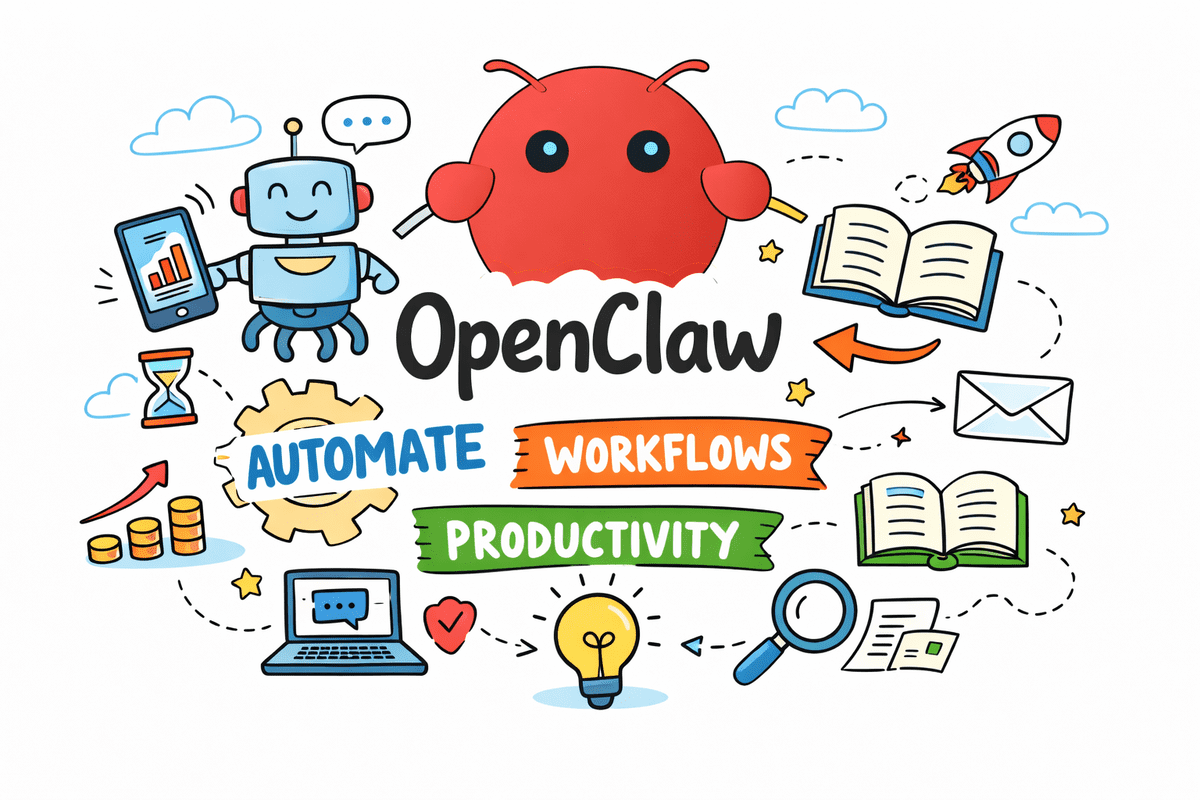
画像(著者作成)
序論
OpenClaw は、現在最も話題になっているオープンソースのエージェントシステムのひとつになりつつあります。しかし、その過大評価を超えて、本質的な質問はシンプルです:人々は実際に何に OpenClaw を使っているのか?
本質的に、OpenClaw は AI を単にチャットする相手から、実際に作業を引き受ける存在へと変えるのを助けます。メッセージングアプリ、ツール、メモリ、自動化、そしてエージェントを一つのシステムに接続することで、一日中プラットフォームを行き来する代わりに、Telegram、WhatsApp、Discord といったすでに使用している場所からタスクをトリガーすることができます。
この記事では、実際のエージェントワークフローを通じて、OpenClaw を使用してタスクを自動化し、整理整頓を行い、生産性を向上させるための 7 つの実用的な方法を見ていきます。
1. ファイナンスおよび取引ボット
OpenClaw の最もエキサイティングなユースケースの一つは、最新の大規模言語モデル(LLM: Large Language Model)を活用したファイナンスおよび取引ボットです。
人々はこれを使用して、市場ニュースの監視、価格動向の追跡、ソーシャルセンチメントのフォローを行い、有用な更新情報を直接スマートフォンに送信しています。一日中複数のダッシュボードやフィードをチェックする代わりに、OpenClaw はこれらすべてを一つの継続的なワークフローに統合するのに役立ちます。
最新の LLM を用いることで、これらのボットは単なるアラート送信以上のことができます。シグナルの要約、ソース間の比較、そして何かが重要である理由の強調を行うことができ、市場調査をより迅速かつ有用なものにします。
ショーケースリンク: Polymarket Autopilot
# 2. リモートコーディングおよび開発ワークフロー
もう一つの主要なユースケースは、リモートでの開発作業です。
人々はOpenClawを使用して、コーディングエージェントに指示を送り、自分のマシン上でタスクを実行し、ファイルを編集し、問題をトラブルシューティングし、ラップトップから離れている場合でもワークフローを管理しています。つまり、スマートフォンやチャットアプリが開発作業の制御レイヤーになるということです。
これは人々が生産性について考える方法における大きな転換点です。すべての小さなステップを自分で座って行う必要はなく、特定のタスクを委譲し、リモートで進捗状況を確認し、作業を継続することができます。
プロジェクトリンク: AionUi
# 3. 日次ブリーフィングおよび自動化
これは、今日人々がOpenClawを使用している最も簡単で実用的な方法の一つです。
何かを要求するのを待つ代わりに、OpenClawを設定してスケジュールに基づいて有用な更新を送信することができます。朝のブリーフィング、リマインダー、タスクの要約、ニュースのまとめ、さらにはシステムアラートなどが該当します。
これはシンプルなアイデアですが、強力なものです。手動で情報を確認する際に多くの生産性が失われています。必要な情報が自動的に表示されることで、摩擦が取り除かれ、人々が集中しやすくなります。
ショーケースリンク: Custom Morning Brief
# 4. 個人の記憶とセカンドブレインシステム
多くの人が、OpenClawをパーソナルな記憶層として活用しています。
彼らはこれを使用して、時間経過とともにメモ、アイデア、リマインダー、コンテキストをキャプチャし、後でその情報を検索または取得します。散らかったアプリやドキュメントに思考が消えていくのを防ぐ代わりに、OpenClawはよりアクセスしやすい単一のシステムにそれらを保持するのに役立ちます。
ここでOpenClawは、チャットボットというよりはセカンドブレインのように感じられるようになります。それは単発の会話だけでなく、進行中のコンテキストを追跡するのを人々に助けます。
ショーケースリンク: Second Brain
# 5. リサーチとナレッジパイプライン
OpenClawはまた、リサーチワークフローを構築するために使用されています。
人々はこれを使用して、情報を収集し、ソースを要約し、発見を整理し、生データをより有用な形に変換します。これには、特定のトピックを追跡したり、論文を検討したり、アイデアを検証したり、さまざまな場所からの洞察を集めたりすることが含まれます。
この種のワークフローは多くの時間を節約します。なぜなら、リサーチプロセスには通常、タブやツールが多すぎ、反復ステップが含まれるからです。OpenClawはこれらを一つのフローに統合するのに役立ちます。
プロジェクトリンク: AutoResearchClaw
# 6. マルチエージェントシステム
OpenClawが際立つ理由の一つは、単一のエージェントに限定されていないことです。
エージェントの役割分担型アーキテクチャの実験が進んでおり、あるエージェントが計画を立て、別のが実行し、さらに別のがレビューを行い、最後に報告するといった構成が試みられています。これにより、大規模なタスクを小さな役割に分割し、より構造化された自動化を実現することが可能になります。
ここでシステムのパワーが一段階向上します。単一の汎用アシスタントにすべての業務を任せるのではなく、各エージェントが特定の役割を担当する専門的なワークフローを作成できる点が重要です。
プロジェクトリンク: agentscope-ai/HiClaw
# 7. ビジネス業務の自動化
OpenClawは、日常のビジネス運用でも活用されています。
具体的には、リード(見込み顧客)の整理、アウトリーチ(営業アプローチ)文書のドラフト作成、カスタマーリレーションシップマネジメント(CRM: Customer Relationship Management)スタイルのタスク処理、会議の要約、アクションアイテムの追跡、そして小規模チームによる定型業務の自動化支援などが含まれます。これらの作業は派手さはありませんが、まさに自動化の真価が発揮される領域です。
多くのユーザーにとっての魅力はシンプルです。反復作業の削減、コンテキストスイッチング(文脈切り替え)のコスト低減、そして実際の意思決定に費やす時間の確保です。
プロジェクトリンク: DenchClaw
# 総括
OpenClawはまだ初期段階ですが、すでに人々が活用している姿は、エージェントシステムが向かっている方向を示す良い兆候です。トレーディングボットやリサーチワークフロー、メモリシステムからビジネス自動化に至るまで、真の価値は「AIを有用なアクションに接続すること」から生まれます。
注目すべき点は、単に質問に答えられるだけでなく、人々が毎日すでに使用しているツールを通じて、監視、整理、自動化、そして報告を行うことができることです。この記事でリンクされている例は、まさにその一例です。これらは OpenClaw が可能にするものを示しており、OpenClaw の全機能の限界を示すものではありません。
これが魅力の一部です。単一の固定されたツールや拡張機能に依存するのではなく、人々は実際に自分たちがどのように作業するかに合わせてカスタムワークフローを作成するために OpenClaw を使用しています。あなたが思い描くほぼあらゆるワークフローに対して、OpenClaw を活用してソリューションを構築することも可能です。そこからが本番で、実際にあなたのニーズに適合するようテストし、洗練させ、最適化することが求められます。
この変化こそが、OpenClaw をデモではなく、本当に有用なツールとして感じさせる理由です。人々は単にツールをインストールしているのではなく、自分たちが最も効果的に作業する方法を中心に独自のシステムを構築しています。
Abid Ali Awan (@1abidaliawan) は、機械学習モデルの構築を愛する認定データサイエンティストです。現在、彼はコンテンツ作成に注力し、機械学習やデータサイエンス技術に関する技術ブログの執筆を行っています。Abid はテクノロジー管理の修士号と、電信工学の学士号を保有しています。彼のビジョンは、精神疾患に苦しむ学生のためにグラフニューラルネットワーク(Graph Neural Network)を用いた AI 製品を構築することです。
原文を表示
**
Image by Author
# Introduction
OpenClaw** is quickly becoming one of the most talked-about open-source agent systems right now. But beyond the hype, the real question is simple: what are people actually using it for?
At its core, OpenClaw helps turn AI from something you chat with into something that can actually do work for you. It connects messaging apps, tools, memory, automation, and agents into one system, so instead of jumping between platforms all day, you can trigger tasks from places you already use, like Telegram, WhatsApp, or Discord.
In this article, we look at seven practical ways people are using OpenClaw to automate tasks, stay organized, and boost productivity with real agent workflows.
# 1. Finance and Trading Bots
**
One of the most exciting OpenClaw use cases is finance and trading bots powered by the latest large language models (LLMs).
People are using it to monitor market news, track price moves, follow social sentiment, and send useful updates straight to their phone. Instead of checking multiple dashboards and feeds all day, OpenClaw can help pull everything into one ongoing workflow.
With newer LLMs, these bots can do more than just send alerts. They can summarize signals, compare sources, and highlight why something matters — making market research faster and more useful.
Showcase link: Polymarket Autopilot.
# 2. Remote Coding and Dev Workflows
Another big use case is remote development.
People are using OpenClaw to send instructions to coding agents, run tasks on their machine, edit files, troubleshoot issues, and manage workflows even when they are away from their laptop. That means your phone or chat app can become a control layer for development work.
This is a big shift in how people think about productivity. Instead of needing to sit down and do every little step yourself, you can hand off certain tasks, check progress remotely, and keep work moving.
Project link: AionUi
# 3. Daily Briefings and Automations
This is one of the easiest and most practical ways people are using OpenClaw today.
Instead of waiting until you ask for something, OpenClaw can be set up to send useful updates on a schedule. That could be a morning briefing, a reminder, a task summary, a news roundup, or even system alerts.
It is a simple idea, but a powerful one. A lot of productivity gets lost in checking things manually. When the right information shows up automatically, it removes friction and helps people stay focused.
Showcase link: Custom Morning Brief
# 4. Personal Memory and Second-Brain Systems
A lot of people are also using OpenClaw as a personal memory layer.
They use it to capture notes, ideas, reminders, and context over time, then search or retrieve that information later. Instead of letting thoughts disappear into scattered apps and documents, OpenClaw can help keep them in one system that is easier to access.
This is where OpenClaw starts to feel less like a chatbot and more like a second brain. It helps people keep track of ongoing context, not just one-off conversations.
Showcase link: Second Brain
# 5. Research and Knowledge Pipelines
OpenClaw is also being used to build research workflows.
People are using it to gather information, summarize sources, organize findings, and turn raw information into something more useful. That might mean tracking a topic, reviewing papers, validating ideas, or collecting insights from different places.
This kind of workflow saves a lot of time because the research process usually involves too many tabs, tools, and repeated steps. OpenClaw helps pull that into one flow.
Project link: AutoResearchClaw
# 6. Multi-Agent Systems
One of the reasons OpenClaw stands out is that it is not limited to a single agent.
People are experimenting with setups where one agent plans, another executes, another reviews, and another reports back. That makes it possible to break larger tasks into smaller roles and create more structured automation.
This is where things start becoming more powerful. Instead of relying on one general assistant to do everything, users can create specialized workflows where each agent has a job.
Project link: agentscope-ai/HiClaw
# 7. Automating Business Operations
OpenClaw is also being used for everyday business operations.
That includes things like organizing leads, drafting outreach, handling customer relationship management (CRM)-style tasks, summarizing meetings, tracking action items, and helping small teams automate routine work. A lot of this is not flashy, but it is exactly the kind of work automation is useful for.
For many people, the appeal is simple: fewer repetitive tasks, less context switching, and more time spent on actual decision-making.
Project link: DenchClaw
# Final Thoughts
OpenClaw is still early, but the way people are already using it is a good sign of where agent systems are heading. From trading bots and research workflows to memory systems and business automation, the real value comes from connecting AI to useful actions.
What makes it stand out is not just that it can answer questions, but that it can monitor, organize, automate, and report back through tools people already use every day. The examples linked in this article are just that: examples. They show what is possible, not the full limit of what OpenClaw can do.
That is part of the appeal. Instead of relying on one fixed tool or a single extension, people are using OpenClaw to create custom workflows that fit the way they actually work. You can even use OpenClaw to help build a solution for almost any workflow you have in mind. From there, the real work is testing, refining, and optimizing it so it works well for your needs.
That shift is what makes OpenClaw feel less like a demo and more like something genuinely useful. People are not just installing tools. They are building their own systems around the way they work best.
Abid Ali Awan** (@1abidaliawan) is a certified data scientist professional who loves building machine learning models. Currently, he is focusing on content creation and writing technical blogs on machine learning and data science technologies. Abid holds a Master's degree in technology management and a bachelor's degree in telecommunication engineering. His vision is to build an AI product using a graph neural network for students struggling with mental illness.
関連記事
今日のまとめ
AI日報で今日の重要ニュースをまとめ読み