Stateless MCP の登場が Model Context Protocol への関心を再燃させる
本文の状態
日本語全文を表示中
詳細モードで約8分の本文を読めます。
同じ出来事の情報源
この情報源を基点に整理
Simon Willison Blog
Anthropic が発表した MCP 2.0 の仕様変更により、セッション管理が不要なステートレス型が採用され、実装の複雑さが大幅に低下してセキュリティリスクも軽減される。
AI深層分析を開く2026年8月1日 08:36
AI深層分析
キーポイント
MCP 2.0 のステートレス化
旧来のセッション管理(Mcp-Session-Id の取得と維持)が不要となり、HTTP リクエストの簡素化が図られる。
実装コストの低下
クライアントおよびサーバーの実装における複雑さが大幅に減少し、開発者が短期間で複数の実装を可能にする。
セキュリティと制御性の向上
シェル環境へのアクセスに伴うリスクを回避でき、ツールベースの設計により監査や制御が容易になる。
小規模モデルでの実行可能性
複雑な環境駆動が不要になったため、ローカルで動作する小規模なモデルでも MCP ツールを効果的に運用できる。
Stateless MCP の利点
単一の HTTP リクエストで動作する新しい Stateless 方式は、クライアントとサーバーの実装が簡潔になり、セッション管理やルーティングの複雑さを解消してスケーラブルな Web アプリケーションに適している。
重要な引用
This is the most significant change to the MCP spec since it first launched
The new stateless MCP specification also greatly decreases the complexity of implementing both clients and servers for the protocol.
MCP tools are easier to audit and control, and simple enough that smaller models that run on a laptop can still drive them reasonably well.
"It's also a better fit for building scalable web applications, since now you don't need to maintain server-side state to keep track of those session IDs, or worry about routing the same session to the same backend machine."
編集コメントを表示
編集コメント
MCP のステートレス化は、開発者の負担を減らしつつセキュリティを強化する決定的な転換点となる。これにより、大規模モデルに依存しない安全なエージェントの実装が現実的な選択肢として広がると考えられる。
Source Article
元記事を日本語で読む
本文に関係しない購読案内、埋め込み通知、サイト内プロモーションは除いています。
先週火曜日は「Stateless MCP Day」でした。これは MCP 2.0 のリリース、あるいはより正式な名称である「2026-07-28 Model Context Protocol 仕様」の発表を指します。MCP の仕様が改定されたのは初登場以来初めてであり、この変更が私のプロトコルへの関心を再び呼び覚ましました。
背景を説明すると、MCP(Model Context Protocol)は、LLM を搭載したエージェント・フレームワークに新しいツールを提供するための標準的な方法を定義するものです。これは Anthropic によって 2024 年 11 月に発表されました。その後 2025 年中盤にかけて大きな注目を集めましたが、やがて「Skills」(これも Anthropic の発明です)にその地位を奪われる形となりました。なぜなら、ターミナルと curl コマンドへのアクセス権を持つエージェント・ハーンスがあれば、MCP が担っていた機能のほとんどをより柔軟に実現できることが明らかになったからです。私は 2025 年の総評においてこの点について言及しています。
MCP について再び注目し始めています。エージェントにシェル環境とインターネットアクセス権限を与えるのは、サイバー攻撃のリスクが高く、それを効果的に制御できる強力なモデルが必須となります。一方、MCP ツールは監査や管理が容易で、シンプルであるため、ノートパソコン上で動作する小規模なモデルでも十分に制御可能です。
新しいステートレス MCP 仕様により、プロトコルのクライアントとサーバーの実装における複雑さが大幅に軽減されました。私は今週、その仕様に沿った実装を3つ作成しました。
ステートレス MCP で何が簡単になるか
ステートフルとステートレスの MCP の違いを最もよく示しているのが、新しい仕様の RC(リリース候補)を紹介した 5 月 21 日のブログ記事です。そこには、明確な導入前と導入後の比較例が含まれていました。
従来のステートフル MCP(ここでは「レガシー MCP」と呼びます)では、ツールを呼び出すために 2 つの HTTP リクエストが必要でした。最初のリクエストでセッションを初期化し Mcp-Session-Id を取得し、2 つ目のリクエストで実際にツールを呼び出します。
新しいステートレス方式では、以下のような単一の HTTP リクエストを使用します。
POST /mcp HTTP/1.1
MCP-Protocol-Version: 2026-07-28
Mcp-Method: tools/call
Mcp-Name: search
Content-Type: application/json
{
"jsonrpc": "2.0",
"id": 1,
"method": "tools/call",
"params": {
"name": "search",
"arguments": {
"q": "otters"
},
"_meta": {
"io.modelcontextprotocol/clientInfo": {
"name": "my-app",
"version": "1.0"
}
}
}
}
クライアント側、サーバー側のどちらの実装においても、この方式ははるかにシンプルです。また、スケーラブルな Web アプリケーションを構築する際にも適しています。セッション ID の追跡のためにサーバー側に状態を保持する必要がなくなり、同じセッションを必ず同一のバックエンドマシンにルーティングするといった課題からも解放されるからです。
mcp-explorer
MCP サーバーを対話形式で探るための優れた CLI ツールが見つからなかったため、Codex に手伝ってもらって自分用のツールを作成しました。
mcp-explorer は、その成果物です。これはステートレスな Python CLI ツールなので、インストールしなくても試せます。uvx を使って以下のように実行するだけです。
uvx mcp-explorer list https://agentic-mermaid.dev/mcpこれは Ade Oshineye 氏の agentic-mermaid.dev デモ MCP への問い合わせです。上記のコマンドを実行すると、以下のようなツールのリストが返されます。
execute(code: string, timeoutMs?: integer) - Mermaid SDK コードの実行
隔離されたサンドボックスで JavaScript を実行し、値を返します。
describe_sdk(family: string, detail?: string) - Mermaid SDK の操作の説明
特定の図のファミリーに対して、バージョンに一致する変更操作を返します。
render_svg(source: string, options?: object) - Mermaid を SVG として描画
Mermaid ソース文字列をテーマ対応の SVG に変換します。{ ok, svg } を返します。
render_ascii(source: string, useAscii?: boolean, targetWidth?: integer, options?: object) - Mermaid をテキストとして描画
Mermaid ソース文字列をテキストに変換します。{ ok, text } を返します。
render_png(source: string, scale?: number, background?: string, fitTo?: object, options?: object) - Mermaid を PNG として描画
Mermaid ソース文字列をラスタライズして PNG に変換します。{ ok, png_base64 } を返します。
...
次に、特定のツールを検索するには以下のようにします。
uvx mcp-explorer inspect render_svgこれにより、入力と出力の JSON スキーマを含む詳細な情報が出力されます。
そのツールを呼び出して引数を渡すには、以下を実行します。
次のコマンドを実行すると、Mermaid の SVG 図を生成できます。
uvx mcp-explorer call \
  https://agentic-mermaid.dev/mcp \
  render_svg \
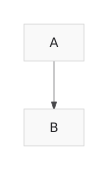
  -a source 'graph TD; A-->B' \
  -a options '{"padding":24}'
実行結果は以下の JSON です。
{"ok":true,"svg":"..."
}
生の SVG コードだけを取得したい場合は、コマンドの末尾に | jq .svg -r を追加してください。実際に取得した画像はこちらです:
README にはさらにいくつかのコマンドが記載されていますが、基本的な使い方はこれで理解できるはずです。私は、エージェントがコードの大部分を記述するとしても、このような CLI ツールを構築することで仕様の理解が深まり、非常に生産的だと感じています。
datasette-mcp
2 つ目のプロジェクトは datasette-mcp です。これは Datasette インスタンスに /-/mcp エンドポイントを追加するプラグインです。
実は、このプラグインの作成にはこれまで 4 回挑戦しました。しかし、新しいステートレス MCP の仕様のおかげで、ついにリリースできる品質のものを実現できました。
提供されるツールは以下の 3 つだけです:
list_databases()get_database_schema(database_name)execute_sql(database_name, sql)
これらは名前の通り、期待通りの動作をします。ただし、execute_sql() は現時点では読み取り専用です。
これらのツールをエージェントや ChatGPT、Claude などのチャットツールに連携させれば、ホストされている Datasette インスタンスに対して SQL クエリを実行できるようになります。
現在、私のブログの Datasette ミラー版で動作させています。URL は datasette.simonwillison.net/-/mcp です。
ChatGPT や Claude にこのミラーを接続する方法を見つけるまで少し手間取りましたが、最終的には実現できました。
その具体的な手順については、新しい TIL 記事 で詳しく解説しています。
以下は、Claude と共有したセッションの例です。私はここで次のように尋ねてみました。
**
simonwillison.net のテーブル一覧を表示
そして続けてこう質問しました。
Simon 氏は最近 MCP について何と言っていますか?
すると、回答を得るために Claude は 7 つの SQL クエリを個別に実行しました。
llm-mcp-client
私の LLM ツール は、公式な MCP 統合の実装が待たれています。そのための試みとして、新しいアルファ版プラグイン llm-mcp-client を開発しました。
llm install llm-mcp-client
llm -T 'MCP("https://datasette.simonwillison.net/-/mcp")' 'count the notes'
実行結果(推論プロセスを含む)は以下の通りです。私は LLM 0.32rc2 を使用しています。
*ノート数のカウントを検討中*
"count the notes" という質問は、おそらくブログのノートを数えたいという意味だと理解しました。ただし、「公開されたノート」を指すのか「下書き」も含むのか、少し曖昧さがあります。明確な回答を得るため、公開ノートと下書きの両方の数をクエリして合計する必要がありますね。では、カウントを実行します!
151 件 のノートがあります。
このプロンプトに対するLLMログの出力はこちらです。
これが完全に完成すれば、LLMのコア機能に直接組み込むことも検討しています。また、Datasette Agent や llm-coding-agent での MCP の実験にも意欲的です。
エージェント開発における MCP の安全性
MCP が初めてリリースされてから数ヶ月後、私は「Model Context Protocol にはプロンプトインジェクションのセキュリティ問題がある」という記事を書きました。そこでは、エンドユーザーがツールを自由に組み合わせるというパターンが、データ漏洩攻撃を防ぐ責任をユーザー自身に押し付けている点を指摘しました。当時はまだ「致命的なトリオ」という用語は使っていませんでしたが、まさにそのことを意図していました。
その後、任意のシェルや curl コマンドへのアクセス権を持つ汎用エージェントが登場し、セキュリティを維持することが格段に難しくなりました。
私が MCP を高く評価する理由は、オープンネットワーク環境での任意のコマンド実行(現在の多くの汎用・コーディング用エージェントツールのデフォルト設定)と比較して、エージェントの機能や何が起きうるかを推論しやすいためです。
私は今後、LLM 上に構築する機密性の高いアプリケーションにおいて、MCP をより積極的に活用していく予定です。
Tags: projects, ai, datasette, mermaid, generative-ai, llms, llm, anthropic, model-context-protocol
原文を表示
Tuesday was Stateless MCP day - the rollout of MCP 2.0, or the 2026-07-28 Model Context Protocol specification to use the more formal but less memorable name. This is the most significant change to the MCP spec since it first launched, and has also served to reignite my personal interest in the protocol.
For background: MCP is the Model Context Protocol, which describes a standard way to expose new tools to LLM-powered agent frameworks. It was introduced by Anthropic back in November 2024, had a *huge* spike of interest through much of 2025, and then became somewhat eclipsed by Skills (another Anthropic invention) when it became apparent that an agent harness with access to a terminal and curl could do most of what MCP did in a more flexible way. I wrote about that in my review of 2025.
I'm coming back around to MCP now. Giving an agent a shell environment with the ability to access the internet is fraught with risk, and requires a strong model that is capable of effectively driving such an environment. MCP tools are easier to audit and control, and simple enough that smaller models that run on a laptop can still drive them reasonably well.
The new stateless MCP specification also greatly decreases the complexity of implementing both clients and servers for the protocol. I built three of those this week!
What's easier with stateless MCP
The best demonstration of the difference between stateful and stateless MCP is in this May 21st blog post that introduced the RC for the new specification. It included a clear before-and-after example.
The older stateful MCP (I'm going to call it "legacy MCP") required two HTTP requests - the first to initialize a session and obtain a Mcp-Session-Id, and the second to actually call the tool:
POST /mcp HTTP/1.1
Content-Type: application/json

{
  "jsonrpc": "2.0",
  "id": 1,
  "method": "initialize",
  "params": {
    "protocolVersion": "2025-11-25",
    "capabilities": {
    },
    "clientInfo": {
      "name": "my-app",
      "version": "1.0"
    }
  }
}

POST /mcp HTTP/1.1
Mcp-Session-Id: 1868a90c-3a3f-4f5b
Content-Type: application/json

{
  "jsonrpc": "2.0",
  "id": 2,
  "method": "tools/call",
  "params": {
    "name": "search",
    "arguments": {
      "q": "otters"
    }
  }
}
The new stateless way uses a single HTTP request which looks like this:
POST /mcp HTTP/1.1
MCP-Protocol-Version: 2026-07-28
Mcp-Method: tools/call
Mcp-Name: search
Content-Type: application/json

{
  "jsonrpc": "2.0",
  "id": 1,
  "method": "tools/call",
  "params": {
    "name": "search",
    "arguments": {
      "q": "otters"
    },
    "_meta": {
      "io.modelcontextprotocol/clientInfo": {
        "name": "my-app",
        "version": "1.0"
      }
    }
  }
}
This is so much cleaner from both a client- and server-side implementation perspective. It's also a better fit for building scalable web applications, since now you don't need to maintain server-side state to keep track of those session IDs, or worry about routing the same session to the same backend machine.
mcp-explorer
I couldn't find a great CLI tool for interactively probing an MCP server, so I had Codex help build my own.
mcp-explorer is the result. It's a stateless Python CLI tool, so you don't even need to install it to try it out - it works with uvx like this:
uvx mcp-explorer list https://agentic-mermaid.dev/mcpThis queries Ade Oshineye's agentic-mermaid.dev demo MCP. The above command returns the following list of tools:
execute(code: string, timeoutMs?: integer) - Execute Mermaid SDK code
  Run JavaScript in an isolated sandbox; return a value.

describe_sdk(family: string, detail?: string) - Describe Mermaid SDK operations
  Return version-matched mutation operations for one diagram family.

render_svg(source: string, options?: object) - Render Mermaid as SVG
  Render a Mermaid source string to themeable SVG. Returns { ok, svg }.

render_ascii(source: string, useAscii?: boolean, targetWidth?: integer, options?: object) - Render Mermaid as text
  Render a Mermaid source string to text. Returns { ok, text }.

render_png(source: string, scale?: number, background?: string, fitTo?: object, options?: object) - Render Mermaid as PNG
  Rasterize a Mermaid source string to PNG. Returns { ok, png_base64 }.
...
Then to inspect a tool:
uvx mcp-explorer inspect render_svgThis outputs a whole bunch of information, including the JSON schema of the inputs and outputs.
To call that tool and pass arguments to it:
uvx mcp-explorer call \
  https://agentic-mermaid.dev/mcp \
  render_svg \
  -a source 'graph TD; A-->B' \
  -a options '{"padding":24}'
Which returns:
{"ok":true,"svg":"<svg xmlns=\"http://www.w3.org/2000/svg\" width=...
To get just the raw SVG try adding | jq .svg -r to that command. I got back this image:
There are a few more commands in the README, but you get the general idea. I find building CLI tools like this to be a really productive way to get familiar with a specification, even if an agent writes most of the actual code.
datasette-mcp
The second project is datasette-mcp, a Datasette plugin which adds a /-/mcp endpoint to any Datasette instance.
This is probably the fourth time I've tried building this plugin, but thanks to the new stateless MCP specification I finally have a version that feels good to release.
It provides just three tools: list_databases(), get_database_schema(database_name), and execute_sql(database_name, sql). They do exactly what you would expect them to do - though execute_sql() is read-only for the moment.
Wire these into an agent, or a chat tool like ChatGPT or Claude, and they'll gain the ability to run SQL queries against your hosted Datasette instance.
So far I'm running it on the Datasette mirror of my blog, at datasette.simonwillison.net/-/mcp. It took a bit of fiddling to figure out how to attach that to ChatGPT and Claude, but I got there in the end. Here's a new TIL showing exactly how to do that.
Here's a shared Claude session where I asked it:
list tables in simonwillison.net
And then:
what has Simon said recently about MCP?
It ran 7 separate SQL queries to figure out the answer.
llm-mcp-client
My LLM tool is long overdue for an official MCP integration. The new alpha llm-mcp-client plugin is my attempt at exactly that:
llm install llm-mcp-client
llm -T 'MCP("https://datasette.simonwillison.net/-/mcp")' 'count the notes'
Here's the output (including reasoning trace, I'm using LLM 0.32rc2):
Considering note count
I see the question "count the notes" is probably asking me to tally up blog notes. It could also mean published notes or drafts, so there's some ambiguity there. I'll need to figure out the total number of notes, likely by querying the count for both published notes and drafts to get a clear answer. Let's execute that count!
There are 151 notes.
And the output of llm logs for that prompt.
Once this is fully baked, I'm considering bringing it directly into LLM core. I'm excited to experiment with MCP in Datasette Agent and llm-coding-agent as well.
MCP is a safer way to build with agents
A few months after MCP was first released, I wrote Model Context Protocol has prompt injection security problems, where I noted that the pattern of having end users mix and match tools pushed responsibility for avoiding data exfiltration attacks out to the users themselves. I hadn't coined the Lethal Trifecta yet, but that was absolutely what I had in mind.
Then general agents with arbitrary shell and curl access came along, and that's so much harder to keep secure!
Something I've come to appreciate about MCP is that it's much easier to reason about agent capabilities and what might go wrong than with arbitrary command execution in an open network environment - the default for most of today's general and coding agent tools.
I plan to lean into MCP a whole lot more when I'm building sensitive applications on top of LLMs.
Tags: projects, ai, datasette, mermaid, generative-ai, llms, llm, anthropic, model-context-protocol
AI算出
技術分析ainew評価標準
AI エージェント運用におけるプロトコルの重大な設計変更(ステートフルからステートレスへ)とその実装上の利点を詳述しており、単なるニュース報知を超えた技術的洞察を含んでいる。ただし、日本固有の事例や規制に関する言及はほぼないため、日本の関連性は低く評価される。
6つの評価軸を見る
- AI関連度
- 75
- 情報源の信頼性
- 75
- 新規性
- 75
- 調べる価値
- 75
- 重複の少なさ
- 100
- 日本での有用性
- 25
関連記事
今日のまとめ
AIデイリーブリーフで今日の重要ニュースをまとめ読み