ブラウザ上でトランスフォーマーを用いた実用的な自然言語処理
本文の状態
日本語全文を表示中
詳細モードで約30分の本文を読めます。
同じ出来事の情報源
この情報源を基点に整理
KDnuggets
KDnuggets は、Transformers.js を使用してブラウザ環境で自然言語処理を実践する方法を紹介している。
Source Article
元記事を日本語で読む
本文に関係しない購読案内、埋め込み通知、サイト内プロモーションは除いています。
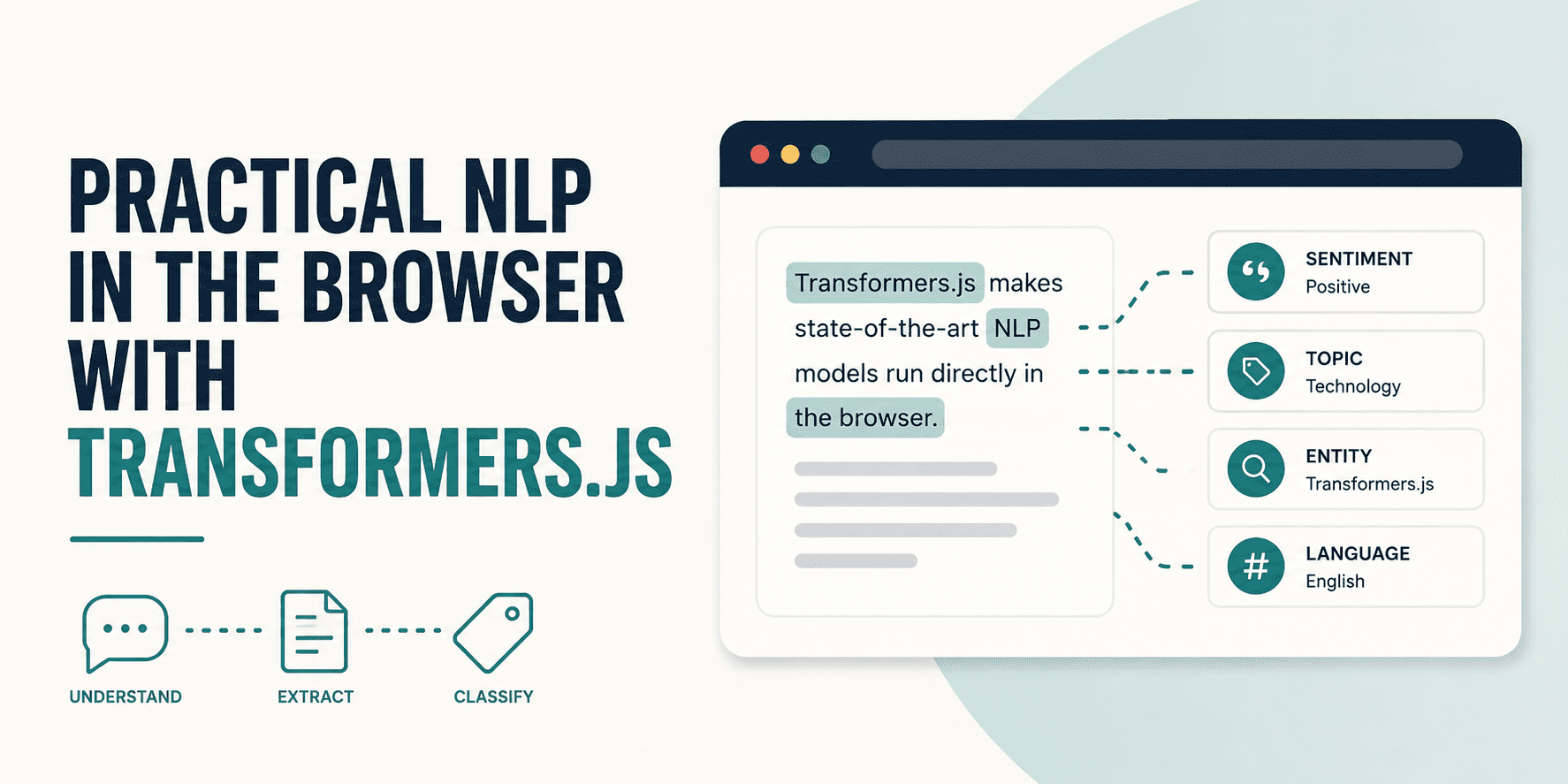 image**
# イントロダクション
長い間、トランスフォーマーモデルを実行するには、Python サーバーの維持管理や GPU 使用料の支払いが必要であり、すべての推論リクエストを API を経由してルーティングする必要がありました。ユーザーが何かを入力すると、そのデータはユーザーの端末から離れ、あなたのインフラストラクチャに触れてから予測結果として戻ってくるという仕組みでした。このアーキテクチャは、モデルが大きすぎて他の場所で実行できない時代には理にかなっていました。しかし、もはやそれが唯一の選択肢ではありません。
Transformers.js はその方程式を変えます。これはサーバーを介さず、ユーザーのデバイス上でブラウザ内で直接、最先端の自然言語処理(NLP: Natural Language Processing)モデルを実行します。モデルは一度ダウンロードされ、ローカルにキャッシュされた後、そこから先はオフラインで動作します。Python から JavaScript への翻訳はほぼ一対一です:
// JavaScript -- nearly identical
import { pipeline } from '@huggingface/transformers';
const classifier = await pipeline('sentiment-analysis');
const result = await classifier('I love transformers!');
このチュートリアルでは、Transformers.js の pipeline() API を用いた 3 つの NLP タスク(テキスト分類、ゼロショットラベリング、質問応答)を取り上げます。各タスクについて、パイプラインの初期化方法、出力構造とその解釈方法、ブラウザで直接開いて動作する HTML の実例を確認できます。最後に、これら 3 つのパイプラインを統合した完全なサポートチケットルーティングアプリケーションを紹介し、チュートリアルを終了します。
本記事のすべてのコード例は CDN インポートパスを使用しているため、ビルドステップは不要です。テキストエディタを開き、コードを貼り付けて実行するだけです。
# Transformers.js とは実際には何か
このライブラリは Hugging Face の Python 用 transformers ライブラリと機能的に同等 になるように設計されており、同じ事前学習済みモデル、同じタスク名、そして JavaScript 版の同じパイプライン API を提供します。その背後でこれを可能にしているのは ONNX Runtime です。
PyTorch、TensorFlow、または JAX でトレーニングされたモデルは、Hugging Face Optimum を使用して ONNX 形式 に変換されます。その後、ONNX Runtime がこれらのモデルをブラウザ内で実行します。デフォルトでは、WebAssembly (WASM) を介して CPU で動作し、これはすべての現代のブラウザで動作します。GPU アクセラレーションを希望する場合は、device: 'webgpu' を設定することで、利用可能な環境ではブラウザの WebGPU API を通じて計算がルーティングされ、意味のある速度向上が得られます(ただし、一部の環境ではまだ実験的な機能です)。
- モデルキャッシュ。パイプラインが初めて実行される際、モデルの重みは Hugging Face Hub からダウンロードされ、ブラウザコンテキスト内では IndexedDB に、Node.js 環境ではファイルシステムにキャッシュされます。開発者のテストによると、感情分析パイプラインは初回ロード時に約 111 MB をダウンロードします。2 回目以降の実行ではダウンロードが完全にスキップされ、キャッシュから読み込まれます。つまり、最初のユーザーセッションには帯域幅のコストがかかりますが、その後のすべてのセッションは高速でオフライン対応となります。
- 量子化。dtype オプションはモデルの精度を制御します。q8(8 ビット量子化)は WASM のデフォルトであり、サイズと精度の良いバランスを提供します。q4 はファイルサイズを約半分まで削減し、ほとんどのタスクで 1〜3% の精度低下をもたらしますが、これはモバイル端末や低速な接続における適切なトレードオフです。Node.js サーバーサイドでの使用においては、fp32 がサイズ制限なしに完全な精度を提供します。
// デフォルトの WASM 実行 -- どこでも動作する
const pipe = await pipeline('sentiment-analysis');
// WebGPU for faster inference on compatible hardware
const pipe = await pipeline('sentiment-analysis', null, { device: 'webgpu' });
// 4-bit quantization for smaller model downloads
const pipe = await pipeline('sentiment-analysis',
'Xenova/distilbert-base-uncased-finetuned-sst-2-english',
{ dtype: 'q4' }
);
# The pipeline() API
The pipeline** function is the entire public interface for most use cases. It bundles three things: a pretrained model, a tokenizer, and postprocessing logic, into a single callable object. You do not touch the tokenizer or model weights directly. You call the pipeline with text and get structured output back.
The signature has three parts:
const pipe = await pipeline(task, model?, options?);
const result = await pipe(input, inferenceOptions?);
task is a string identifier that tells the library which kind of model to load and how to handle input and output. model is optional; if you omit it, the library loads the default model for that task. If you specify a model ID (like 'Xenova/distilbert-base-uncased-finetuned-sst-2-english'), that model loads from the Hub. options is where you set device, dtype, and progress_callback.
Both steps are async. pipeline() downloads and loads the model into memory. This is the slow part on the first run. The pipe call itself is usually fast once the model is loaded. Both return Promises, which means your UI needs to handle the loading state.
progress_callback を使用すると、ダウンロードの進行状況を追跡し、ユーザーに進行状況を表示できます:
// progress_callback はモデルのダウンロード中に呼び出され、ステータス更新を行います
// これは重要な UX です -- ユーザーには何かが起こっていることを知らせる必要があります
const pipe = await pipeline(
'sentiment-analysis',
'Xenova/distilbert-base-uncased-finetuned-sst-2-english',
{
dtype: 'q8',
progress_callback: (progress) => {
// progress.status は次のいずれかになります:'initiate'、'download'、'progress'、'done'
if (progress.status === 'progress') {
const pct = Math.round(progress.progress);
document.getElementById('progress').textContent =
Loading model: ${pct}%;
}
if (progress.status === 'ready') {
document.getElementById('progress').textContent = 'Model ready';
}
}
}
);
公式ドキュメントからの重要な注意点:Transformers.js は推論専用のライブラリです。これを使用してモデルのファインチューニングやトレーニングを行うことはできません。タスクにカスタムモデルが必要な場合は、トレーニングは別場所(Python やクラウド)で行い、その結果生成された ONNX エクスポートをブラウザで実行します。
# タスク 1:テキスト分類
**
テキスト分類は、入力テキストに対してラベルと信頼度スコアを割り当てます。最も一般的な形式は感情分析(ポジティブ対ネガティブ)ですが、同じパイプラインアーキテクチャは、モデルがトレーニングされた任意の固定カテゴリセットも処理します。
出力の例:
const result = await classifier('This product completely exceeded my expectations.');
// [{ label: 'POSITIVE', score: 0.9997 }]
出力はオブジェクトの配列です。各オブジェクトには、ラベル(予測されたクラスを文字列で表したもの)とスコア(モデルの信頼度を表す 0 から 1 の間の浮動小数点数)が含まれています。スコアが 0.9997 の場合、モデルは非常に高い確信度を持っていることを意味します。一方、スコアが 0.52 の場合は、決定閾値をわずかに上回っているに過ぎないため不確実とみなし、アプリケーションのロジックで適切に対処する必要があります。
出力は単一の入力であっても常に配列として返されます。これは、同じパイプライン呼び出しがバッチ処理も扱うためです:
const results = await classifier([
'This is great!',
'Completely broken, waste of money.'
]);
// [
// { label: 'POSITIVE', score: 0.9998 },
// { label: 'NEGATIVE', score: 0.9991 }
// ]
// Full Working Example
以下の例は、完全で自己完結型の HTML ファイルです。任意の最新のブラウザで開いてください。モデルは初回実行時にダウンロードされ、以降の読み込みはキャッシュされるため即座に完了します。
Transformers.js を用いたテキスト分類
body { font-family: system-ui, sans-serif; max-width: 680px;
margin: 2rem auto; padding: 0 1rem; }
textarea { width: 100%; height: 100px; padding: 0.5rem;
font-size: 1rem; margin-bottom: 0.5rem; }
button { padding: 0.5rem 1.5rem; font-size: 1rem; cursor: pointer; }
button:disabled { opacity: 0.5; cursor: not-allowed; }
.positive { color: #16a34a; }
.negative { color: #dc2626; }
**
感情分類器
ブラウザ内で完全に動作します -- サーバーも API 呼び出しも不要です。
この製品の使用をとても楽しかったです。セットアップも簡単で、すべてが完璧に機能しています。
モデルを読み込み中...
初回実行時にモデルをダウンロードします(少々お時間がかかる場合があります)...
import { pipeline } from
'https://cdn.jsdelivr.net/npm/@huggingface/transformers@3.0.2';
const statusEl = document.getElementById('status');
const resultEl = document.getElementById('result');
const btn = document.getElementById('classify-btn');
const inputEl = document.getElementById('input');
let classifier;
async function loadModel() {
classifier = await pipeline(
'text-classification',
'Xenova/distilbert-base-uncased-finetuned-sst-2-english',
{
dtype: 'q8',
progress_callback: (p) => {
if (p.status === 'progress') {
const pct = Math.round(p.progress ?? 0);
statusEl.textContent = Downloading model: ${pct}%;
}
}
}
);
btn.textContent = 'Classify';
btn.disabled = false;
statusEl.textContent = 'Model loaded and cached. Subsequent loads are instant.';
}
async function classify() {
const text = inputEl.value.trim();
if (!text) return;
btn.disabled = true;
btn.textContent = 'Classifying...';
resultEl.textContent = '';
const results = await classifier(text);
const { label, score } = results;
const pct = (score * 100).toFixed(1);
const cssClass = label === 'POSITIVE' ? 'positive' : 'negative';
resultEl.innerHTML =
${label} -- ${pct}% confidence;
btn.disabled = false;
btn.textContent = 'Classify';
}
btn.addEventListener('click', classify);
loadModel().catch(err => {
statusEl.textContent = Error loading model: \${err.message};
});
loadModel 関数は、タスク名、モデル ID、およびオプションを指定して pipeline() を呼び出します。progress_callback はダウンロード中に繰り返し発火し、ステータステキストを更新することで、ユーザーがフリーズした画面を見つめ続けることがないようにしています。モデルの読み込みが完了すると、ボタンが有効化されます。ユーザーが「Classify」をクリックすると、classifier(text) がキャッシュから同期で推論を実行します。これは通常、最新のラップトップでは 200 ミリ秒未満で完了します。結果は最初の配列要素から label と score をデストラクチャリングし、信頼度をパーセンテージ形式に変換して、色分け用の CSS クラスを適用します。
# タスク 2: ゼロショット分類
ゼロショット分類は、通常のテキスト分類ではできないことを実現します。つまり、学習データなしで、実行時に定義したカテゴリにテキストを分類できるのです。テキストとラベルのリスト(英語の自然言語)を渡すだけで、モデルはその言語の意味理解に基づいて、最も適切なラベルを決定します。
これは、ラベル付き例に対してモデルを訓練できない場合や、そうしたくない場合に役立ちます。実際のプロジェクトでは、ほとんどのケースでこの状況に直面します。
// 内部仕組みの解説
モデルは各候補ラベルを自然言語推論(NLI)仮説として再構成します。例えば「billing issue」というラベルの場合、「This text is about a billing issue」という仮説を生成し、入力テキストによってその仮説が導かれる確率を計算します。最も高い推定スコアを持つラベルが勝利となります。このNLI ベースのアプローチこそが、任意の記述的な英語フレーズをラベルとして使用して意味のある結果を得られる理由です。モデルはラベルの表面形式だけでなく、その意味も理解しています。
出力の例:
const classifier = await pipeline('zero-shot-classification',
'Xenova/bart-large-mnli');
const result = await classifier(
'My invoice is wrong and I was charged twice.',
['billing', 'technical support', 'shipping', 'returns', 'account access']
);
// {
// sequence: 'My invoice is wrong and I was charged twice.',
// labels: ['billing', 'returns', 'account access', 'technical support', 'shipping'],
// scores: [0.871, 0.063, 0.031, 0.022, 0.013]
// }
出力は 3 つのフィールドを持つオブジェクトです。sequence は元の入力テキスト、labels は候補ラベルをスコアの高い順に並べた配列、scores は同じ順序で並べられた信頼度スコアの配列です。両方の配列の最初の要素は常に勝者予測となります。multi_label が false の場合(デフォルト)、すべてのラベルに対するスコアの合計は約 1 になります。
multi_label を true に設定すると動作が変化し、各ラベルが競合するのではなく独立してスコアリングされるようになります。これにより、複数のラベルが同時に高いスコアを獲得することが可能になります。テキストが一度に複数のカテゴリに属する可能性がある場合にこの設定を使用してください。
// Full Working Example
以下は、すべての HTML 括弧を完全にエスケープした更新済みのスクリプトブロックです。これを WordPress のカスタム HTML ブロックに直接貼り付けるだけで、コードスニペットとして完璧にレンダリングされます。
ゼロショット分類器 -- サポートチケットルーター
body { font-family: system-ui, sans-serif; max-width: 720px;
margin: 2rem auto; padding: 0 1rem; }
textarea { width: 100%; height: 120px; padding: 0.5rem; font-size: 1rem; }
button { margin-top: 0.5rem; padding: 0.5rem 1.5rem;
font-size: 1rem; cursor: pointer; }
button:disabled { opacity: 0.5; cursor: not-allowed; }
.result-row { display: flex; justify-content: space-between;
padding: 0.4rem 0; border-bottom: 1px solid #eee; }
.bar-container { width: 60%; background: #f0f0f0;
border-radius: 4px; height: 18px; }
.bar { background: #2563eb; height: 100%;
border-radius: 4px; transition: width 0.3s; }
.label-name { min-width: 160px; font-weight: 500; }
.score-text { min-width: 50px; text-align: right; color: #555; }
サポートチケットルーター
サポートチケットを貼り付けてください。学習データなしで、モデルが適切な部署へ自動的に振り分けます。
3 日前に注文したのですが、まだ発送されていません。
今週末にイベントがあり、どうしても期日までに届けてほしいのです。
注文番号は #48821 です。
Loading model...
Downloading model on first run...
import { pipeline } from
'https://cdn.jsdelivr.net/npm/@huggingface/transformers@3.0.2';
const statusEl = document.getElementById('status');
const resultsEl = document.getElementById('results');
const btn = document.getElementById('route-btn');
const ticketEl = document.getElementById('ticket');
const DEPARTMENTS = [
'shipping and delivery',
'billing and payment',
'technical support',
'returns and refunds',
'account and login'
];
let classifier;
async function loadModel() {
classifier = await pipeline(
'zero-shot-classification',
'Xenova/bart-large-mnli',
{
dtype: 'q8',
progress_callback: (p) => {
if (p.status === 'progress') {
statusEl.textContent =
Downloading model: ${Math.round(p.progress ?? 0)}%;
}
}
}
);
btn.disabled = false;
btn.textContent = 'Route Ticket';
statusEl.textContent = 'Model ready.';
}
async function routeTicket() {
const text = ticketEl.value.trim();
if (!text) return;
btn.disabled = true;
btn.textContent = 'Routing...';
resultsEl.innerHTML = '';
const output = await classifier(text, DEPARTMENTS, {
multi_label: false
});
const winner = output.labels;
const confidence = (output.scores * 100).toFixed(1);
let html = `
Route to: ${winner}
(${confidence}% confidence)
Full department score breakdown:
`;
output.labels.forEach((label, i) => {
const pct = (output.scores[i] * 100).toFixed(1);
const barWidth = (output.scores[i] * 100).toFixed(0);
html += `
${label}
${pct}%
`;
});
resultsEl.innerHTML = html;
btn.disabled = false;
btn.textContent = 'Route Ticket';
}
btn.addEventListener('click', routeTicket);
loadModel().catch(err => {
statusEl.textContent = Error: ${err.message};
});
DEPARTMENTS アレイは、このシステムが必要とするすべてのルーティング設定です。トレーニングデータもラベル付けされた例も不要です。チケットが到着すると、classifier(text, DEPARTMENTS, { multi_label: false }) が内部で 5 つの帰結チェックをすべて実行し、結果をランク付けして返します。結果ループは、各部署のスコアを示す横棒グラフを構築し、ソートされた可視化により、チケットがどこへ送られるべきか、そしてモデルがどの程度確信を持っているかが一目でわかります。DEPARTMENTS アレイを全く異なるラベルに変更しても、そのアレイ以外にコードを変更する必要なく、モデルは正しくルーティングします。
# タスク 3: 質問応答
**
Transformers.js における質問応答は抽出型です。文脈としてテキストの段落を提供し、平易な英語で質問を投げかけます。モデルはその中から質問に最もよく答えるスパン(連続した文字列)を検出し、それを返します。文脈に明示的に含まれている内容を超えてテキストを生成したり推論したりすることはありません。回答は常にあなたが提供した入力の一部です。
これはドキュメントの照会に適しています。ユーザーがドキュメントを提供し、モデルがその中を探索します。
出力の例:
const qa = await pipeline('question-answering', 'Xenova/distilbert-base-uncased-distilled-squad');
const result = await qa({
question: 'What is the return window for electronics?',
context: `Our return policy allows customers to return most items within 30 days
of purchase. Electronics must be returned within 15 days and must be
in original packaging. Software and digital downloads are non-refundable.`
});
// {
// answer: '15 days',
// score: 0.9823,
// start: 97, // character index of answer start in context
// end: 104 // character index of answer end in context
// }
出力には 4 つのフィールドがあります。answer は抽出された部分文字列です。score は、このスパンが質問に対する回答であるとモデルがどの程度確信しているかを示す値です。start と end は、元のコンテキスト内における文字インデックスであり、これらを使用してソーステキスト内の回答部分をハイライト表示できます。これは、長いドキュメントにおいて非常に有用な UX(ユーザーエクスペリエンス)となります。
質問に対してコンテキスト内に明確な答えがない場合、score は低くなり、answer は短くランダムに見えるスパンになることがあります。信頼度が低い回答(0.3 または 0.4 を下回るもの)を「見つかりませんでした」として扱うことは、標準的なプラクティスです。
// Full Working Example
Document Q&A の記事ブロックに使用するためのエスケープ済みコードを以下に示します。これにより、script およびテンプレート内のすべての `` 括弧が正しく処理され、サイト上できれいに表示されます。
Transformers.js を使ったドキュメント Q&A
body { font-family: system-ui, sans-serif; max-width: 720px;
margin: 2rem auto; padding: 0 1rem; }
label { font-weight: 600; display: block; margin-top: 1rem; }
textarea { width: 100%; padding: 0.5rem; font-size: 0.95rem; }
input[type="text"] { width: 100%; padding: 0.5rem;
font-size: 0.95rem; box-sizing: border-box; }
button { margin-top: 0.75rem; padding: 0.5rem 1.5rem;
font-size: 1rem; cursor: pointer; }
button:disabled { opacity: 0.5; cursor: not-allowed; }
#answer-box { margin-top: 1rem; padding: 1rem;
background: #f8fafc; border-left: 3px solid #2563eb; }
.highlight { background: #fef08a; border-radius: 2px; }
.confidence { color: #666; font-size: 0.85rem; margin-top: 0.5rem; }
ドキュメント質問応答
任意のドキュメントを貼り付けて、それについて質問してください。
回答はテキストから直接抽出されます。
ドキュメント / コンテキスト
Acme Corp の返品ポリシー(2025 年 3 月改訂)
翻訳全文
質問
回答を取得
回答:
import { pipeline, env } from 'https://cdn.jsdelivr.net/npm/@xenova/transformers@2.14.0';
// ローカル実行を許可(CDN から読み込むため)
env.allowLocalModels = false;
let extractorPipeline = null;
async function loadModel() {
if (extractorPipeline) return;
const status = document.getElementById('status');
const btn = document.getElementById('submit-btn');
status.textContent = 'モデルをロード中...';
btn.disabled = true;
try {
// 質問応答タスク用の事前学習済みモデル(Xenova/BERT-base-uncased など)
extractorPipeline = await pipeline('question-answering', 'Xenova/bert-base-chinese');
status.textContent = '準備完了';
btn.disabled = false;
} catch (err) {
status.textContent = 'モデルのロードに失敗しました: ' + err.message;
console.error(err);
}
}
document.getElementById('submit-btn').addEventListener('click', async () => {
const context = document.getElementById('context').value.trim();
const question = document.getElementById('question').value.trim();
const status = document.getElementById('status');
const answerBox = document.getElementById('answer-box');
const answerText = document.getElementById('answer-text');
const confidenceScore = document.getElementById('confidence-score');
if (!context || !question) {
status.textContent = 'ドキュメントと質問の両方を入力してください。';
return;
}
if (!extractorPipeline) {
await loadModel();
if (!extractorPipeline) return;
}
status.textContent = '回答を生成中...';
answerBox.style.display = 'none';
try {
const result = await extractorPipeline({ question, context });
// 結果のハイライト処理(簡易版)
let highlightedText = context;
if (result.answer) {
const start = context.indexOf(result.answer);
if (start !== -1) {
const end = start + result.answer.length;
highlightedText =
context.substring(0, start) +
${result.answer} +
context.substring(end);
}
}
answerText.innerHTML = highlightedText || '回答が見つかりませんでした。';
confidenceScore.textContent = 信頼度: ${(result.score * 100).toFixed(2)}%;
answerBox.style.display = 'block';
status.textContent = '';
} catch (err) {
status.textContent = 'エラーが発生しました: ' + err.message;
console.error(err);
}
});
// ページ読み込み時にモデルを事前ロード(オプション)
window.addEventListener('load', loadModel);
お客様は、購入日から 30 日以内であれば、ほとんどの標準商品を全額返金対象として返品できます。電子機器および周辺機器は返品期間が 15 日間と短く、対象となるためには未開封の元の包装状態で返品する必要があります。
返品された商品を受領してから 3〜5 営業日以内に返金処理が行われます。元々の送料は返金されません。200 ドル以上の価値がある商品の返品を希望される場合は、返品手続きを開始する前に returns@acmecorp.com までサポートへお問い合わせください。
ソフトウェアライセンスおよびデジタルダウンロード商品は、いかなる場合でも返金対象となりません。ギフトカードの現金化や交換はできません。
Your Question
How long does it take to process a refund?
Loading model...
Downloading model on first run...
import { pipeline } from 'https://cdn.jsdelivr.net/npm/@huggingface/transformers@3.0.2';
const contextEl = document.getElementById('context');
const questionEl = document.getElementById('question');
const statusEl = document.getElementById('status');
const answerBox = document.getElementById('answer-box');
const btn = document.getElementById('ask-btn');
const CONFIDENCE_THRESHOLD = 0.1;
let qaModel;
async function loadModel() {
qaModel = await pipeline(
'question-answering',
'Xenova/distilbert-base-uncased-distilled-squad',
{
dtype: 'q8',
progress_callback: (p) => {
if (p.status === 'progress') {
statusEl.textContent =
Downloading model: ${Math.round(p.progress ?? 0)}%;
}
}
}
);
btn.disabled = false;
btn.textContent = 'Ask';
statusEl.textContent = 'Model ready.';
}
async function askQuestion() {
const context = contextEl.value.trim();
const question = questionEl.value.trim();
if (!context || !question) return;
btn.disabled = true;
btn.textContent = 'Thinking...';
answerBox.style.display = 'none';
const result = await qaModel({ question, context });
answerBox.style.display = 'block';
if (result.score Answer not found**
The model could not find a clear answer
to this question in the provided text.
`;
} else {
const before = context.slice(0, result.start);
const answer = context.slice(result.start, result.end);
const after = context.slice(result.end);
const highlight = ${before}${answer}${after};
翻訳全文
const confidence = (result.score * 100).toFixed(1);
answerBox.innerHTML = `
Answer: \${result.answer}
Confidence: \${confidence}%
Show answer highlighted in document
\${highlight}
`;
}
btn.disabled = false;
btn.textContent = 'Ask';
}
btn.addEventListener('click', askQuestion);
questionEl.addEventListener('keydown', (e) => {
if (e.key === 'Enter' && !btn.disabled) askQuestion();
});
loadModel().catch(err => {
statusEl.textContent = Error: \${err.message};
});
script>
QA パイプラインは、単なる文字列ではなく、質問とコンテキストを含むオブジェクトを受け取ります。これはタスクが要求する形式です。モデルの start フィールドと end フィールドは、コンテキスト文字列内の文字インデックスを示しており、コードはこの情報を用いて、モデルが特定した正確なスパンの周囲に タグを挿入します。 要素は、ハイライトされたコンテキストを展開可能なセクションとしてラップし、UI をすっきりと保ちます。信頼度閾値により、低品質な抽出結果が自信ありげな回答として表示されるのを防ぎます;0.1 未満の結果はすべて「見つかりませんでした」というメッセージに置き換えられます。
# 実世界での応用:サポートチケットルーティング
3 つのパイプラインは、サポートチケットの分析全体を網羅しています。感情分析により顧客の気分が分かり、ゼロショット分類によって適切なチームへチケットを振り分けます。質問応答では、解析ルールや正規表現なしで必要な構造化データ(注文番号、製品名、および核心的な問題)を抽出します。
これはこれら 3 つを組み合わせた完全なサポートチケット分析ツールです。単一の HTML ファイルであり、完全に自己完結型で、詳細なコメント付きです。
以下は、サポートチケット解析コードブロックの完全にエスケープされたバージョンです。レイアウトテンプレートやスクリプト設定内のすべての内部 HTML 括弧は、安全にエンティティに変換されています。このまま WordPress のカスタム HTML ブロックに貼り付けることができます。
Support Ticket Analyzer
- { box-sizing: border-box; }
body { font-family: system-ui, sans-serif; max-width: 800px;
margin: 2rem auto; padding: 0 1rem; background: #f9fafb; }
h1 { margin-bottom: 0.25rem; }
.subtitle { color: #666; margin-bottom: 1.5rem; }
textarea { width: 100%; height: 130px; padding: 0.75rem;
font-size: 0.95rem; border: 1px solid #d1d5db;
border-radius: 6px; resize: vertical; }
button { padding: 0.6rem 1.8rem; font-size: 1rem;
background: #2563eb; color: white; border: none;
border-radius: 6px; cursor: pointer; margin-top: 0.5rem; }
button:disabled { background: #93c5fd; cursor: not-allowed; }
.cards { display: grid; grid-template-columns: repeat(3, 1fr);
gap: 1rem; margin-top: 1.5rem; }
.card { background: white; border-radius: 8px; padding: 1rem;
border: 1px solid #e5e7eb; }
.card h3 { margin: 0 0 0.75rem; font-size: 0.9rem;
text-transform: uppercase; letter-spacing: 0.05em;
color: #6b7280; }
.card .value { font-size: 1.15rem; font-weight: 600; }
.card .sub { font-size: 0.85rem; color: #666; margin-top: 0.25rem; }
.positive { color: #16a34a; }
.negative { color: #dc2626; }
.neutral { color: #d97706; }
.dept-bar { display: flex; align-items: center; gap: 0.5rem;
margin-top: 0.4rem; font-size: 0.85rem; }
.bar-bg { flex: 1; background: #f0f0f0; border-radius: 3px; height: 8px; }
.bar-fill { background: #2563eb; height: 100%;
border-radius: 3px; transition: width 0.4s; }
.qa-item { margin-top: 0.6rem; font-size: 0.9rem; }
.qa-label { font-weight: 600; color: #374151; }
.qa-ans { color: #111; }
.qa-low { color: #9ca3af; font-style: italic; }
@media (max-width: 600px) {
.cards { grid-template-columns: 1fr; }
}
サポートチケット分析ツール
Transformers.js によって駆動 -- ブラウザ内で完全に動作します
こんにちは、先週火曜日にラップトップスタンドを購入しました(注文番号 #73021)が、届いた商品は完全に壊れていました。箱から出した瞬間にアームの片方が折れてしまいました。私は 3 年間のお客様ですが、これは正直に言って非常に残念です。できるだけ早く交換品を送っていただくか、あるいは全額返金を希望します。ご指示ください。
モデルを読み込み中...
初期化中 -- 初回実行時にモデルをダウンロードしています...
感情分析
--
--
部署
重要情報
import { pipeline } from
'https://cdn.jsdelivr.net/npm/@huggingface/transformers@3.0.2';
const ticketEl = document.getElementById('ticket');
const btn = document.getElementById('analyze-btn');
const statusEl = document.getElementById('status');
const cardsEl = document.getElementById('cards');
const DEPARTMENTS = [
'returns and refunds',
'shipping and delivery',
'billing and payment',
'technical support',
'account management'
];
const QA_QUERIES = [
{ label: 'Order number', question: 'What is the order number?' },
{ label: 'Issue', question: 'What is the main problem or complaint?' },
{ label: 'Request', question: 'What does the customer want?' }
];
let sentimentPipe, zeroPipe, qaPipe;
let modelsLoaded = 0;
function onModelLoaded(name) {
modelsLoaded++;
statusEl.textContent =
Loading models: ${modelsLoaded}/3 ready (${name} loaded);
if (modelsLoaded === 3) {
btn.disabled = false;
btn.textContent = 'Analyze Ticket';
statusEl.textContent = 'All models ready.';
}
}
async function loadModels() {
[sentimentPipe, zeroPipe, qaPipe] = await Promise.all([
pipeline(
'text-classification',
'Xenova/distilbert-base-uncased-finetuned-sst-2-english',
{ dtype: 'q8',
progress_callback: p =>
p.status === 'done' && onModelLoaded('Sentiment') }
),
pipeline(
'zero-shot-classification',
'Xenova/bart-large-mnli',
{ dtype: 'q8',
progress_callback: p =>
p.status === 'done' && onModelLoaded('Routing') }
),
pipeline(
'question-answering',
'Xenova/distilbert-base-uncased-distilled-squad',
{ dtype: 'q8',
progress_callback: p =>
p.status === 'done' && onModelLoaded('Q&A') }
)
]);
}
async function analyzeTicket() {
const text = ticketEl.value.trim();
if (!text) return;
btn.disabled = true;
btn.textContent = 'Analyzing...';
cardsEl.style.display = 'none';
const [sentResult, zeroResult, qaResults] = await Promise.all([
sentimentPipe(text),
zeroPipe(text, DEPARTMENTS, { multi_label: false }),
Promise.all(
QA_QUERIES.map(({ question }) =>
qaPipe({ question, context: text })
)
)
]);
const { label, score } = sentResult;
const sentLabel = document.getElementById('sent-label');
const sentScore = document.getElementById('sent-score');
sentLabel.textContent = label;
sentLabel.className = value \${label === 'POSITIVE' ? 'positive' : 'negative'};
sentScore.textContent = \${(score * 100).toFixed(1)}% confidence;
if (label === 'NEGATIVE' && score > 0.85) {
sentScore.textContent += ' -- HIGH URGENCY';
sentScore.style.color = '#dc2626';
}
const deptEl = document.getElementById('dept-results');
deptEl.innerHTML = `\${zeroResult.labels}
`;
zeroResult.labels.slice(0, 3).forEach((dept, i) => {
const pct = (zeroResult.scores[i] * 100).toFixed(0);
deptEl.innerHTML += `
\${dept}
\${pct}%
`;
});
const qaEl = document.getElementById('qa-results');
qaEl.innerHTML = '';
QA_QUERIES.forEach(({ label: qLabel }, i) => {
const { answer, score: qScore } = qaResults[i];
const found = qScore >= 0.1;
qaEl.innerHTML += `
\${qLabel}:
\${found ? answer : 'not found'}
`;
});
翻訳全文
cardsEl.style.display = 'grid';
btn.disabled = false;
btn.textContent = 'Analyze Ticket';
}
btn.addEventListener('click', analyzeTicket);
loadModels().catch(err => {
statusEl.textContent = Error loading models: \${err.message};
});
The three pipelines load in parallel via Promise.all. This is faster than loading them sequentially because the downloads overlap. A counter tracks how many have finished, so the button only enables once all three are ready. When the user submits a ticket, all three inferences also run in parallel. The sentiment card checks whether the result is high-confidence negative and flags it as an urgent practical routing signal that requires no additional model.
The department card shows the top three candidates as score bars rather than just the winner, which gives the support team enough information to override the routing if the top score is close to the second. The QA card runs three extractive queries against the ticket body and displays the results with a confidence threshold answers below 0.1 show as "not found" rather than surfacing low-quality extractions.
# Performance, Limitations, and When Not to Use It
Transformers.js removes the server but does not eliminate trade-offs. Knowing them up front saves you from unpleasant surprises in production.
- ダウンロードサイズ。感情分析パイプラインは初回読み込み時に約 111 MB をダウンロードします。決して巨大ではありませんが、無視できるほど小さいわけでもありません。ゼロショット BART モデルはさらに大きくなります。モバイルユーザーや従量制接続のユーザーを対象とするアプリケーションでは、モデルサイズを概ね半分にするために quantization を使用し、モデルをプログレッシブ・エンハンスメントとして扱ってください。モデル読み込み時にユーザーインターフェースがブロックされないようにしてください。
- 推論速度。最新のラップトップでは、短いテキスト分類の WASM(WebAssembly)推論には 50〜200 ミリ秒かかります。ゼロショット分類は、候補ラベルごとに 1 つずつ NLI(自然言語推論)パスを実行するため、より遅くなります。5 ラベルのゼロショット実行は通常、CPU で 1〜3 秒を要します。WebGPU がサポートされている環境では、これを大幅に短縮できます。
- 推論のみ。Transformers.js ではモデルのファインチューニングやトレーニングを行うことはできません。カスタムモデルが必要なユースケースの場合(例えば、独自のラベル付きチケットで訓練された分類器など)、トレーニングはサーバー側(Python、クラウド)で行い、ONNX エクスポートをブラウザ内で実行します。
- モデルの利用可能性。Hugging Face Hub にあるすべてのモデルに ONNX バージョンがあるわけではありません。互換性のあるモデルを見つけるには、Hub 上で transformers.js ライブラリタグでフィルタリングしてください。
- サーバーを優先すべきタイミング:個々の項目ごとのレイテンシが重要となる数百件のテキストのバッチ処理、ブラウザ配信には大きすぎる最先端の大規模モデルが必要なタスク、またはブラウザベースの推論の開発コストがその利点を上回る単純なアプリケーションです。
文脈に応じたデータ型(dtype)選択のためのクイックリファレンス:
文脈
推奨される dtype
理由
ブラウザ、一般用途
q8
WASM デフォルト、サイズと精度の良好なバランス
モバイルまたは低速接続
q4
ファイルサイズの約半分、精度は 1〜3% の低下
Node.js サーバーサイド
fp32
完全精度、ダウンロードサイズの懸念なし
WebGPU 有効化
fp16
高速、互換性のある GPU ハードウェア上で良好な品質
まとめ
**Transformers.js は、サーバーも API キーも不要で、ユーザーデータを端末から送信することなく、ブラウザ内で本番環境レベルの自然言語処理(NLP)を実現します。このチュートリアルで紹介した 3 つのパイプライン、すなわちテキスト分類、ゼロショットラベリング、質問応答は、実際の NLP ユースケースの大部分をカバーする分析領域を網羅しています。サポートチケットルーターでは、これらがどのように組み合わされて、200 行未満の HTML と JavaScript で真に有用なシステムへと変換されるかが示されています。
エントリーポイントは可能な限りシンプルです:CDN からのインポート 1 つ、await pipeline() の呼び出し 1 つ、推論呼び出し 1 つ。まずはこの記事で最も簡単な例から始めて実行し、ゼロショットデモのラベルを変更したり、QA モデルを別のドキュメントに指させたりしてみてください。公式 Transformers.js ドキュメンテーション と examples リポジトリ では、要約、翻訳、固有表現認識など、より広範なタスク範囲を扱っており、すべてが同じ pipeline() パターンに従っています。
Shittu Olumide は、最先端の技術を活用して説得力のある物語を構築することに情熱を注ぐソフトウェアエンジニアでありテクニカルライターです。細部への鋭い眼と複雑な概念を簡素化する才能を持っています。また、Shittu は Twitter でも活動しています。
原文を表示
**
# Introduction
For a long time, running transformer models meant maintaining a Python server, paying for GPU time, and routing every inference request through an API. The user typed something, it left their machine, touched your infrastructure, and came back as a prediction. That architecture made sense when the models were too large to run anywhere else. It is no longer the only option.
Transformers.js changes the equation. It runs state-of-the-art NLP models directly in the browser, on the user's device, with no server involved. The models download once, cache locally, and run offline from that point forward. The Python-to-JavaScript translation is almost one-to-one:
// JavaScript -- nearly identical
import { pipeline } from '@huggingface/transformers';
const classifier = await pipeline('sentiment-analysis');
const result = await classifier('I love transformers!');This tutorial covers three NLP tasks: text classification, zero-shot labelling, and question answering using Transformers.js's pipeline() API. For each task, you will see how to initialize the pipeline, what the output structure looks like and how to interpret it, and a working HTML example you can open directly in a browser. The tutorial closes with a complete support ticket routing application that combines all three pipelines into one practical tool.
Every code example in this article uses the CDN import path, so there is no build step required. Open a text editor, paste the code, and run it.
# What Transformers.js Actually Is
The library is designed to be functionally equivalent to Hugging Face's Python transformers library, meaning the same pretrained models, the same task names, and the same pipeline API just in JavaScript. Under the hood, the bridge that makes this possible is ONNX Runtime.
Models trained in PyTorch, TensorFlow, or JAX are converted to ONNX format using Hugging Face Optimum. ONNX Runtime then executes these models in the browser. By default, it runs on CPU via WebAssembly (WASM), which works in every modern browser. If you want GPU acceleration, setting device: 'webgpu' routes computation through the browser's WebGPU API meaningfully faster where available, though still experimental in some environments.
- Model caching. The first time a pipeline runs, the model weights download from Hugging Face Hub and cache in the browser IndexedDB in a browser context, the filesystem in Node.js. Developer testing shows the sentiment analysis pipeline downloads around 111 MB on first load. Subsequent runs skip the download entirely and load from cache. This means the first user session has a bandwidth cost; every session after is fast and offline-capable
- Quantization. The dtype option controls model precision. q8 (8-bit quantization) is the WASM default; it gives you a good balance of size and accuracy. q4 cuts the file roughly in half with a 1–3% accuracy loss on most tasks, which is the right trade-off for mobile or slow connections. For Node.js server-side use, fp32 gives full precision with no size constraint
// Default WASM execution -- works everywhere
const pipe = await pipeline('sentiment-analysis');

// WebGPU for faster inference on compatible hardware
const pipe = await pipeline('sentiment-analysis', null, { device: 'webgpu' });

// 4-bit quantization for smaller model downloads
const pipe = await pipeline('sentiment-analysis',
  'Xenova/distilbert-base-uncased-finetuned-sst-2-english',
  { dtype: 'q4' }
);
# The pipeline() API
The pipeline** function is the entire public interface for most use cases. It bundles three things: a pretrained model, a tokenizer, and postprocessing logic, into a single callable object. You do not touch the tokenizer or model weights directly. You call the pipeline with text and get structured output back.
The signature has three parts:
const pipe = await pipeline(task, model?, options?);
const result = await pipe(input, inferenceOptions?);
task is a string identifier that tells the library which kind of model to load and how to handle input and output. model is optional; if you omit it, the library loads the default model for that task. If you specify a model ID (like 'Xenova/distilbert-base-uncased-finetuned-sst-2-english'), that model loads from the Hub. options is where you set device, dtype, and progress_callback.
Both steps are async. pipeline() downloads and loads the model into memory. This is the slow part on the first run. The pipe call itself is usually fast once the model is loaded. Both return Promises, which means your UI needs to handle the loading state.
A progress_callbacklets you track the download and show progress to the user:
// progress_callback fires during model download with status updates
// This is important UX -- users need to know something is happening
const pipe = await pipeline(
  'sentiment-analysis',
  'Xenova/distilbert-base-uncased-finetuned-sst-2-english',
  {
    dtype: 'q8',
    progress_callback: (progress) => {
      // progress.status can be: 'initiate', 'download', 'progress', 'done'
      if (progress.status === 'progress') {
        const pct = Math.round(progress.progress);
        document.getElementById('progress').textContent =
          `Loading model: ${pct}%`;
      }
      if (progress.status === 'ready') {
        document.getElementById('progress').textContent = 'Model ready';
      }
    }
  }
);
One important note from the official documentation: Transformers.js is an inference-only library. You cannot fine-tune or train models with it. If your task needs a custom model, training happens elsewhere (Python, cloud), and the resulting ONNX export runs in the browser.
# Task 1: Text Classification
**
Text classification assigns a label and a confidence score to input text. The most common form is sentiment analysis, positive vs. negative, but the same pipeline architecture handles any fixed set of categories the model was trained on.
What the output looks like:
const result = await classifier('This product completely exceeded my expectations.');
// [{ label: 'POSITIVE', score: 0.9997 }]
Output is an array of objects. Each object has label (the predicted class as a string) and score (a float between 0 and 1 representing the model's confidence). A score of 0.9997 means the model is highly confident. A score of 0.52 means it is barely above the decision threshold treat that as uncertain and handle it accordingly in your application logic.
The output is always an array, even for a single input, because the same pipeline call handles batches:
const results = await classifier([
  'This is great!',
  'Completely broken, waste of money.'
]);
// [
//   { label: 'POSITIVE', score: 0.9998 },
//   { label: 'NEGATIVE', score: 0.9991 }
// ]
// Full Working Example
The example below is a complete, self-contained HTML file. Open it in any modern browser. The model downloads on first run and caches subsequent loads, which are instant.
<!DOCTYPE html>
<html lang="en">
<head>
  <meta charset="UTF-8" />
  <meta name="viewport" content="width=device-width, initial-scale=1.0" />
  <title>Text Classification with Transformers.js</title>
  <style>
    body { font-family: system-ui, sans-serif; max-width: 680px;
           margin: 2rem auto; padding: 0 1rem; }
    textarea { width: 100%; height: 100px; padding: 0.5rem;
               font-size: 1rem; margin-bottom: 0.5rem; }
    button { padding: 0.5rem 1.5rem; font-size: 1rem; cursor: pointer; }
    button:disabled { opacity: 0.5; cursor: not-allowed; }
    #status { color: #666; font-size: 0.9rem; margin: 0.5rem 0; }
    #result { margin-top: 1rem; font-size: 1.1rem; font-weight: bold; }
    .positive { color: #16a34a; }
    .negative { color: #dc2626; }
  </style>
</head>
<body>
  <h1>Sentiment Classifier</h1>
  <p>Runs entirely in your browser -- no server, no API calls.</p>

  <textarea id="input" placeholder="Enter text to classify...">
I really enjoyed using this product. The setup was easy and everything works perfectly.
  </textarea>

  <button id="classify-btn" disabled>Loading model...</button>
  <div id="status">Downloading model on first run (this may take a moment)...</div>
  <div id="result"></div>

  <script type="module">
    import { pipeline } from
      'https://cdn.jsdelivr.net/npm/@huggingface/transformers@3.0.2';

    const statusEl  = document.getElementById('status');
    const resultEl  = document.getElementById('result');
    const btn       = document.getElementById('classify-btn');
    const inputEl   = document.getElementById('input');

    let classifier;

    async function loadModel() {
      classifier = await pipeline(
        'text-classification',
        'Xenova/distilbert-base-uncased-finetuned-sst-2-english',
        {
          dtype: 'q8',
          progress_callback: (p) => {
            if (p.status === 'progress') {
              const pct = Math.round(p.progress ?? 0);
              statusEl.textContent = `Downloading model: \${pct}%`;
            }
          }
        }
      );

      btn.textContent  = 'Classify';
      btn.disabled     = false;
      statusEl.textContent = 'Model loaded and cached. Subsequent loads are instant.';
    }

    async function classify() {
      const text = inputEl.value.trim();
      if (!text) return;

      btn.disabled         = true;
      btn.textContent      = 'Classifying...';
      resultEl.textContent = '';

      const results = await classifier(text);
      const { label, score } = results;

      const pct       = (score * 100).toFixed(1);
      const cssClass  = label === 'POSITIVE' ? 'positive' : 'negative';

      resultEl.innerHTML =
        `<span class="\${cssClass}">\${label}</span> -- \${pct}% confidence`;

      btn.disabled    = false;
      btn.textContent = 'Classify';
    }

    btn.addEventListener('click', classify);

    loadModel().catch(err => {
      statusEl.textContent = `Error loading model: \${err.message}`;
    });
  </script>
</body>
</html>
The loadModel function calls pipeline() with the task name, model ID, and options. The progress_callback fires repeatedly during the download and updates the status text so the user is not staring at a frozen screen. Once the model loads, the button is enabled. When the user clicks Classify, classifier(text) runs inference synchronously from cache, typically under 200ms on a modern laptop. The result destructures label and score from the first array element, formats the confidence as a percentage, and applies a CSS class for color coding.
# Task 2: Zero-Shot Classification
Zero-shot classification does something regular text classification cannot: it classifies text into categories you define at runtime, with no training data required. You pass the text and a list of labels in plain English. The model decides which label fits best based on its understanding of language semantics.
This is useful any time you cannot or do not want to train a model on labelled examples, which is most of the time in real projects.
// How It Works Under the Hood
The model reformulates each candidate label as a natural language inference (NLI) hypothesis. For the label "billing issue", it generates the hypothesis "This text is about a billing issue**" and computes the probability that the hypothesis is entailed by the input text. The label with the highest entailment score wins. This NLI-based approach is why you can use any descriptive English phrase as a label and get a meaningful result. The model understands the meaning of your labels, not just their surface form.
What the output looks like:
const classifier = await pipeline('zero-shot-classification',
  'Xenova/bart-large-mnli');

const result = await classifier(
  'My invoice is wrong and I was charged twice.',
  ['billing', 'technical support', 'shipping', 'returns', 'account access']
);

// {
//   sequence: 'My invoice is wrong and I was charged twice.',
//   labels:   ['billing', 'returns', 'account access', 'technical support', 'shipping'],
//   scores:   [0.871,      0.063,     0.031,             0.022,               0.013]
// }
The output is an object with three fields. sequenceis the original input text. labelsis an array of your candidate labels, sorted from highest to lowest score. scoresis an array of confidence scores in the same order. The first element of both arrays is always the winning prediction. Scores across all labels sum to approximately 1 when multi_labelis false (the default).
Setting multi_label: true changes the behavior: each label scores independently rather than competing, so multiple labels can all have high scores simultaneously. Use this when text plausibly belongs to several categories at once.
// Full Working Example
Here is your updated script block with all the HTML brackets fully escaped. You can paste this directly into your Custom HTML block in WordPress, and it will render perfectly as a code snippet.
<!DOCTYPE html>
<html lang="en">
<head>
  <meta charset="UTF-8" />
  <meta name="viewport" content="width=device-width, initial-scale=1.0" />
  <title>Zero-Shot Classifier -- Support Ticket Router</title>
  <style>
    body { font-family: system-ui, sans-serif; max-width: 720px;
           margin: 2rem auto; padding: 0 1rem; }
    textarea { width: 100%; height: 120px; padding: 0.5rem; font-size: 1rem; }
    button { margin-top: 0.5rem; padding: 0.5rem 1.5rem;
             font-size: 1rem; cursor: pointer; }
    button:disabled { opacity: 0.5; cursor: not-allowed; }
    #status  { color: #666; font-size: 0.9rem; margin: 0.5rem 0; }
    .result-row { display: flex; justify-content: space-between;
                  padding: 0.4rem 0; border-bottom: 1px solid #eee; }
    .bar-container { width: 60%; background: #f0f0f0;
                     border-radius: 4px; height: 18px; }
    .bar { background: #2563eb; height: 100%;
           border-radius: 4px; transition: width 0.3s; }
    .label-name { min-width: 160px; font-weight: 500; }
    .score-text { min-width: 50px; text-align: right; color: #555; }
  </style>
</head>
<body>
  <h1>Support Ticket Router</h1>
  <p>Paste a support ticket. The model routes it to the right department
     with no training data needed.</p>

  <textarea id="ticket">
I placed an order three days ago but it still hasn't shipped. I have an event
this weekend and really need this to arrive on time. My order number is #48821.
  </textarea>

  <button id="route-btn" disabled>Loading model...</button>
  <div id="status">Downloading model on first run...</div>
  <div id="results"></div>

  <script type="module">
    import { pipeline } from
      'https://cdn.jsdelivr.net/npm/@huggingface/transformers@3.0.2';

    const statusEl  = document.getElementById('status');
    const resultsEl = document.getElementById('results');
    const btn       = document.getElementById('route-btn');
    const ticketEl  = document.getElementById('ticket');

    const DEPARTMENTS = [
      'shipping and delivery',
      'billing and payment',
      'technical support',
      'returns and refunds',
      'account and login'
    ];

    let classifier;

    async function loadModel() {
      classifier = await pipeline(
        'zero-shot-classification',
        'Xenova/bart-large-mnli',
        {
          dtype: 'q8',
          progress_callback: (p) => {
            if (p.status === 'progress') {
              statusEl.textContent =
                `Downloading model: ${Math.round(p.progress ?? 0)}%`;
            }
          }
        }
      );

      btn.disabled    = false;
      btn.textContent = 'Route Ticket';
      statusEl.textContent = 'Model ready.';
    }

    async function routeTicket() {
      const text = ticketEl.value.trim();
      if (!text) return;

      btn.disabled         = true;
      btn.textContent      = 'Routing...';
      resultsEl.innerHTML  = '';

      const output = await classifier(text, DEPARTMENTS, {
        multi_label: false
      });

      const winner = output.labels;
      const confidence = (output.scores * 100).toFixed(1);

      let html = `<h3>Route to: <strong>\${winner}</strong>
                  (\${confidence}% confidence)</h3>
                  <p style="color:#666; font-size:0.9rem">
                  Full department score breakdown:</p>`;

      output.labels.forEach((label, i) => {
        const pct = (output.scores[i] * 100).toFixed(1);
        const barWidth = (output.scores[i] * 100).toFixed(0);
        html += `
          <div class="result-row">
            <span class="label-name">\${label}</span>
            <div class="bar-container">
              <div class="bar" style="width: \${barWidth}%"></div>
            </div>
            <span class="score-text">\${pct}%</span>
          </div>`;
      });

      resultsEl.innerHTML  = html;
      btn.disabled         = false;
      btn.textContent      = 'Route Ticket';
    }

    btn.addEventListener('click', routeTicket);
    loadModel().catch(err => {
      statusEl.textContent = `Error: \${err.message}`;
    });
  </script>
</body>
</html>
The DEPARTMENTS array is all the routing configuration this system needs. No training data, no labeled examples. When a ticket arrives, classifier(text, DEPARTMENTS, { multi_label: false }) runs all five entailment checks internally and returns them ranked. The results loop builds a horizontal bar chart showing each department's score, a sorted visualization that makes it immediately obvious where the ticket should go and how confident the model was. Try changing the DEPARTMENTS array to completely different labels; the model routes correctly without any code change beyond that array.
# Task 3: Question Answering
**
Question answering in Transformers.js is extractive: you provide a passage of text as context and ask a question in plain English. The model locates the span within the passage that best answers the question and returns it. It does not generate text or reason beyond what is literally in the context. The answer is always a substring of the input you provided.
This makes it well-suited for document interrogation. The user provides the document; the model navigates it.
What the output looks like:
const qa = await pipeline('question-answering', 'Xenova/distilbert-base-uncased-distilled-squad');

const result = await qa({
  question: 'What is the return window for electronics?',
  context: `Our return policy allows customers to return most items within 30 days
            of purchase. Electronics must be returned within 15 days and must be
            in original packaging. Software and digital downloads are non-refundable.`
});

// {
//   answer: '15 days',
//   score:  0.9823,
//   start:  97,    // character index of answer start in context
//   end:    104    // character index of answer end in context
// }
The output has four fields. answeris the extracted substring. scoreis the model's confidence that this span answers the question. startand endare character indices into the original context you can use these to highlight the answer in the source text, which is valuable UX for longer documents.
When the question has no clear answer in the context, scorewill be low and answermay be a short, seemingly random span. Treating low-confidence answers (below 0.3 or 0.4) as "not found" is standard practice.
// Full Working Example
Here is the escaped code for your Document Q&A article block. This handles all the < and > brackets inside the script and templates perfectly so it will show up cleanly on your site.
<!DOCTYPE html>
<html lang="en">
<head>
  <meta charset="UTF-8" />
  <meta name="viewport" content="width=device-width, initial-scale=1.0" />
  <title>Document Q&A with Transformers.js</title>
  <style>
    body { font-family: system-ui, sans-serif; max-width: 720px;
           margin: 2rem auto; padding: 0 1rem; }
    label { font-weight: 600; display: block; margin-top: 1rem; }
    textarea { width: 100%; padding: 0.5rem; font-size: 0.95rem; }
    input[type="text"] { width: 100%; padding: 0.5rem;
                         font-size: 0.95rem; box-sizing: border-box; }
    button { margin-top: 0.75rem; padding: 0.5rem 1.5rem;
             font-size: 1rem; cursor: pointer; }
    button:disabled { opacity: 0.5; cursor: not-allowed; }
    #status { color: #666; font-size: 0.9rem; margin: 0.5rem 0; }
    #answer-box { margin-top: 1rem; padding: 1rem;
                  background: #f8fafc; border-left: 3px solid #2563eb; }
    .highlight { background: #fef08a; border-radius: 2px; }
    .confidence { color: #666; font-size: 0.85rem; margin-top: 0.5rem; }
  </style>
</head>
<body>
  <h1>Document Question Answering</h1>
  <p>Paste any document, then ask questions about it.
     Answers are extracted directly from the text.</p>

  <label for="context">Document / Context</label>
  <textarea id="context" rows="8">
Acme Corp Return Policy (Updated March 2025)

Customers may return most standard items within 30 days of the original purchase
date for a full refund. Electronics and peripherals have a shorter return window
of 15 days and must be returned in original, unopened packaging to qualify.

Refunds are processed within 3-5 business days after we receive the returned item.
Original shipping charges are non-refundable. For items valued over $200, customers
must contact support at returns@acmecorp.com before initiating a return.

Software licenses and digital downloads are non-refundable under any circumstances.
Gift cards cannot be returned or exchanged for cash.
  </textarea>

  <label for="question">Your Question</label>
  <input type="text" id="question"
         value="How long does it take to process a refund?" />

  <button id="ask-btn" disabled>Loading model...</button>
  <div id="status">Downloading model on first run...</div>
  <div id="answer-box" style="display:none"></div>

  <script type="module">
    import { pipeline } from
      'https://cdn.jsdelivr.net/npm/@huggingface/transformers@3.0.2';

    const contextEl   = document.getElementById('context');
    const questionEl  = document.getElementById('question');
    const statusEl    = document.getElementById('status');
    const answerBox   = document.getElementById('answer-box');
    const btn         = document.getElementById('ask-btn');

    const CONFIDENCE_THRESHOLD = 0.1;

    let qaModel;

    async function loadModel() {
      qaModel = await pipeline(
        'question-answering',
        'Xenova/distilbert-base-uncased-distilled-squad',
        {
          dtype: 'q8',
          progress_callback: (p) => {
            if (p.status === 'progress') {
              statusEl.textContent =
                `Downloading model: ${Math.round(p.progress ?? 0)}%`;
            }
          }
        }
      );

      btn.disabled    = false;
      btn.textContent = 'Ask';
      statusEl.textContent = 'Model ready.';
    }

    async function askQuestion() {
      const context  = contextEl.value.trim();
      const question = questionEl.value.trim();
      if (!context || !question) return;

      btn.disabled         = true;
      btn.textContent      = 'Thinking...';
      answerBox.style.display = 'none';

      const result = await qaModel({ question, context });

      answerBox.style.display = 'block';

      if (result.score < CONFIDENCE_THRESHOLD) {
        answerBox.innerHTML = `
          <strong>Answer not found</strong>
          <p class="confidence">The model could not find a clear answer
          to this question in the provided text.</p>`;
      } else {
        const before    = context.slice(0, result.start);
        const answer    = context.slice(result.start, result.end);
        const after     = context.slice(result.end);
        const highlight = `\${before}<mark class="highlight">\${answer}</mark>\${after}`;

        const confidence = (result.score * 100).toFixed(1);
        answerBox.innerHTML = `
          <strong>Answer:</strong> \${result.answer}
          <p class="confidence">Confidence: \${confidence}%</p>
          <details style="margin-top:1rem">
            <summary style="cursor:pointer; color:#2563eb">
              Show answer highlighted in document
            </summary>
\${highlight}
          </details>`;
      }

      btn.disabled    = false;
      btn.textContent = 'Ask';
    }

    btn.addEventListener('click', askQuestion);

    questionEl.addEventListener('keydown', (e) => {
      if (e.key === 'Enter' && !btn.disabled) askQuestion();
    });

    loadModel().catch(err => {
      statusEl.textContent = `Error: \${err.message}`;
    });
  script>
</body>
</html>
The QA pipeline receives an object with questionand contextrather than a plain string. This is the format the task requires. The model's startand endfields are character indices into the context string, which the code uses to inject a <mark> tag around the exact span the model identified. The <details> element wraps the highlighted context in a collapsible section so the UI stays clean. The confidence threshold prevents low-quality extractions from appearing as confident answers; any result below 0.1 gets replaced with a "not found" message.
# Real-World Application: Support Ticket Router
The three pipelines cover the full analytical surface of a support ticket. Sentiment tells you how the customer feels. Zero-shot classification routes the ticket to the right team. Question answering extracts the structured data you need: order number, product name, and the core issue, without parsing rules or regex.
This is a complete support ticket analysis tool that combines all three. It is a single HTML file, fully self-contained, fully commented.
Here is the completely escaped version of your Support Ticket Analyzer code block. All internal HTML brackets within your layout templates and script configurations have been securely converted to entities. You can drop this directly into your Custom HTML block in WordPress.
<!DOCTYPE html>
<html lang="en">
<head>
  <meta charset="UTF-8" />
  <meta name="viewport" content="width=device-width, initial-scale=1.0" />
  <title>Support Ticket Analyzer</title>
  <style>
    * { box-sizing: border-box; }
    body { font-family: system-ui, sans-serif; max-width: 800px;
           margin: 2rem auto; padding: 0 1rem; background: #f9fafb; }
    h1   { margin-bottom: 0.25rem; }
    .subtitle { color: #666; margin-bottom: 1.5rem; }

    textarea { width: 100%; height: 130px; padding: 0.75rem;
               font-size: 0.95rem; border: 1px solid #d1d5db;
               border-radius: 6px; resize: vertical; }
    button { padding: 0.6rem 1.8rem; font-size: 1rem;
             background: #2563eb; color: white; border: none;
             border-radius: 6px; cursor: pointer; margin-top: 0.5rem; }
    button:disabled { background: #93c5fd; cursor: not-allowed; }

    #status { font-size: 0.85rem; color: #666; margin: 0.5rem 0; }

    .cards { display: grid; grid-template-columns: repeat(3, 1fr);
             gap: 1rem; margin-top: 1.5rem; }
    .card  { background: white; border-radius: 8px; padding: 1rem;
             border: 1px solid #e5e7eb; }
    .card h3 { margin: 0 0 0.75rem; font-size: 0.9rem;
               text-transform: uppercase; letter-spacing: 0.05em;
               color: #6b7280; }
   .card .value { font-size: 1.15rem; font-weight: 600; }
    .card .sub   { font-size: 0.85rem; color: #666; margin-top: 0.25rem; }

    .positive { color: #16a34a; }
    .negative { color: #dc2626; }
    .neutral  { color: #d97706; }

    .dept-bar { display: flex; align-items: center; gap: 0.5rem;
                margin-top: 0.4rem; font-size: 0.85rem; }
    .bar-bg   { flex: 1; background: #f0f0f0; border-radius: 3px; height: 8px; }
    .bar-fill { background: #2563eb; height: 100%;
                border-radius: 3px; transition: width 0.4s; }

    .qa-item  { margin-top: 0.6rem; font-size: 0.9rem; }
    .qa-label { font-weight: 600; color: #374151; }
    .qa-ans   { color: #111; }
    .qa-low   { color: #9ca3af; font-style: italic; }

    @media (max-width: 600px) {
      .cards { grid-template-columns: 1fr; }
    }
  </style>
</head>
<body>
  <h1>Support Ticket Analyzer</h1>
  <p class="subtitle">Powered by Transformers.js -- runs entirely in your browser</p>

  <textarea id="ticket">
Hi, I ordered a laptop stand last Tuesday (order #73021) but it arrived completely
broken -- one of the arms snapped off right out of the box. I've been a customer for
three years and this is honestly really disappointing. I need a replacement sent out
as soon as possible or I'd like a full refund. Please advise.
  </textarea>

  <button id="analyze-btn" disabled>Loading models...</button>
  <div id="status">Initializing -- downloading models on first run...</div>

  <div class="cards" id="cards" style="display:none">
    <div class="card" id="card-sentiment">
      <h3>Sentiment</h3>
      <div class="value" id="sent-label">--</div>
      <div class="sub"   id="sent-score">--</div>
    </div>

    <div class="card" id="card-route">
      <h3>Department</h3>
      <div id="dept-results"></div>
    </div>

    <div class="card" id="card-qa">
      <h3>Key Info</h3>
      <div id="qa-results"></div>
    </div>
  </div>

  <script type="module">
    import { pipeline } from
      'https://cdn.jsdelivr.net/npm/@huggingface/transformers@3.0.2';

    const ticketEl  = document.getElementById('ticket');
    const btn       = document.getElementById('analyze-btn');
    const statusEl  = document.getElementById('status');
    const cardsEl   = document.getElementById('cards');

    const DEPARTMENTS = [
      'returns and refunds',
      'shipping and delivery',
      'billing and payment',
      'technical support',
      'account management'
    ];

    const QA_QUERIES = [
      { label: 'Order number',  question: 'What is the order number?' },
      { label: 'Issue',         question: 'What is the main problem or complaint?' },
      { label: 'Request',       question: 'What does the customer want?' }
    ];

    let sentimentPipe, zeroPipe, qaPipe;
    let modelsLoaded = 0;

    function onModelLoaded(name) {
      modelsLoaded++;
      statusEl.textContent =
        `Loading models: \${modelsLoaded}/3 ready (\${name} loaded)`;
      if (modelsLoaded === 3) {
        btn.disabled    = false;
        btn.textContent = 'Analyze Ticket';
        statusEl.textContent = 'All models ready.';
      }
    }

    async function loadModels() {
      [sentimentPipe, zeroPipe, qaPipe] = await Promise.all([

        pipeline(
          'text-classification',
          'Xenova/distilbert-base-uncased-finetuned-sst-2-english',
          { dtype: 'q8',
            progress_callback: p =>
              p.status === 'done' && onModelLoaded('Sentiment') }
        ),

        pipeline(
          'zero-shot-classification',
          'Xenova/bart-large-mnli',
          { dtype: 'q8',
            progress_callback: p =>
              p.status === 'done' && onModelLoaded('Routing') }
        ),

        pipeline(
          'question-answering',
          'Xenova/distilbert-base-uncased-distilled-squad',
          { dtype: 'q8',
            progress_callback: p =>
              p.status === 'done' && onModelLoaded('Q&A') }
        )
      ]);
    }

    async function analyzeTicket() {
      const text = ticketEl.value.trim();
      if (!text) return;

      btn.disabled    = true;
      btn.textContent = 'Analyzing...';
      cardsEl.style.display = 'none';

      const [sentResult, zeroResult, qaResults] = await Promise.all([
        sentimentPipe(text),
        zeroPipe(text, DEPARTMENTS, { multi_label: false }),
        Promise.all(
          QA_QUERIES.map(({ question }) =>
            qaPipe({ question, context: text })
          )
        )
      ]);

      const { label, score } = sentResult;
      const sentLabel = document.getElementById('sent-label');
      const sentScore = document.getElementById('sent-score');

      sentLabel.textContent = label;
      sentLabel.className   = `value \${label === 'POSITIVE' ? 'positive' : 'negative'}`;
      sentScore.textContent = `\${(score * 100).toFixed(1)}% confidence`;

      if (label === 'NEGATIVE' && score > 0.85) {
        sentScore.textContent += ' -- HIGH URGENCY';
        sentScore.style.color = '#dc2626';
      }

      const deptEl = document.getElementById('dept-results');
      deptEl.innerHTML = `<div class="value">\${zeroResult.labels}</div>`;

      zeroResult.labels.slice(0, 3).forEach((dept, i) => {
        const pct = (zeroResult.scores[i] * 100).toFixed(0);
        deptEl.innerHTML += `
          <div class="dept-bar">
            <span style="min-width:130px">\${dept}</span>
            <div class="bar-bg">
              <div class="bar-fill" style="width:\${pct}%"></div>
            </div>
            <span>\${pct}%</span>
          </div>`;
      });

      const qaEl = document.getElementById('qa-results');
      qaEl.innerHTML = '';

      QA_QUERIES.forEach(({ label: qLabel }, i) => {
        const { answer, score: qScore } = qaResults[i];
        const found = qScore >= 0.1;

        qaEl.innerHTML += `
          <div class="qa-item">
            <span class="qa-label">\${qLabel}: </span>
            <span class="\${found ? 'qa-ans' : 'qa-low'}">
              \${found ? answer : 'not found'}
            </span>
          </div>`;
      });

      cardsEl.style.display = 'grid';
      btn.disabled    = false;
      btn.textContent = 'Analyze Ticket';
    }

    btn.addEventListener('click', analyzeTicket);
    loadModels().catch(err => {
      statusEl.textContent = `Error loading models: \${err.message}`;
    });
  </script>
</body>
</html>
The three pipelines load in parallel via Promise.all. This is faster than loading them sequentially because the downloads overlap. A counter tracks how many have finished, so the button only enables once all three are ready. When the user submits a ticket, all three inferences also run in parallel. The sentiment card checks whether the result is high-confidence negative and flags it as an urgent practical routing signal that requires no additional model.
The department card shows the top three candidates as score bars rather than just the winner, which gives the support team enough information to override the routing if the top score is close to the second. The QA card runs three extractive queries against the ticket body and displays the results with a confidence threshold answers below 0.1 show as "not found" rather than surfacing low-quality extractions.
# Performance, Limitations, and When Not to Use It
Transformers.js removes the server but does not eliminate trade-offs. Knowing them up front saves you from unpleasant surprises in production.
- Download size. The sentiment analysis pipeline downloads around 111 MB on first load, not huge, but not invisible either. The zero-shot BART model is larger. For applications targeting mobile users or users on metered connections, use to cut model sizes roughly in half, and treat the model as a progressive enhancement; do not block the user interface on model load
- Inference speed. On a modern laptop, WASM inference for a short text classification takes 50–200ms. Zero-shot classification is slower because it runs multiple NLI passes, one per candidate label. A five-label zero-shot run typically takes 1–3 seconds on CPU. WebGPU reduces this significantly where supported
- Inference only. Transformers.js cannot fine-tune or train models. If your use case requires a custom model, a classifier trained on your own labelled tickets, for example, training happens on a server (Python, cloud), and the ONNX export runs in the browser
- Model availability. Not every model on Hugging Face Hub has an ONNX version available. To find compatible models, filter by the transformers.js library tag on the Hub
- When to prefer a server instead: bulk processing of hundreds of texts where latency per item matters, tasks that require the largest frontier models, which are too large for browser delivery, or simple applications where the development cost of browser-based inference outweighs its benefits
A quick reference for choosing dtype by context:
| Context | Recommended dtype | Why |
|---|---|---|
| Browser, general use | q8 | WASM default, good balance of size and accuracy |
| Mobile or slow connection | q4 | Roughly half the file size, 1-3% accuracy cost |
| Node.js server-side | fp32 | Full precision, no download size concern |
| WebGPU enabled | fp16 | Fast, good quality on compatible GPU hardware |
# Wrapping Up
Transformers.js puts production-quality NLP in the browser without a server, without an API key, and without user data leaving the device. The three pipelines in this tutorial text classification, zero-shot labelling, and question answering cover the analytical surface of a large share of real NLP use cases. The support ticket router shows how they combine into something genuinely useful in fewer than 200 lines of HTML and JavaScript.
The entry point is as low as it gets: one CDN import, one await pipeline() call, one inference call. Start with the simplest example in this article and run it. Modify the labels in the zero-shot demo. Point the QA model at a different document. The official Transformers.js documentation and the examples repository cover a much wider task range summarization, translation, named entity recognition, and more, all following the same pipeline() pattern.
Shittu Olumide** is a software engineer and technical writer passionate about leveraging cutting-edge technologies to craft compelling narratives, with a keen eye for detail and a knack for simplifying complex concepts. You can also find Shittu on Twitter.
今日のまとめ
AIデイリーブリーフで今日の重要ニュースをまとめ読み