Kling 3.0がfalプラットフォームで提供開始
本文の状態
日本語全文を表示中
詳細モードで約7分の本文を読めます。
同じ出来事の情報源
この情報源を基点に整理
fal.ai Blog
動画・画像生成モデル「Kling 3.0」がfalプラットフォームで提供開始された。最大6ショットのストーリーボードやキャラクターの一貫性維持など、構造化された物語作成に対応する最新技術スタックを実現した。
Source Article
元記事を日本語で読む
本文に関係しない購読案内、埋め込み通知、サイト内プロモーションは除いています。
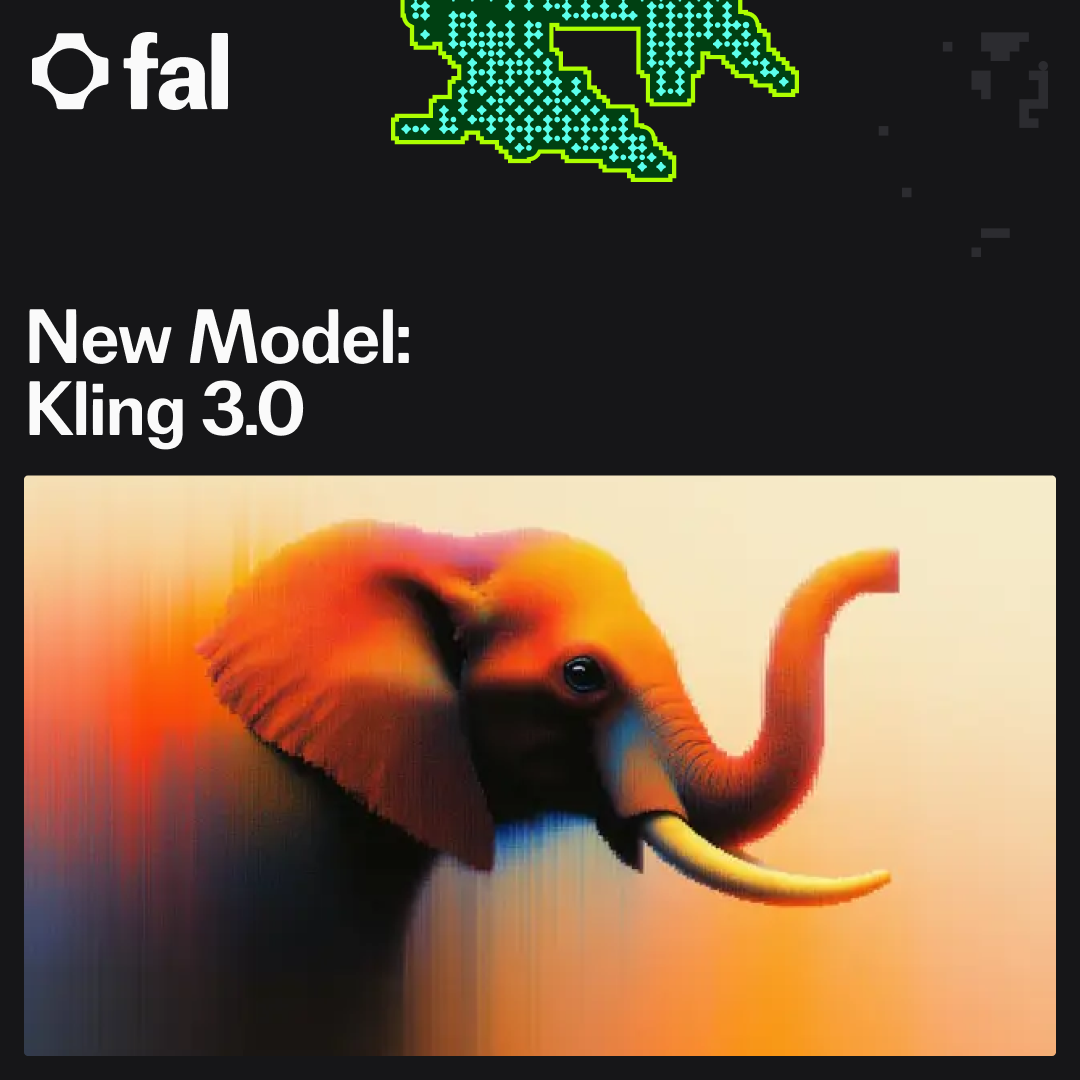 image 私たちは、Kling 3.0 のリリースを発表いたします。本製品はゼロから fal 上で利用可能となりました。Kling 3.0 は、単なる断片的なクリップではなく、構造化されたストーリーテリングのために設計された、動画および画像作成のための新たな最先端生成スタックを表しています。最大 6 ショットのストーリーボード作成をサポートし、再利用可能な要素を通じて一貫性のあるキャラクターを実現します。また、音声と画像の両方の入力を組み込むことができる、より豊かなマルチモーダルプロンプトにも対応しています。その結果、ワークフローにおいてより高い制御性、連続性、そして映画のような演出を求めるクリエイター向けに設計されたモデルファミリーが誕生しました。
0:00
/0:08
1×
プレイグラウンドリンク:https://fal.ai/models/fal-ai/kling-video/o3/pro/text-to-video/playground?share=f61a3de6-150c-4966-9d58-da14e34b2e28
本リリースの中心は、テキストから動画へ、画像から動画への生成に対応する新コアモデル「Kling 3.0」です。このモデルは、3 秒から 15 秒までのクリップをサポートし、開始フレームおよび終了フレームによる条件付け(start- and end-frame conditioning)も可能です。3.0 と並行して、「Kling Video o3」はオムニビデオラインナップの中で最も高度なティアを表しており、高レベルのカスタマイズやストーリーボードファーストの制作を目的に設計されています。
主要な強み
Kling 3.0 および O3 を通じて、Kling は以下の機能をサポートします:
キャラクターの一貫性
音声バインディング(voice binding)により、キャラクターは生成間を通じて一貫した声を維持できます。
最大 6 ショットまで対応し、各ショットに独自のプロンプトと持続時間を設定可能で、クリップの総長さは最大 15 秒まで拡張可能です。
リファレンス条件付け(reference conditioning)をサポートし、動画リファレンスの利用も可能です。
これは大きな転換点です:以前は 1 つのパラグラフで全体像を記述する必要がありましたが、現在はショットごとに指示を出すことが可能になりました。
0:00
/0:10
1×
この動画はマルチショットプロンプティングを使用して生成されました。プロンプトには、最終結果を生成するために結合される個別のカット用の 2 つのシーンが含まれていました。
モデルの改善
Kling 3.0 は、解像度やクリップの長さを超えた質的な大幅なアップグレードを備えています。焦点は明らかに、生成された動画がより説得力を持ち、より意図的に演出され、実際のクリエイティブワークフローでより実用性を持つようにすることにあります。演技、音声、モーション、編集の各分野において、新モデルは最先端の能力を示しています。
リアルな演技
Kling 3.0 における最も目立つ改善点の一つが、キャラクターのパフォーマンスの飛躍です。顔の動きが著しく自然になり、対話のリズムもより適切にタイミングが取られ、ジェスチャーにもリアリティが増しています。硬直したロボットのような動きではなく、キャラクターはより説得力のある演技のビートを見せ、微妙な表情表現や滑らかなボディランゲージ、ショット間での強い連続性を示します。
0:00
/0:08
1×
Playground リンク:https://fal.ai/models/fal-ai/kling-video/o3/pro/text-to-video/playground?share=03c253ad-462e-4c61-82d7-1f38ff0209ad
0:00 / 0:05
1×
プレイグラウンドリンク:https://fal.ai/models/fal-ai/kling-video/o3/pro/text-to-video?share=9f7ff5b3-82af-4672-97a2-b4112f4b68a2
高度な音声制御
Kling 3.0 は、音声とキャラクターの結びつきをさらに強化しました。音声から被写体へのマッチングがより一貫性を持ち、トーン(音調)が改善され、対話の速度もより自然になりました。セリフは以前よりも人工的な響きが少なく、シーンに根ざしたものとなり、キャラクター中心のクリップがはるかに魅力的になります。良い例として、「母親が料理をする」スタイルのデモがあり、音声の発話と表情のパフォーマンスが、以前の世代よりも生身の動画に近いと感じられるように同期しています。
0:00
/0:10
1×
プレイグラウンドリンク:https://fal.ai/models/fal-ai/kling-video/o3/pro/text-to-video/playground?share=e2d60474-3fc5-4243-b52a-63cd9269ed30
0:00
/0:08
1×
プレイグラウンドリンク: https://fal.ai/models/fal-ai/kling-video/o3/pro/text-to-video/playground?share=fee10cc3-ee3e-47bc-92fb-f9ff8a9baa08
0:00
/0:08
1×
プレイグラウンドリンク:https://fal.ai/models/fal-ai/kling-video/o3/pro/text-to-video/playground?share=e321a947-0ded-4b4e-8994-7337dfcb8ef5
モーションコントロール
高速な動きは、歴史的に生成動画における最も困難な課題の一つであり、しばしば歪みや視覚的なアーティファクトを引き起こしてきました。Kling 3.0 はここにおいて明確な改善を示し、シーンに急速な移動、アクション、またはカメラの切り替えが含まれている場合でも、著しくクリーンな結果を生成します。
0:00
/0:08
1×
プレイグラウンドリンク:https://fal.ai/models/fal-ai/kling-video/o3/pro/text-to-video/playground?share=3a49532d-8670-4fc2-b49b-5d37bb381ef6
ビデオ編集
最後に、Kling 3.0 は O1 などの以前のモデルと比較して、編集指向の生成機能を拡張しています。参照動画サポートが強化されたことで、クリエイターは Kling をエディタとして活用し、背景の変更、衣装の修正、人物の挿入・削除、シーンの再構成を行いながら、元の構造を維持することが可能になります。これらの機能により、AI 支援によるポストプロダクションから既存の映像素材を新たな映画作品に変換するリミックスに至るまで、全く新しいワークフローが実現します。
0:00 / 0:08
1×
背景を尋問室に変更する
画像生成と編集
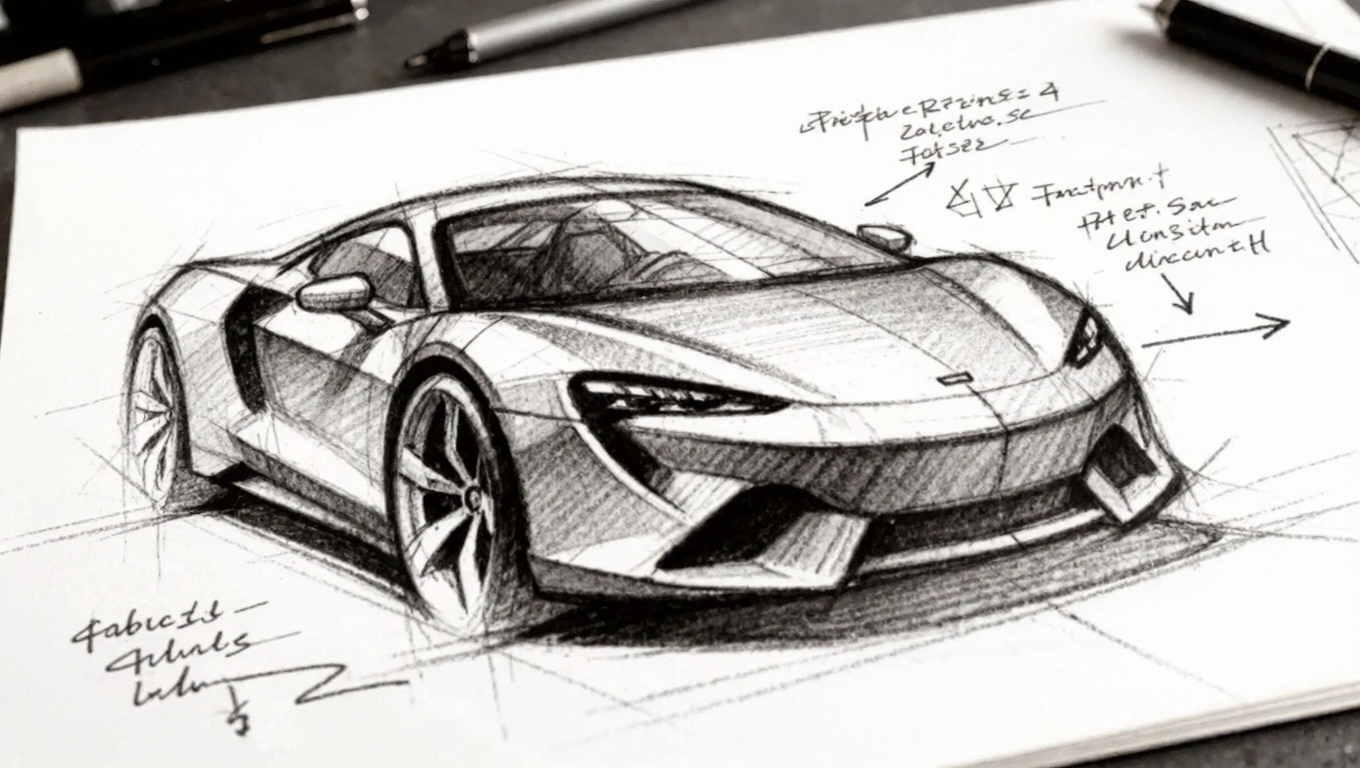
Kling 3.0 は、Kling Image 3.0 を通じて画像面でも意味あるアップグレードをもたらします。新しい画像モデルは、4K レゾリューションまでのよりシャープな出力、強力なプロンプト準拠、顔や再利用可能な要素を扱う際の改善された一貫性をサポートしています。テキストから画像への生成に加え、Kling Image 3.0 は、スタイルの微調整、被写体の修正、または Kling の動画ストーリーテリングスタックと自然に連携する一貫したビジュアルシリーズの生成をより容易にする、より強力な画像から画像への編集ワークフローも可能にします。
Before/After Image Slider — Recraft
:root { --pos: 50%; }
.compare { position: relative; max-width: 800px; aspect-ratio: 16 / 9; border-radius: 12px; overflow: hidden; background: #f2f2f2; }
.compare img { position: absolute; inset: 0; width: 100%; height: 100%; object-fit: cover; object-position: center; user-select: none; -webkit-user-drag: none; }
.compare .img-input { z-index: 0; }
.compare .img-output { z-index: 1; clip-path: inset(0 0 0 var(--pos)); }
.handle { position: absolute; top: 0; bottom: 0; left: var(--pos); transform: translateX(-50%); width: 2px; background: #ffffffaa; box-shadow: 0 0 0 1px #0000001a; pointer-events: none; }
.handle::before { content: ""; position: absolute; top: 50%; left: 50%; transform: translate(-50%, -50%); width: 36px; height: 36px; border-radius: 50%; background: #fff; box-shadow: 0 2px 10px rgba(0,0,0,.2); }
.slider { position: absolute; inset: 0; appearance: none; background: none; margin: 0; width: 100%; height: 100%; cursor: ew-resize; z-index: 2; }
.slider:focus { outline: none; }
.slider::-webkit-slider-thumb { appearance: none; width: 40px; height: 40px; background: transparent; border: none; }
.slider::-moz-range-thumb { width: 40px; height: 40px; background: transparent; border: none; }
.badge { position: absolute; z-index: 3; top: 10px; padding: 6px 10px; font: 600 12px/1.1 system-ui, sans-serif; border-radius: 999px; background: #000000a6; color: #fff; user-select: none; }
.badge.left { left: 10px; } .badge.right { right: 10px; }
 image
image
Input
Recraft
Endpoints
Kling O3 pro :
https://fal.ai/models/fal-ai/kling-video/o3/standard/reference-to-video
https://fal.ai/models/fal-ai/kling-video/o3/pro/reference-to-video
https://fal.ai/models/fal-ai/kling-video/o3/pro/text-to-video
Kling O3 standard :
https://fal.ai/models/fal-ai/kling-video/o3/standard/image-to-video
https://fal.ai/models/fal-ai/kling-video/o3/standard/reference-to-video
https://fal.ai/models/fal-ai/kling-video/o3/standard/text-to-video
Kling 3.0 pro
https://fal.ai/models/fal-ai/kling-video/v3/pro/image-to-video
https://fal.ai/models/fal-ai/kling-video/v3/pro/text-to-video
Kling 3.0 standard
https://fal.ai/models/fal-ai/kling-video/v3/standard/image-to-video
https://fal.ai/models/fal-ai/kling-video/v3/standard/text-to-video
Kling 3.0 Image
https://fal.ai/models/fal-ai/kling-image/v3/image-to-image
https://fal.ai/models/fal-ai/kling-image/v3/text-to-image
生成メディアや新モデルの最新情報については、Youtube、Reddit、ブログ、Twitter、Discord でお知らせいたしますので、ご注目ください!
原文を表示
imageWe're pleased to announce the release of Kling 3.0, now available on fal from day zero. Kling 3.0 represents a new state-of-the-art generation stack for video and image creation, built for structured storytelling rather than isolated clips. It supports storyboarding with up to six shots, consistent characters through reusable elements, and richer multi-modal prompting that can incorporate both audio and image inputs. The result is a model family designed for creators who want more control, continuity, and cinematic direction in their workflows.
0:00
/0:08
1×
Playground link: https://fal.ai/models/fal-ai/kling-video/o3/pro/text-to-video/playground?share=f61a3de6-150c-4966-9d58-da14e34b2e28
At the center of the release is Kling 3.0, the new core model for both text-to-video and image-to-video generation. The model supports clips from 3 to 15 seconds in duration, along with start- and end-frame conditioning. Alongside 3.0, Kling Video o3 represents the most advanced tier of the omni-video lineup, designed for higher-end customization and storyboard-first creation.
Key Strengths
With Kling 3.0 and O3, Kling supports:
Character consistency
Voice binding, which means that characters can maintain consistent voices across generations
Up to six shots, each with its own prompt and duration, with total clip lengths of up to 15 seconds.
Reference conditioning, including support for video references
This is a major shift: instead of describing an entire scene in one paragraph, you can now direct it shot-by-shot.
0:00
/0:10
1×
This video was generated using Multi-shot prompting. The prompt included 2 scenes for the seperate cuts that merge to produce the final result.
Model Improvements
Kling 3.0 comes with major qualitative upgrades that go beyond resolution or longer clips. The focus is clearly on making generated video feel more believable, more directed, and more usable in real creative workflows. Across acting, voice, motion, and editing, the new models showcase state-of-the-art capabilites.
Realistic Acting
One of the most noticeable improvements in Kling 3.0 is the jump in character performance. Facial motion is significantly more natural, dialogue pacing feels better timed, and gestures carry more realism. Instead of stiff or robotic movement, characters show more convincing acting beats; subtle expressions, smoother body language, and stronger continuity across shots.
0:00
/0:08
1×
Playground link: https://fal.ai/models/fal-ai/kling-video/o3/pro/text-to-video/playground?share=03c253ad-462e-4c61-82d7-1f38ff0209ad
0:00
/0:05
1×
Playground link: https://fal.ai/models/fal-ai/kling-video/o3/pro/text-to-video?share=9f7ff5b3-82af-4672-97a2-b4112f4b68a2
Advanced Voice Control
Kling 3.0 also strengthens the connection between voice and character. Voice-to-subject matching is more consistent, with improved tonality and more natural dialogue speed. Spoken lines feel less synthetic and more grounded in the scene, making character-driven clips much more compelling. A great example is the “mother cooking” style demo, where voice delivery and facial performance align in a way that feels closer to real video than previous generations.
0:00
/0:10
1×
Playground link: https://fal.ai/models/fal-ai/kling-video/o3/pro/text-to-video/playground?share=e2d60474-3fc5-4243-b52a-63cd9269ed30
0:00
/0:08
1×
Playground link: https://fal.ai/models/fal-ai/kling-video/o3/pro/text-to-video/playground?share=fee10cc3-ee3e-47bc-92fb-f9ff8a9baa08
0:00
/0:08
1×
Playground link: https://fal.ai/models/fal-ai/kling-video/o3/pro/text-to-video/playground?share=e321a947-0ded-4b4e-8994-7337dfcb8ef5
Motion Control
Fast-paced motion has historically been one of the hardest challenges for generative video, often introducing warping or visual artifacts. Kling 3.0 shows a clear improvement here, producing significantly cleaner results even when scenes involve rapid movement, action, or camera shifts.
0:00
/0:08
1×
Playground link: https://fal.ai/models/fal-ai/kling-video/o3/pro/text-to-video/playground?share=3a49532d-8670-4fc2-b49b-5d37bb381ef6
Video Editing
Finally, Kling 3.0 expands editing-oriented generation compared to earlier models like O1. With stronger reference video support, creators can rely on Kling as an editor, changing backgrounds, modifying clothing, inserting or removing people, and reshaping scenes while preserving the original structure. These capabilities unlock entirely new workflows, from AI-assisted post-production to remixing existing footage into new cinematic variations.
0:00
/0:08
1×
Change the background to an interrogation room
Image Generation & Editing
Kling 3.0 also brings meaningful upgrades on the image side with Kling Image 3.0 The new image models support sharper outputs up to 4K resolution, stronger prompt adherence, and improved consistency when working with faces or reusable elements. Alongside text-to-image, Kling Image 3.0 enables more powerful image-to-image editing workflows, making it easier to refine style, modify subjects, or generate coherent visual series that pair naturally with Kling’s video storytelling stack.
Before/After Image Slider — Recraft
:root { --pos: 50%; }
.compare { position: relative; max-width: 800px; aspect-ratio: 16 / 9; border-radius: 12px; overflow: hidden; background: #f2f2f2; }
.compare img { position: absolute; inset: 0; width: 100%; height: 100%; object-fit: cover; object-position: center; user-select: none; -webkit-user-drag: none; }
.compare .img-input { z-index: 0; }
.compare .img-output { z-index: 1; clip-path: inset(0 0 0 var(--pos)); }
.handle { position: absolute; top: 0; bottom: 0; left: var(--pos); transform: translateX(-50%); width: 2px; background: #ffffffaa; box-shadow: 0 0 0 1px #0000001a; pointer-events: none; }
.handle::before { content: ""; position: absolute; top: 50%; left: 50%; transform: translate(-50%, -50%); width: 36px; height: 36px; border-radius: 50%; background: #fff; box-shadow: 0 2px 10px rgba(0,0,0,.2); }
.slider { position: absolute; inset: 0; appearance: none; background: none; margin: 0; width: 100%; height: 100%; cursor: ew-resize; z-index: 2; }
.slider:focus { outline: none; }
.slider::-webkit-slider-thumb { appearance: none; width: 40px; height: 40px; background: transparent; border: none; }
.slider::-moz-range-thumb { width: 40px; height: 40px; background: transparent; border: none; }
.badge { position: absolute; z-index: 3; top: 10px; padding: 6px 10px; font: 600 12px/1.1 system-ui, sans-serif; border-radius: 999px; background: #000000a6; color: #fff; user-select: none; }
.badge.left { left: 10px; } .badge.right { right: 10px; }
image
image
Input
Recraft
Endpoints
Kling O3 pro :
https://fal.ai/models/fal-ai/kling-video/o3/standard/reference-to-video
https://fal.ai/models/fal-ai/kling-video/o3/pro/reference-to-video
https://fal.ai/models/fal-ai/kling-video/o3/pro/text-to-video
Kling O3 standard :
https://fal.ai/models/fal-ai/kling-video/o3/standard/image-to-video
https://fal.ai/models/fal-ai/kling-video/o3/standard/reference-to-video
https://fal.ai/models/fal-ai/kling-video/o3/standard/text-to-video
Kling 3.0 pro
https://fal.ai/models/fal-ai/kling-video/v3/pro/image-to-video
https://fal.ai/models/fal-ai/kling-video/v3/pro/text-to-video
Kling 3.0 standard
https://fal.ai/models/fal-ai/kling-video/v3/standard/image-to-video
https://fal.ai/models/fal-ai/kling-video/v3/standard/text-to-video
Kling 3.0 Image
https://fal.ai/models/fal-ai/kling-image/v3/image-to-image
https://fal.ai/models/fal-ai/kling-image/v3/text-to-image
Stay tuned to our Youtube, Reddit, blog, Twitter, or Discord for the latest updates on generative media and the new model releases!
今日のまとめ
AIデイリーブリーフで今日の重要ニュースをまとめ読み