Google、検索機能に学習支援ツール5つを追加
本文の状態
日本語全文を表示中
詳細モードで約6分の本文を読めます。
同じ出来事の情報源
この情報源を基点に整理
Google AI Blog
Google は検索機能に AI を統合し、新概念の学習や複雑な科目への対応、学習セッションの整理を支援する新ツールを導入すると発表した。
AI深層分析を開く2026年8月20日 04:46
AI深層分析
キーポイント
学習支援ツールの導入
Google Search に AI を活用した新機能が追加され、新概念の理解や難解な科目への対応が可能になる。
学習セッションの整理機能
ユーザーは AI の支援を受けながら効果的に学習セッションを組織・管理できるようになる。
発表者の背景
この発表は Google Search のディスティンギッシュドプロダクトマネージャーである Awaneesh Verma 氏によって行われた。
インタラクティブな視覚化による概念理解
検索機能は複雑なトピックを実演するカスタムツールやシミュレーションを生成し、静的な教科書ページだけでは理解が難しい概念の理解を助ける。
AI Mode による個別化された体験
「柑橘類をpHスケール上にプロットする」のような具体的な質問に対して AI Mode が専用の体験を作成し、生成 UI 機能により必要なツールや視覚化を直接作成できる。
重要な引用
We're introducing tools to help you learn new concepts, tackle tricky subjects, and organize your study sessions with AI in Search.
"Search can now generate custom tools and simulations to help you see complex topics in action."
"Generative UI capabilities have launched globally in English in AI Mode and have started rolling out as well in AI Overviews."
Search will give you an interactive quiz that includes explanations for each response and links to learn more, so you can truly master the material.
編集コメントを表示
編集コメント
検索エンジンが学習支援ツールとして機能する方向性は、AI の実用化における重要な一歩である。ただし、具体的な機能の詳細や性能評価については、今後の利用を通じて確認が必要となる。
Source Article
元記事を日本語で読む
本文に関係しない購読案内、埋め込み通知、サイト内プロモーションは除いています。
2026年8月19日
7分間の読み物
AI を活用した検索で、新しい概念の理解や難しい科目への挑戦、学習スケジュールの整理をサポートする新ツールをご紹介します。
Awaneesh Verma
Search 担当ディステングイッシュドプロダクトマネージャー
ブラウザは音声再生に対応していません。
記事の音声を聞く
[[duration]] 分
このコンテンツは Google AI によって生成されています。生成 AI は実験的な機能です。
新学期を迎えることは、ルーティンを一新する絶好のチャンスです。新しい科目に直面したり、試験対策をしたり、複数の授業を効率的に進めたりしたい場合でも、適切なツールがあればすべてが変わります。
自信を持って学期を始められるよう、AI を活用した検索で学習レベルを向上させる新機能をご紹介します。これらの教育用ツールは、安全性を設計段階から組み込んだ「安全バイデザイン」の理念に基づいて作られています。
1. インタラクティブなビジュアルで概念を理解する
静的な教科書のページを読むだけでは、概念が頭に入らないこともあります。検索機能では now、複雑なトピックを実演で確認できるカスタムツールやシミュレーションを生成できるようになりました。
例えば pH レベルについて学んでいるとしましょう。「ph scale」と検索すると、AI オーバービュー内にインタラクティブな視覚化が表示され、基礎知識の理解がスムーズになります。
さらに踏み出したい場合は、柑橘類を pH スケール上にプロットするなど、より専門的な内容を求めて続けて質問することも可能です。AI モードがあなたの質問に特化したカスタマイズされた体験を作成します。あるいは、すでに非常に具体的な疑問を持っている場合は、直接 AI モードへ入り、必要なツールやビジュアルを説明してください。生成 UI 機能は、英語版で AI モードにおいてグローバルに展開され、AI オーバービューでも順次ロールアウトを開始しています。
2. プラクティスクイズで知識を試す
学習した内容を本当に定着させたいですか?科学や数学から人文系、外国語まで、あらゆる分野のテーマについて、検索内で直接カスタマイズされたプラクティスクイズを利用できるようになりました。また、ACT、AP、ENEM、GRE、JEE、LSAT、MCAT、NEET、SAT といった主要な標準化テストの準備を支援するクイズも作成可能です。
大手教育企業である The Princeton Review、Careers360、PhysicsWallah、Akira Enem との提携により、これらのクイズは試験対策の専門家による信頼性が高く権威あるコンテンツを活用しています。つまり、あなたが学習するのは試験に直結する適切な教材です。
例えば、「SAT の準備のために最も頻出する語彙単語を使ったクイズを作成して」と検索してください。検索結果には各回答に対する解説や、さらに詳しく学ぶためのリンクが含まれたインタラクティブなクイズが表示されます。これにより、内容を完全にマスターすることが可能になります。プラクティスクイズは現在、AI オーバービューと AI モードの両方で、英語圏で無料でグローバルに利用可能です。
3. レンズで手順ごと学習する
難しいステップに詰まったり、自分の作業を再確認したい場合どうしますか?今後数週間で、検索機能の「Lens」が新しい対話型学習体験を提供し始めます。これにより、複雑な概念を分解したり、正しい方向に進んでいるかを簡単に確認できるようになります。
Google アプリ(Android および iOS)のレンズカメラアイコンをタップし、作業中のものを写真に撮るだけです。AI オーバービューが役立つ解説を提供し、どこで間違えたかを特定し、行き詰まった時には適切なアドバイスでサポートします。
さらに詳しい説明が必要ですか?AI モードで追加質問を行いながら、関連するウェブサイトを探索して会話を続けてください。この新しいレンズ体験は、今後数週間で英語圏の全世界に順次展開されます。
ノートブックで整理整頓を。
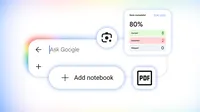
学習に役立つツールとして最も人気のある「Gemini Notebook」(旧 NotebookLM) を、今週より AI Mode にも導入しました。これにより、検索画面内で簡単に勉強内容を整理し、必要な知見を即座に見つけることが可能になります。
各授業やプロジェクトごとに専用ノートブックを作成し、講義のスライド、シラバス、関連する Web アーティクルなど多様なソースを追加できます。さらに、過去の AI Mode での会話履歴も関連トピックとして追加可能です。ノートブックはこれらすべてを一つの場所に集約し、参照資料に基づいて質問をしたり分析したりできるため、時間をかけてアイデアを発展させていくことができます。
既存の「Gemini Notebook」や「Gemini アプリ」で作成したノートブックは、自動的に検索画面に表示されます。これにより、Google 製品間で各ノートブックのソースと設定が同期されます。AI Mode のノートブック機能は、今後数日かけて英語圏の 180 カ国以上で順次展開され、今後は現地の言語サポートも追加される予定です。
5. カスタムファイルを作成して学習を効率化
散らばった教材を手動でコピー&ペーストする代わりに、アップロードしたファイルや AI モードのスレッドに基づいて、すぐに使える学習資料の作成を Search に依頼できるようになりました。例えば、手書きメモの写真と講義スライドを追加し、「主要な概念を要約した 1 ページの資料を作成して」と指示するだけで済みます。
AI モードでのカスタムファイル作成機能は現在、英語圏でグローバルに展開されており、今後は AI オーバービューでも利用可能になります。まずは文書、スライドプレゼンテーション、表計算、テキストファイルなど、さまざまな形式に対応しており、今後さらに拡張される予定です。
これらの新ツールが、今年の学校生活で自信を持って学習を進めるお手伝いになれば幸いです。
Collection
Back to School 2026
Google のツールが、この新学期に学生や教育者をどのように支援するか。

原文を表示
Aug 19, 2026
|
7 min read
We’re introducing tools to help you learn new concepts, tackle tricky subjects, and organize your study sessions with AI in Search.
Awaneesh Verma
Distinguished Product Manager, Search
Your browser does not support the audio element.
Listen to article
[[duration]] minutes
This content is generated by Google AI. Generative AI is experimental
A new school year is the ultimate chance to upgrade your routine — whether you’re navigating tough new subjects, prepping for exams, or trying to stay organized across your classes. Having the right tools makes all the difference.
To help you start the semester with confidence, we’re introducing new ways to level up your learning through AI in Search, with education tools that are built to be safe by design.
1. Understand concepts with interactive visuals.
Sometimes, reading a static textbook page isn't enough to make a concept click. Search can now generate custom tools and simulations to help you see complex topics in action. Let's say you're learning about pH levels. You can do a search like "ph scale" and quickly get an interactive visual in an AI Overview to help you understand the basics.
To go even further, you can follow up and ask to see something more specialized, like plotting citrus fruits on the pH scale, and AI Mode will create a customized experience just for your question. Or, if you already have a hyper-specific question in mind, head straight to AI Mode and describe the tool or visual you need. Generative UI capabilities have launched globally in English in AI Mode and have started rolling out as well in AI Overviews.
2. Test your knowledge with practice quizzes.
Want to make sure you actually retain what you studied? You can now get customized practice quizzes directly in Search for any subject, from science and math to humanities, foreign languages and more. You can also ask for a quiz to help you prep for the following standardized tests: ACT, AP, ENEM, GRE, JEE, LSAT, MCAT, NEET, and SAT. Thanks to our partnership with leading education companies The Princeton Review, Careers360, PhysicsWallah, and Akira Enem, these quizzes tap into trusted, authoritative content from test-prep experts, so you know you’re studying material that’s relevant to the exam.
Just search for something like “create a quiz with the most commonly tested vocab words to help me prep for the SAT.” Search will give you an interactive quiz that includes explanations for each response and links to learn more, so you can truly master the material. Practice quizzes are now globally available in English free of charge, in both AI Overviews and AI Mode.
3. Learn each step with Lens.
Stuck on a tricky step or want to double-check your work? In the coming weeks, Lens in Search will offer a new interactive learning experience that helps you break down tough concepts and confirm if you’re on the right track. Just tap the Lens camera icon in the Google app (Android and iOS) and snap a photo of what you’re working on. You'll get an AI Overview that provides helpful explanations, pinpoints where you may have made mistakes, and coaches you when you’re stumped on a problem.
Need extra clarification? Ask a follow-up question and keep the conversation going in AI Mode, while you explore relevant sites on the web. This new experience with Lens will roll out globally in English over the coming weeks.
4. Stay organized with notebooks.
Gemini Notebook (formerly NotebookLM) is one of our most popular tools for learning, and this week, we’re bringing notebooks to AI Mode — giving you an easy way to organize your studies and quickly find insights right in Search. You can set up a dedicated notebook for each class or project and add a range of sources like class slides, syllabi, or relevant web articles. You can even add your previous AI Mode threads on related topics. Your notebook brings it all together in one place, letting you ask questions and analyze topics based on your reference materials, while you build on your ideas over time.
Your existing notebooks from Gemini Notebook or the Gemini app will appear automatically in Search, syncing the sources and instructions for each notebook across Google products. Notebooks in AI Mode are rolling out over the coming days across more than 180 countries in English, with local language support to follow in the weeks ahead.
5. Create custom files to streamline your studies.
Instead of manually copying and pasting scattered course materials, you can now ask Search to create ready-to-use study documents based on your uploaded files or AI Mode threads. For example, you can add a photo of your handwritten notes along with lecture slides and ask Search for a one-pager that outlines the key concepts.
Custom file creation in AI Mode has rolled out globally in English and will come soon as well to AI Overviews. To start, it will be available for documents, slide presentations, spreadsheets, and text files across a range of formats, with more to come.
We hope these new tools help you learn with confidence this school year.
Collection
Back to School 2026
How Google tools can help students and educators this back-to-school season.
関連記事
今日のまとめ
AIデイリーブリーフで今日の重要ニュースをまとめ読み