自動化
本文の状態
日本語全文を表示中
詳細モードで約2分の本文を読めます。
同じ出来事の情報源
この情報源を基点に整理
OpenAI News
OpenAIはCodexにスケジュールとトリガーによる自動実行機能を追加した。Codexはこれにより、ユーザーの指示を待たずに定期的にタスクを自動実行する。
Continue in AI NEW LAB
このニュースを、実務の判断につなげる
AI NEW LABで、試したことや先に確認したい条件を共有できます。まずはログインなしで読めます。
AI NEW LABで論点を見るSource Article
元記事を日本語で読む
本文に関係しない購読案内、埋め込み通知、サイト内プロモーションは除いています。
自動化 | OpenAI 2026年4月23日
OpenAI アカデミー
Codex でスケジュール(schedules)とトリガー(triggers)を使用して、定期的なタスクを自動的に実行します。
Codex はスケジュールに従ってタスクを自動的に実行できます。
これにより Codex は能動的に動作します。あなたが戻ってきて更新を依頼するのを待つのではなく、Codex は設定された時刻に復帰して作業を行い、結果を提示してレビューできるようにします。
これは、一日の準備、変更内容の確認、更新チェック、最近のアクティビティの要約、または週次レポートの作成など、定期的な作業に役立ちます。
例えば、スレッド自動化(thread automation)を使用して以下を行うことができます:
- 毎週金曜日に週次レビューを作成する
- 前日の作業から朝のブリーフ(morning brief)を作成する
- フォルダに追加された新しいファイルの要約を作成する
- 週次データエクスポート(data export)をクリーンアップする
- 不足している情報や矛盾がある情報をチェックする
- 定期的なプロジェクト進捗状況の更新(project status update)を作成する
一部の自動化では、同じ会話に戻って既存のコンテキスト(context)から継続することもできます。これは、Codex に毎回ゼロから始めるのではなく、進行中のタスクを引き継いでもらいたい場合に特に有用です。
優れた自動化は、具体的で、反復可能であり、レビューが容易です。
例えば:
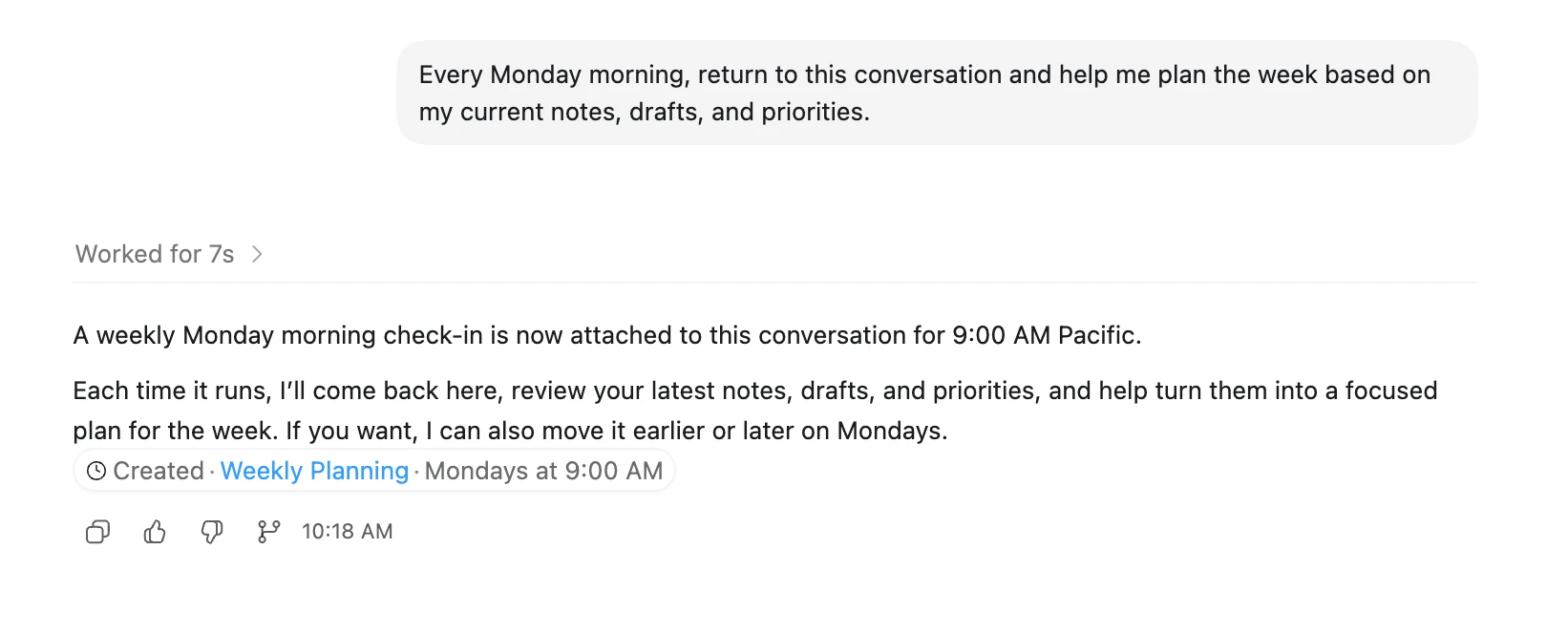
または:
注: ローカルで Codex を実行している場合、ラップトップがスリープ状態にならず、Codex が稼働している状態で自動化が最も効果的に動作します。
Codex と往復でチャットを開始し、求める具体的な動作と出力を絞り込んでください。Codex があなたのニーズを正確に理解したら、そのタスクを自動化に変換します。
原文を表示
Automations | OpenAIApril 23, 2026
OpenAI Academy
Run recurring tasks automatically using schedules and triggers in Codex.
Codex can automatically run tasks on a schedule.
This makes Codex proactive. Instead of waiting for you to come back and ask for an update, Codex can return at the scheduled time, do the work, and surface the result for you to review.
This is useful for recurring work, like preparing for the day, reviewing what changed, checking for updates, summarizing recent activity, or creating a weekly report.
For example, you might use a thread automation to:
- Write a weekly review every Friday
- Create a morning brief from yesterday’s work
- Summarize new files added to a folder
- Clean up a weekly data export
- Check for missing or inconsistent information
- Create a recurring project status update
Some automations can also return to the same conversation and continue from the context already there. That is especially useful when you want Codex to pick up an ongoing task instead of starting fresh each time.
A good automation is specific, repeatable, and easy to review.
For example:
Or:
Note: If you’re running Codex locally, automations work best when your laptop is awake and Codex is running.
Start by chatting back and forth with Codex to zero in on the exact kind of behavior and output you’re looking for. Once Codex understands exactly what you need, turn that task into an automation.
関連記事
News to Guide
ニュースの次に確認する
発表内容を、現在の料金や仕様と照らし合わせられる関連ガイドです。
今日のまとめ
AIデイリーブリーフで今日の重要ニュースをまとめ読み