Claude in Chrome、サイドパネルから完全な共同作業セッションへ
本文の状態
日本語全文を表示中
詳細モードで約6分の本文を読めます。
Claude in Chrome がページ閲覧やフォーム入力を自動実行し、Chrome と Claude Coworkを連携させることで調査からレポート作成まで一貫して行えるようになる。
AI深層分析を開く2026年8月14日 22:19
AI深層分析
キーポイント
Chrome との統合による自動操作
Claude は Chrome サイドパネルで閲覧中のページを読み込み、クリックや入力、フォーム入力を実行し、ユーザーは最終判断を行う形になる。
データ分析とレポート作成の自動化
アナリティクスダッシュボードから数値を抽出して要約を作成したり、競合サイトの情報を収集して比較資料や戦略会議用の PowerPoint を自動生成する。
ファイル管理とスケジュール調整機能
Google Drive 内のファイルを整理・分類し、重複や古いファイルを特定してユーザーの承認を待つほか、カレンダーやメールから文脈を取得して会議準備を支援する。
CRMへの営業通話記録
Claudeはカレンダーを読み込み、参加者をSalesforceの連絡先と一致させて各通話の活動ログを作成する。ユーザーが注釈を追加して承認するまで、何も作成されない。
プロモーションメールの整理
Claudeは受信トレイをスキャンしてマーケティングメールやニュースレターを特定し、削除前に一覧表示してレビューする仕組みを提供する。
重要な引用
Claude in Chrome reads the page you're signed in to, then clicks, types, and fills forms while you decide what happens next.
No more copying, pasting, and switching tabs.
Pair Claude in Chrome with Claude Cowork to turn web research into polished content.
Reach the web that has no API
編集コメントを表示
編集コメント
ブラウザ内で直接操作を行う機能は、AI の実用性を飛躍的に高める転換点となる。ただし、ユーザーがすべての実行を承認する仕組みであるため、セキュリティとプライバシーの観点からの継続的な監視が必要である。
Source Article
元記事を日本語で読む
本文に関係しない購読案内、埋め込み通知、サイト内プロモーションは除いています。
Chrome 版 Claude は、ログインしているページを読み込み、クリックや入力、フォーム入力を自動で行います。その後は、ユーザーが次のアクションを決定するだけです。
すべての有料プランで利用可能です。まだ有料プランをご利用でない場合は、今すぐアップグレード してください。
コピー&ペーストやタブの切り替えはもう不要です。
ブラウザでの調査から完成した成果物へ
Chrome 版 Claude と Claude Cowork を組み合わせれば、ウェブ調査を洗練されたコンテンツに変換できます。Chrome が情報を収集・整理し、Claude Cowork が Excel モデル、比較資料、レポートなどを生成します。コピー&ペーストの手間は一切ありません。
アナリティクスダッシュボードから数値を取得
Claude はアナリティクスダッシュボードを操作し、必要な数値を抽出して要約を作成します。エクスポートもタブの切り替えも手動でのコピーも不要です。
Google Drive 内のファイルを整理
Claude が Drive 内のファイルを整理し、フォルダ構造を作成したり、適切な場所に移動させたり、重複ファイルや古いファイルをレビュー対象としてフラグ付けしたりできます。自分で分類するのではなく、変更を承認するだけで済みます。
カレンダーから準備と計画を開始
Claude はカレンダーを読み込み、メールスレッドから文脈を取得し、準備が必要な会議を特定します。また、会議室が不足している場合は予約も代行します。毎日夕方に実行すれば、翌日の予定を把握した状態で一日を始められます。
競合調査と比較資料の作成
Chrome 版 Claude は競合他社のサイトを訪問し、価格、機能、ポジショニングなどの情報を抽出します。Claude Cowork がそれらをまとめて、次回の戦略会議で使えるフォーマット済みの PowerPoint に仕上げます。
営業通話を CRM に記録する
Claude はカレンダーを読み込み、参加者を Salesforce の連絡先と照合して、各通話の活動ログをドラフト作成します。作成前にユーザーが注釈を追加し、承認することで、データが正式に保存されます。
プロモーションメールを整理する
Claude は受信トレイをスキャンし、マーケティングメールやニュースレター、自動通知を特定してリスト化します。ユーザーはこれを確認した上で、一括削除を実行できます。
API がない Web サイトにもアクセス可能
内部ツール、レガシーポータル、管理コンソール、請求書システムなどへも接続可能です。Claude は、現在開いているタブで、あなたが持つログイン情報を使って動作します。複数のタブを Claude のタブグループにドラッグすれば、すべてのタブ間で連携して作業できます。
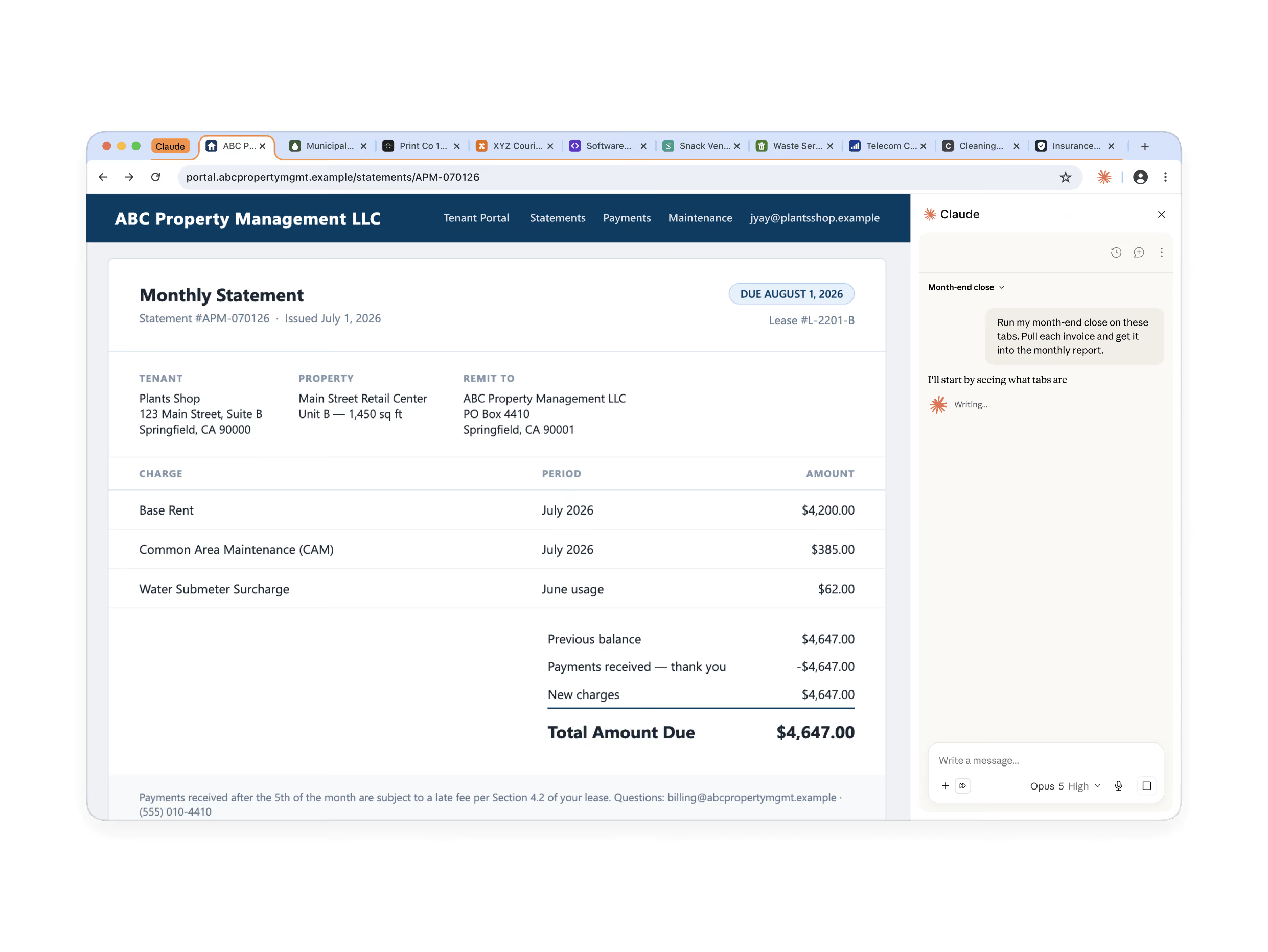
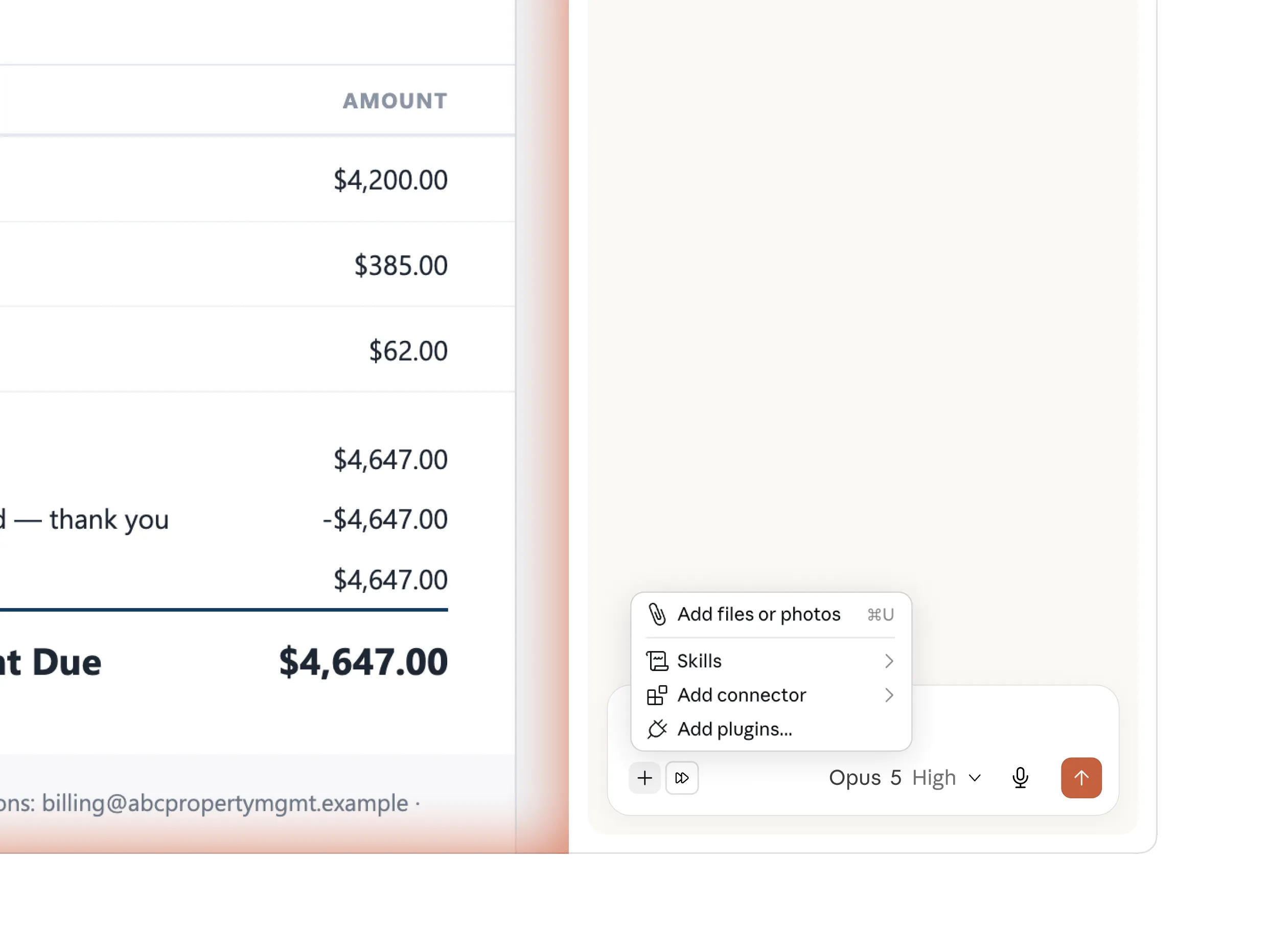
サイドパネルにあなたの作業環境を丸ごと
サイドパネルでは、フル機能の Claude Cowork セッションが実行されます。すでに構築済みの スキル、プラグイン、コネクタ がそのまま利用可能で、ブラウザ側での追加設定は不要です。
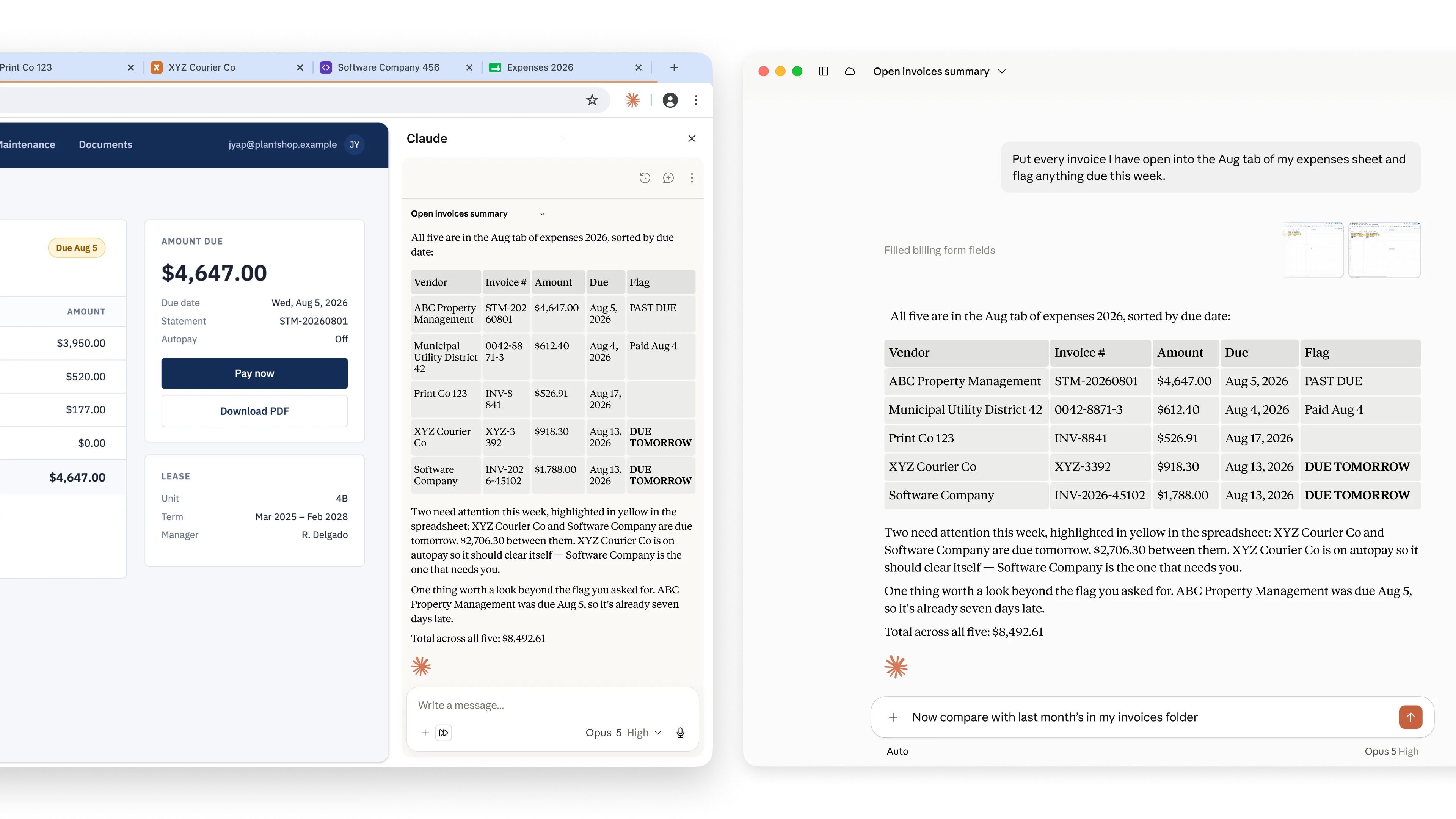
セッションはあなたに追従する
すべての会話は履歴に保存されます。セッションはアカウントに紐付いており、特定の端末に依存しないため、Chrome で開始した会話もデスクトップやモバイルで続きから始められます。同じく、サイドパネルに登録したスキルはどのデバイスからも利用可能です。
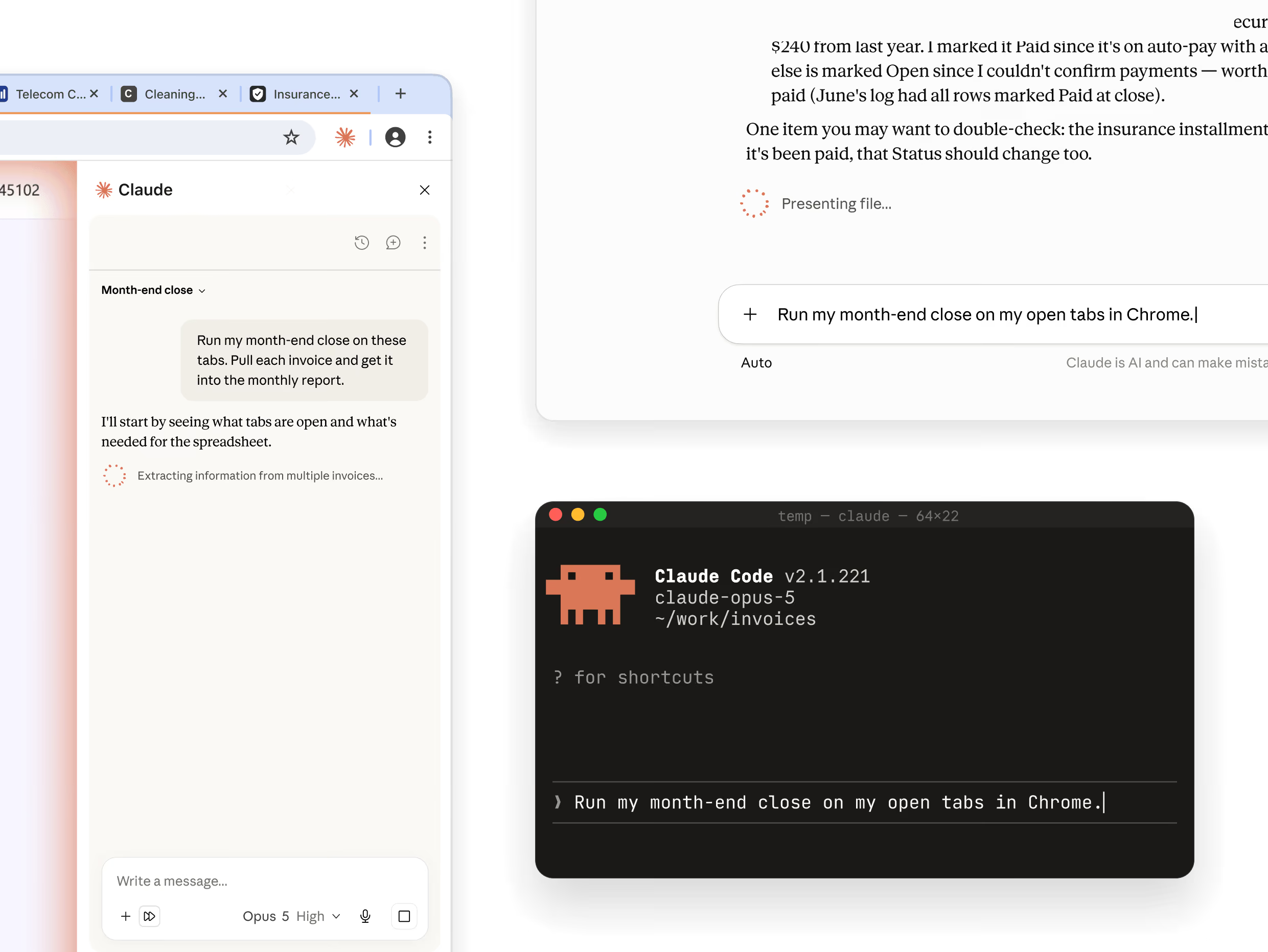
拡張機能を利用する 3 つの方法
作業中のページが画面の前面にあり、他のタブを開く必要がない場合は「Claude in Chrome」のサイドパネルからアクセスします。ブラウザ自体が長いタスクの一部となる場合は「Claude Cowork」を、テスト対象のサイト構築中なら「Claude Code」を使用してください。
ページ内に隠された指示によって、Claude の行動が意図しない方向に誘導される可能性があります。Chrome 版 Claude には実攻撃に対してテスト済みの防御機能が組み込まれていますが、以下の習慣をベストプラクティスとして推奨します。
仕組みについて
設定次第で、Claude は各ステップの承認を求めずにタスクを完了できます。ページ上で行動を実行する前に、別の安全チェックがその行動にリスクがないか、サイト側に隠された指示が含まれていないかを検証します。不審な点があれば、必ず通知されます。
より細かな制御を望む場合は「権限モード」に切り替えてください。このモードでは 1 サイトごとにアクセス許可を与える形式となり、承認していない領域には Claude がアクセスできません。
購入や金融取引、あるいは二度と戻れない重要な操作は慎重に行ってください。
Team および Enterprise プランでは、管理者が組織全体で拡張機能のオンオフを切り替えたり、許可・禁止サイトのリストを設定したりできます。
推奨事項
銀行業務や健康記録、パスワードなどの機密情報を扱うサイトは避けてください。まずは自分がよく知っているワークフローから始めてみましょう。
金融取引、個人情報、あるいは業務に不可欠な操作を行う際、Claude は必ず事前に確認を求めます。そのプロンプト(指示)には十分注意して確認してください。
一部のウェブサイトでは、ユーザーの指示を上書きする隠された命令が仕込まれている可能性があります。当社の分類器が防御を提供しますが、もし Claude が予期せぬ行動をとった場合は、すぐに操作を停止して内容を確認してください。
問題が発生した際はフィードバック機能を通じて報告してください。これにより、これまでに見たことのない攻撃パターンも検知できるようになります。

ブラウザ利用におけるプロンプトインジェクションのリスク軽減

Chrome での Claude の安全な利用方法

Chrome 版 Claude の権限ガイド
この記事では、Chrome 版 Claude でよくある問題の解決方法と、フィードバックを提供する方法について解説しています。
これは Google 製の拡張機能です。Google APIs から取得した情報の利用については、Chrome ウェブストアのユーザーデータポリシー(Limited Use 要件を含む)に準拠します。
原文を表示
Claude in Chrome reads the page you’re signed in to, then clicks, types, and fills forms while you decide what happens next.
Available on all paid plans. Not on a paid plan? Upgrade now
No more copying, pasting, and switching tabs.
From browser research to finished deliverables
Pair Claude in Chrome with Claude Cowork to turn web research into polished content. Chrome navigates and gathers information, Claude Cowork produces Excel models, comparison decks, and reports without having to copy and paste.
Pull metrics from analytics dashboards
Claude can navigate your analytics dashboard, extract the numbers you need, and compile them into a summary. No exports, no tab-switching, no manual copying.
Organize files in Google Drive
Claude can sort through your Drive, create a folder structure, move files where they belong, and flag duplicates and old files for you to review. You approve the changes instead of doing the sorting yourself.
Prepare and plan from your calendar
Claude can read your calendar, pull context from email threads, flag which meetings you need to prepare for, and book rooms if they’re missing. Run it every evening and start each day knowing what's coming.
Research competitors, get a comparison deck
Claude in Chrome visits competitor sites and pulls pricing, features, and positioning. Claude Cowork compiles everything into a formatted PowerPoint ready for your next strategy meeting.
Log sales calls to your CRM
Claude can read your calendar, match attendees to Salesforce contacts, and draft activity logs for each call. You add notes and approve before anything gets created.
Clean up promotional emails
Claude can scan through your inbox, identify marketing emails, newsletters, and automated notifications, then present them as a list for you to review before deleting in bulk.
Reach the web that has no API
Access internal tools, legacy portals, admin consoles, and invoice systems. Claude works with the logins you have, on the tab in front of you. Drag more tabs into Claude’s tab group and Claude works across all of them.
Your whole setup, in the side panel
The side panel now runs a full Claude Cowork session. The skills, plugins, and connectors you've already built are there, with nothing to set up in the browser.
Your session follows you
Every conversation saves to your history. Sessions live with your account, not the machine, so you can start in Chrome and pick it up on desktop or mobile without needing to re-explain. A skill you save in the panel runs from any surface too.
Three ways to access the extension
Access Claude in Chrome through the side panel when the work is on the page in front of you and nothing else needs to be open, in Claude Cowork when the browser is one step in a longer job, or in Claude Code when you’re building the site you’re testing.
Hidden instructions on a page can try to redirect Claude’s actions. Though Claude in Chrome has built-in defenses that have been tested against real attacks, we recommend the habits below as a best practice.
What we built
If you choose to, Claude can work through a task without asking you to approve each step. Before it acts on a page, a separate safety check reviews the action for risk and for instructions hidden by the site. It will surface to you if anything seems off.
If you prefer more control, switch to Permissions Mode. You grant access one site at a time. Claude can't reach anything you haven't approved.
Purchases, financial actions, and other one-way doors wait for you.
On Team and Enterprise, admins turn the extension on or off org-wide and set site allowlists and blocklists.
What we recommend
Skip banking, health records, and anything with credentials you wouldn't share. Start with workflows you already know well.
Claude asks before financial, personal, or work-critical actions. Review its prompts carefully.
Some sites hide instructions that override yours. Our classifiers provide a defense, but if Claude acts unexpectedly, pause and review.
Report issues through the feedback options. It’s how we catch attacks we haven’t seen.
Mitigating the risk of prompt injections in browser use
Using Claude in Chrome Safely
Claude in Chrome Permissions Guide
This article helps you resolve common issues with Claude for Chrome and explains how to provide feedback.
This is a Google extension. The use of information received from Google APIs will adhere to the Chrome Web Store User Data Policy, including the Limited Use requirements.
同じ出来事を3媒体で確認
同じ出来事を扱う別媒体の記事です。見出しと公開時刻を比較できます。
関連記事
今日のまとめ
AIデイリーブリーフで今日の重要ニュースをまとめ読み