誰もが待ち望む NotebookLM の新機能 3 つ(2 分で読める)
本文の状態
日本語全文を表示中
詳細モードで約3分の本文を読めます。
同じ出来事の情報源
この情報源を基点に整理
TLDR AI
Google が提供する AI ノートアプリ「NotebookLM」において、今後実装される予定の注目すべき新機能が 3 つ紹介されています。
Source Article
元記事を日本語で読む
本文に関係しない購読案内、埋め込み通知、サイト内プロモーションは除いています。
Google は数ヶ月にわたり開発を進めてきた NotebookLM の機能群を準備中であり、最近のビルドでは静かに姿を現しつつ、チームが発表も近いことを示唆する手がかりを散りばめています。その中で際立つ 3 つの追加機能が、明確な方向性を描き出しています。
伝統に従い、NotebookLM の大型アップデートは IO デイには発表されません…
チームは準備万端です。
— Simon (@tokumin) 2026 年 5 月 24 日
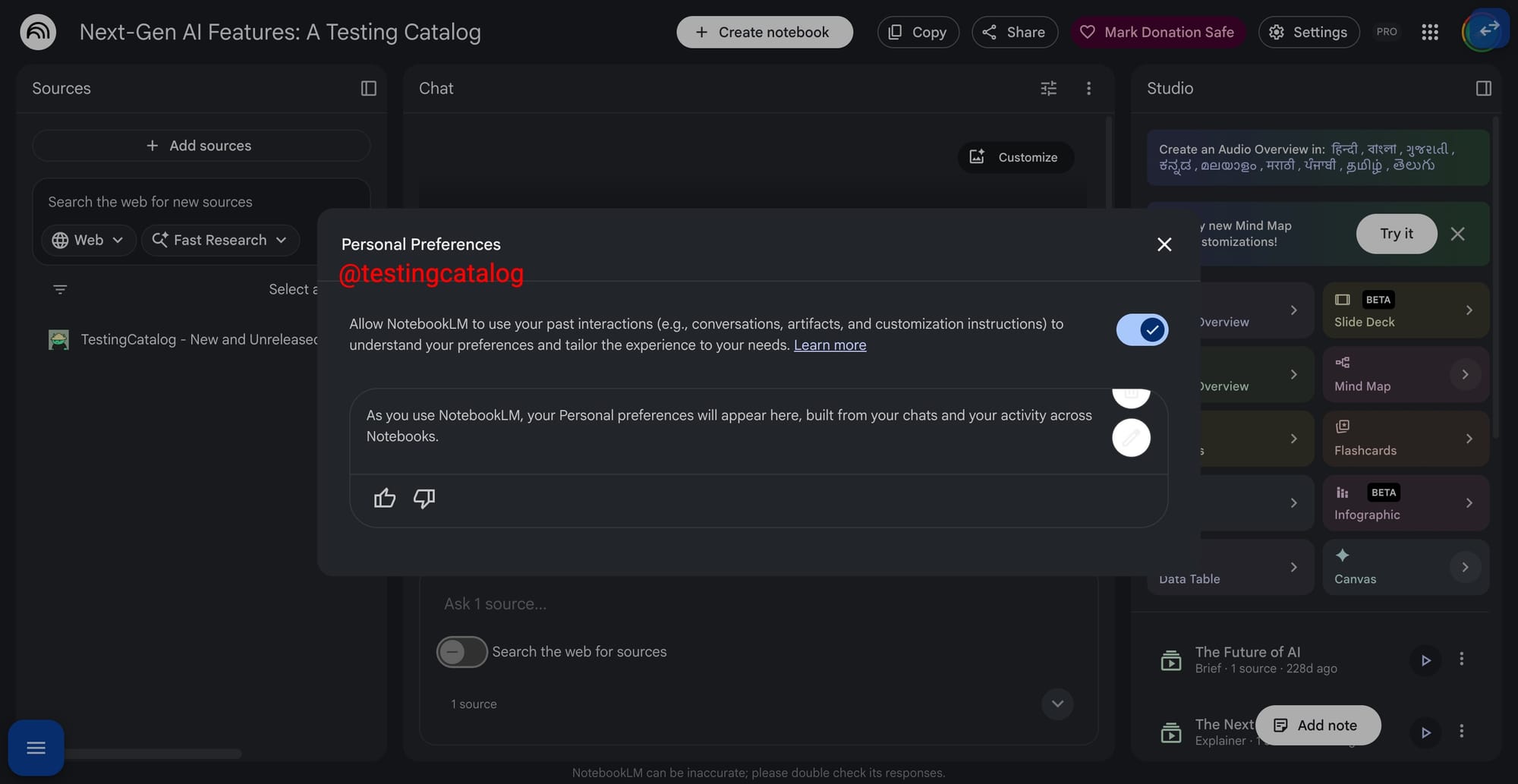
最初の機能は 個人設定 です。これは Gemini で初登場し、今や NotebookLM にも導入される予定です。この機能により、ツールがユーザーの活動履歴から学習し、編集可能なペルソナ(人格プロファイル)を構築して、トーンや技術的な深さをユーザーの作業スタイルに合わせて調整できるようになります。Gemini のバージョンでは Gmail、Drive、Photos、Calendar といったサービスにまでアクセスしますが、現時点での NotebookLM の兆候は、ノートブックやチャットから得られるアプリ内パーソナライゼーションに焦点を当てており、繰り返し深い文脈での調査を行う人々にとって有用です。
NotebookLM に過去のやり取り(会話、成果物、カスタマイズ指示など)を使用させ、ユーザーの好みを理解し、ニーズに合わせて体験を調整できるようにします。
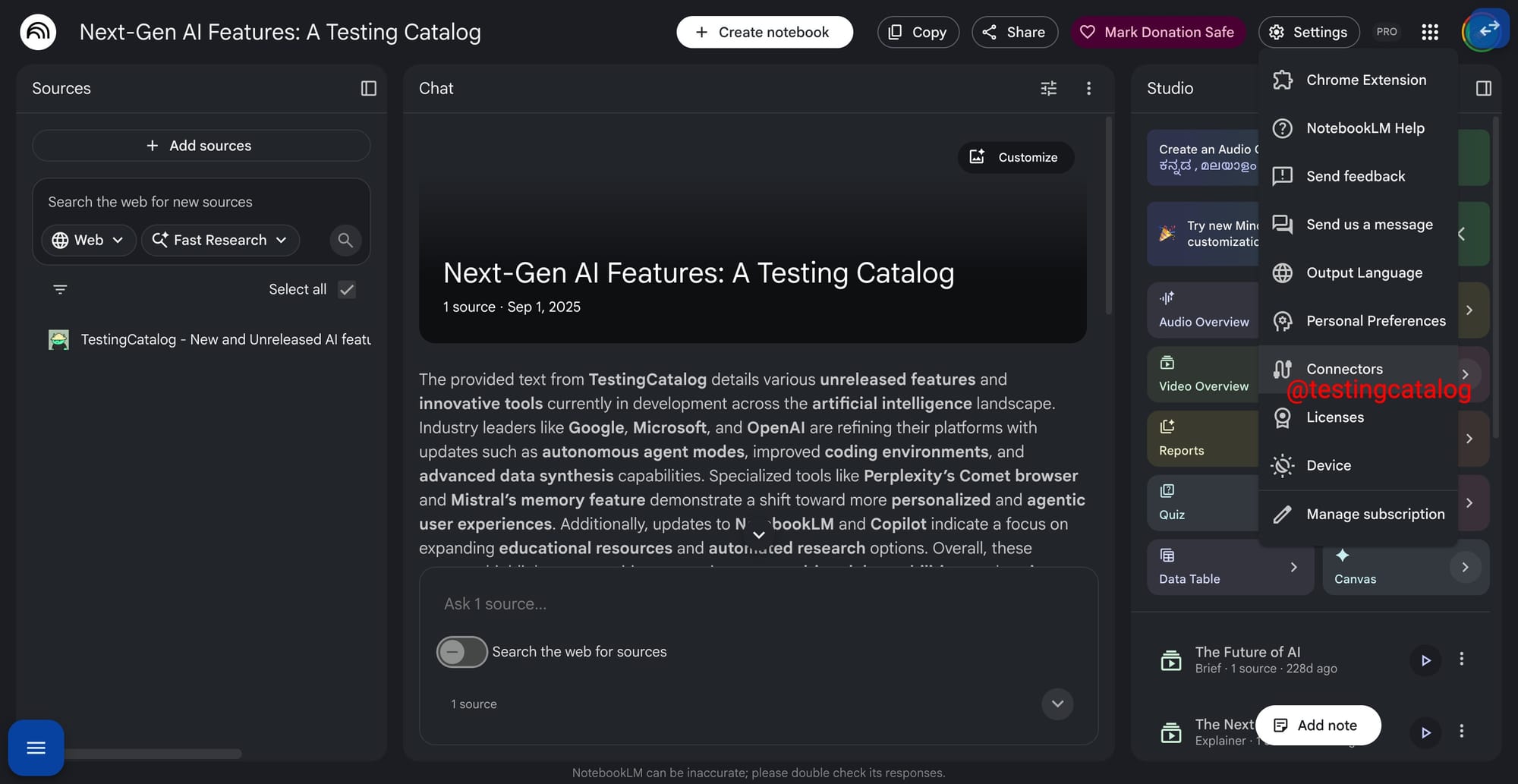
 imageConnectors は設定画面で隣に並ぶ形で実装され、このギャップを埋めることになります。MCP と同様に動作し、外部データをノートブックに取り込む仕組みであり、おそらくはカレンダー、Gmail、Drive といった Google 自身のサービスから順次対応が始まるでしょう。現時点ではまだ稼働しておらず、サポート対象となるソースのリストも今後拡大していく見込みです。
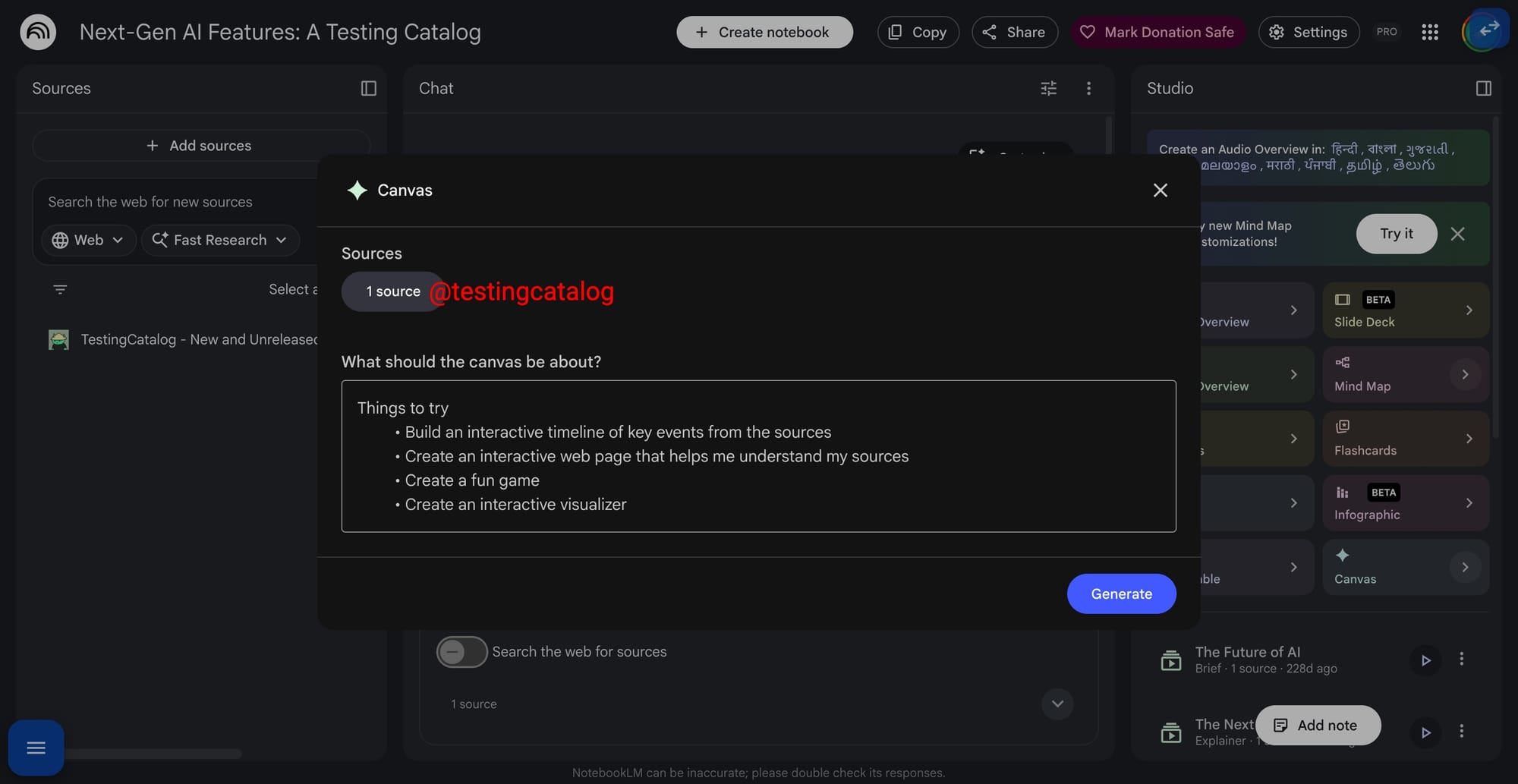
 imageCanvas はおそらく今回の注目すべき機能です。Studio パネルに配置され、ソース資料をカスタムアーティファクトへと変換します。具体的には、プロンプトで指示された内容や方法に基づき、インタラクティブなタイムライン、解説用ウェブページ、軽量ゲーム、あるいはビジュアライザーとして出力されます。これは、すでに NotebookLM が提供しているインフォグラフィック、スライド資料、データテーブル、マインドマップといった出力機能をさらに拡張するものです。
この組み合わせこそが、最も魅力的な点です。NotebookLM が Gemini の内部に統合されたことで、3 つの要素が連携し、ユーザーはツール間で資料をコピーすることなく、複数のソースを横断して作業できるようになります。これは、Google が文書に基づいた読者から、ドキュメント上に構造化され視覚的な体験を構築するためのワークスペースへと進化させるという取り組みと合致しています。
モデルについては、NotebookLM は昨年遅くに Gemini 3 へ移行しました。I/O 2026 で Gemini 3.5 Flash がグローバルデフォルトとなった現在、このファミリーの「Flash」ブランチが自然な次の基盤となります。確固たるタイムラインはまだ発表されていませんので、現時点での疑問は「いつか」ではなく「いつになるのか」という点です。
原文を表示
Google appears to be lining up a batch of NotebookLM features that have been in the works for months, surfacing quietly in recent builds even as the team drops hints that an announcement may not be far off. Three additions stand out, and together they sketch a clear direction.
as is tradition, NotebookLM’s big update is not on IO day…Team has cooked.— Simon (@tokumin) May 24, 2026
The first is Personal Preferences, which debuted in Gemini and is now set to reach NotebookLM. It would let the tool learn from your activity and build editable personas, adjusting tone and technical depth to how you work. While Gemini’s version reaches into Gmail, Drive, Photos, and Calendar, the NotebookLM signals so far lean toward in-app personalization drawn from your notebooks and chats, which is useful for anyone doing repeated, deep-context research.
Allow NotebookLM to use your past interactions (e.g., conversations, artifacts, and customization instructions) to understand your preferences and tailor the experience to your needs.
Connectors, sitting alongside it in settings, would close that gap. Working much like MCP, it would pull outside data into a notebook, most likely starting with Google’s own services such as Calendar, Gmail, and Drive. The piece is not yet operational, and the roster of supported sources remains open.
Canvas is arguably the headline. Found in the Studio panel, it would turn sources into a custom artifact — an interactive timeline, an explainer web page, a lightweight game, or a visualizer, guided by a prompt describing what you want and how. It extends the outputs that NotebookLM already offers, including infographics, slide decks, data tables, and mind maps.
The combination is where it gets compelling. With NotebookLM now living inside Gemini, the three would let people work across their sources without copying material between tools, matching Google’s push to turn a source-grounded reader into a workspace for building structured, visual experiences on top of documents.
On models, NotebookLM moved to Gemini 3 late last year; with Gemini 3.5 Flash now the global default after I/O 2026, the Flash branch of that family is the natural next base. A firm timeline is still missing, so the open question is when, not whether.
今日のまとめ
AIデイリーブリーフで今日の重要ニュースをまとめ読み