Windsurf 1.9566.11:並列マルチエージェントセッションとGitワークツリーをサポートする「Wave 13」アップデート
本文の状態
日本語全文を表示中
詳細モードで約4分の本文を読めます。
Windsurfはバージョン1.9566.11(Wave 13)をリリースし、並列実行可能なマルチエージェントセッションやGitワークツリー、サイドバイサイドのCascadeパネルなどを追加した。これにより、エージェントの実行信頼性が向上し、開発効率が改善される。
Source Article
元記事を日本語で読む
本文に関係しない購読案内、埋め込み通知、サイト内プロモーションは除いています。
Wave 13: Merry Shipmas
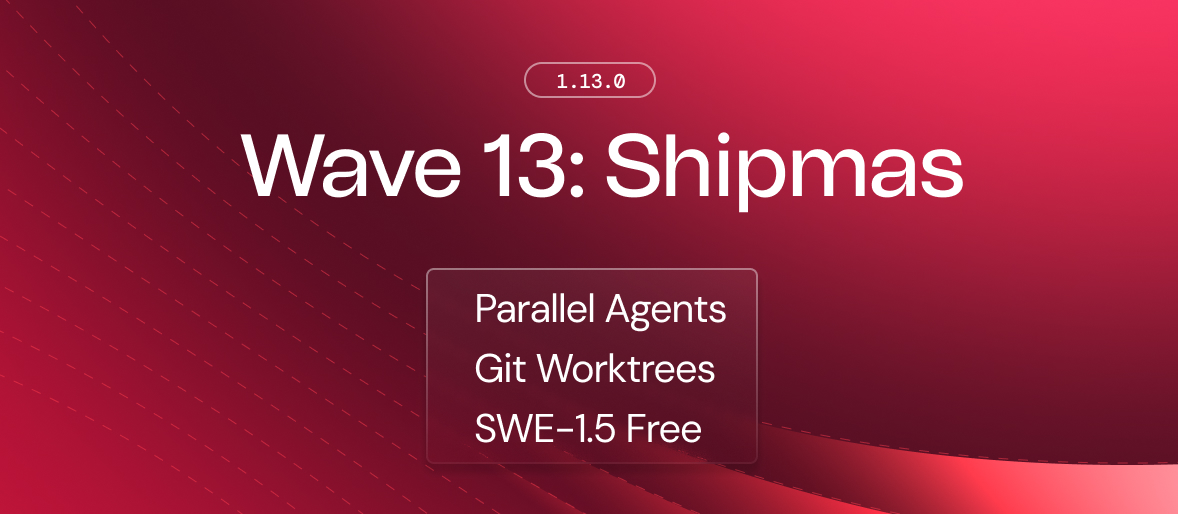
Wave 13 では、Windsurf において並列かつマルチエージェントセッションに対するファーストクラスのサポートが追加されました。さらに Git worktrees(別名ブランチワークツリー)、サイドバイサイドの Cascade パン、そしてより信頼性の高いエージェント実行のための専用ターミナルプロファイルも用意されています。
SWE-1.5 Free
最先端に近い性能を持つモデル「SWE-1.5」が、今後 3 ヶ月間に限り全ユーザーに無料で利用可能になりました。SWE-1.5 Free は、SWE-Bench-Pro におけるコーディングパフォーマンスにおいて SWE-1.5 と同等の知能を備えていますが、標準的なスループット速度で提供されます。Cerebras でホストされている元の SWE-1.5 バリアントは、有料ユーザー向けに引き続き利用可能です。SWE-1.5 Free は今日より Windsurf のデフォルトモデルとして SWE-1 を置き換えます。
Git Worktree Support
Windsurf において Git worktrees(別名ブランチワークツリー)のサポートが開始され、同じリポジトリ内で競合を起こすことなく複数の Cascade セッションを起動できるようになりました。Git worktrees は、異なるブランチを別々のディレクトリにチェックアウトしながら、共通の Git ヒストリを共有します。
Multi-Cascade Panes & Tabs
Windsurf ではすでに同時に複数の Cascade セッションを実行することが可能でしたが、これからは同じウィンドウ内の個別のパーンやタブでそれらを表示し、対話できるようになりました。これにより、セッションの進捗状況を確認したり、出力をサイドバイサイドで比較したりすることもでき、場合によっては Windsurf を大規模な Cascade ダッシュボードとして活用することも可能です。
Cascade Dedicated Terminal (Beta)
Windsurf は、エージェントがターミナルコマンドを実行するための新しいアプローチを導入しました。デフォルトのシェルではなく、Cascade では信頼性を高めるために特別に設定された専用 zsh シェルでコマンドを実行します。Cascade 専用ターミナルは、.zshrc 設定ファイルで設定した環境変数を利用でき、対話式であるため、シェルスクリプトからのプロンプトに対して回答してもフローを中断することなく処理できます。これにより、特に複雑なプロンプト(例:powerlevel10k)を使用するユーザーにとって、シェルコマンドの信頼性と速度が向上します。
このバージョンでは、macOS 上の Windsurf Stable で Cascade 専用ターミナルはオプトイン方式となります。古いレガシーターミナルで問題が発生している場合は、早期に新しいターミナルへの切り替えを推奨します。将来的にはこの機能をデフォルトにする予定ですが、後方互換性を保つためにレガシーターミナル拡張機能も維持されます。Windsurf ユーザー設定 -> Disable Windsurf Legacy Terminal Profile からオプトインが可能です。
Context Window Indicator
モデルのコンテキストウィンドウが長くなりすぎると、警告なしに以前のコンテキストが削除され、パフォーマンスが低下する可能性があります。Cascade は既に、メッセージを定期的に要約して履歴をクリアすることでウィンドウを拡張しています。今回のリリースでは、現在使用されているコンテキストウィンドウの割合を確認できる視覚的インジケーターを追加し、制限を予測して新しいセッションを開始すべきタイミングを判断できるようになりました。
Cascade Hooks
Cascade のワークフローの重要なポイント、例えば監査目的でのモデル応答時などに、カスタムコマンドを実行できます。
System-level Rules & Workflows
企業は MDM ポリシーを通じてルールとワークフローを展開でき、組織がユーザーのマシンにルールやワークフローファイルを配置することを可能にします。
Bug Fixes and Improvements
- 次ハunk にスクロールする設定を構成可能な機能付きで、差分表示領域の動作を強化(デフォルトはオフ)
- Cascade ターミナル出力における色とスタイルを維持
- Model Context Protocol の実装に関する複数の修正
- Cascade の Web Fetch ツールの権限を下げる機能をサポート
- 専用ターミナルの実装における競合状態(race condition)の修正
- 専用ターミナルでのコマンド強制終了をサポート
- マークダウン補完を改善
- 古い Cascade 差分のオープン問題を修正
原文を表示
Wave 13: Merry Shipmas
Wave 13 brings first-class support for parallel, multi-agent sessions in Windsurf, along with Git worktrees, side-by-side Cascade panes, and a dedicated terminal profile for more reliable agent execution.
SWE-1.5 Free
Our near-frontier model, SWE-1.5, is now available for free to all users for the next 3 months. SWE-1.5 Free has the full intelligence of SWE-1.5, with the same coding performance on SWE-Bench-Pro, but delivered at standard throughput speeds. The original variant of SWE-1.5 hosted on Cerebras will continue to be available for paid users. SWE-1.5 Free will replace SWE-1 as the default model in Windsurf starting today.
Git Worktree Support
Windsurf now supports Git worktrees, letting you spawn multiple Cascade sessions in the same repository without conflicts. Git worktrees check out different branches into separate directories while sharing the same Git history.
Multi-Cascade Panes & Tabs
You can already run multiple Cascade sessions in Windsurf at the same time. Now, you can view and interact with them in separate panes and tabs within the same window. This lets you monitor progress and compare outputs of sessions side-by-side, or even turn Windsurf into a big Cascade dashboard.
Cascade Dedicated Terminal (Beta)
Windsurf introduces a new approach for letting agents execute terminal commands. Instead of your default shell, Cascade will now run commands in a dedicated zsh shell specifically configured for reliability. The Cascade Dedicated Terminal can use the environment variables you set in your .zshrc configuration and is interactive, which means you can answer any prompts from shell scripts without having to break your flow. This should improve the reliability and speed of shell commands, especially for users with complicated prompts (e.g., powerlevel10k).
In this version, the Cascade Dedicated Terminal will be opt-in for Windsurf Stable on macOS. If you are experiencing issues with the older legacy terminal, we recommend switching to the new terminal early. We expect to make this feature the default in the future, while maintaining the legacy terminal extension for backwards compatibility purposes. You can opt-in in the Windsurf User Settings -> Disable Windsurf Legacy Terminal Profile.
Context Window Indicator
When a model's context window grows too long, earlier context can be dropped without warning and performance can degrade. Cascade already extends the window by occasionally summarizing messages and clearing history. This release adds a visual indicator to see how much of your context window is currently in use, helping you anticipate limits and decide when to start a new session.
Cascade Hooks
Execute custom commands at key points during Cascade's workflow, including on model response for auditing purposes.
System-level Rules & Workflows
Enterprises can deploy rules and workflows via MDM policies, allowing organizations to place rules and workflows files on users' machines.
Bug Fixes and Improvements
- Enhanced diff zone behavior with configurable scroll-to-next-hunk settings (default off)
- Preserved colors and styling in Cascade terminal output
- Multiple fixes to the Model Context Protocol implementation
- Supports lowering permissions for Cascade's Web Fetch tool
- Fix race condition in the dedicated terminal implementation
- Support force killing commands in the dedicated terminal
- Improved markdown completion
- Fix opening old Cascade diffs
同じ出来事を3媒体で確認
同じ出来事を扱う別媒体の記事です。見出しと公開時刻を比較できます。
関連記事
News to Guide
ニュースの次に確認する
発表内容を、現在の料金や仕様と照らし合わせられる関連ガイドです。
今日のまとめ
AIデイリーブリーフで今日の重要ニュースをまとめ読み